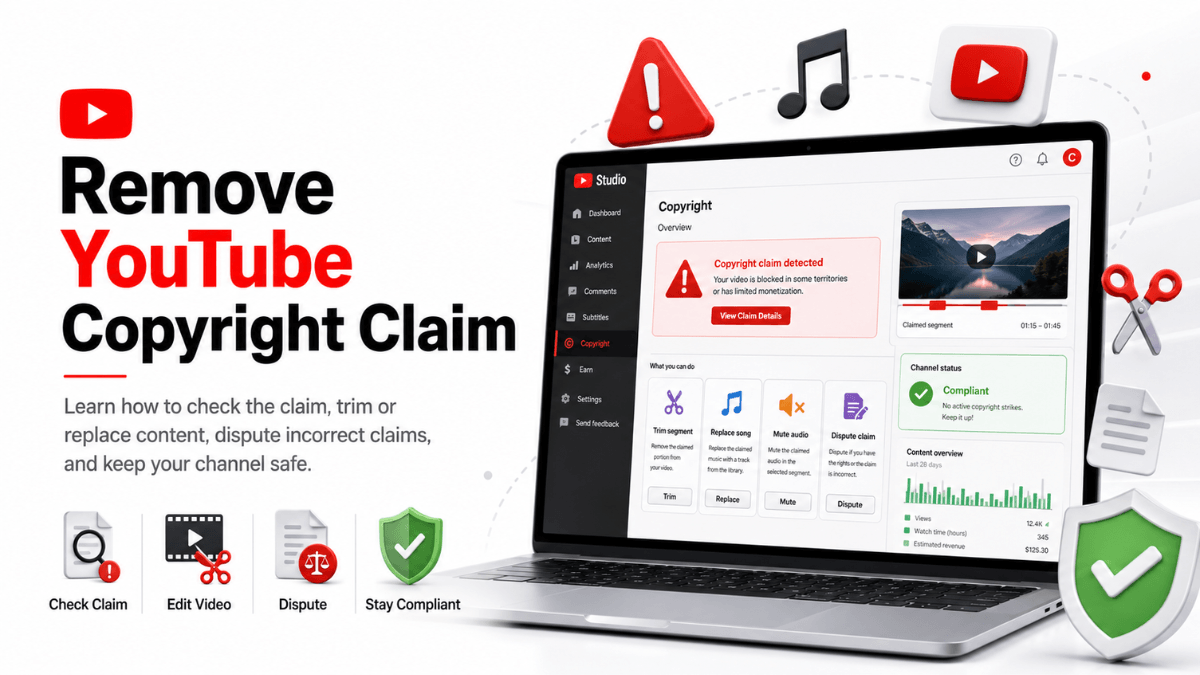
Direct answer: Identify what you actually received first, because YouTube uses the word "claim" for two different things. A Content ID claim comes from an automated match, usually leaves the video online, and puts no strike on your channel. A copyright strike comes from a valid legal removal request, which means the video is already down. As of 19 August 2026 the official timelines are: the claimant has 30 days to respond to a dispute, 7 days to respond to an appeal, and 10 US business days to answer a counter notification with evidence of legal action, while a strike expires 90 days after it was applied if you complete Copyright School.
- A Content ID claim is not a strike: check the Restrictions column in YouTube Studio to see which one you have.
- The documented fast route for a valid claim is editing it out: trim the segment, replace the song from the Audio Library, or erase the audio.
- Dispute only if you are confident you hold all the necessary rights; credit and owning a copy are not legitimate reasons.
- Three active strikes in 90 days make the account, and channels linked to it, subject to termination.
- A counter notification is a legal filing that includes a consent to jurisdiction and a statement under penalty of perjury, and its contents are shared with the claimant.
Step one: read the notice and identify it
According to YouTube's "What is a copyright claim?" page, the word covers two situations: a copyright removal request, a legal request to take content down, and a Content ID claim, a YouTube tool applied automatically when an upload matches a reference file. The correct response differs completely, so identify the type first.
To check a Content ID claim: Studio, Content, the Claims filter, hover over Claims in the Restrictions column, then "See details"; under "Content used" you find the claimant and the timestamps.
To check a strike: the Studio Dashboard shows an "Active copyright strikes" section, or go to Content, use the Copyright filter, find the video with "Removed" status and click "See details" for the impact, the claimant's name and where their content appears; audio strikes show under "Infringing audio track". Official notifications come from no-reply@youtube.com, and if you have lost access to the channel the details are in that email.
The underlying concepts sit in the YouTube copyright guide; this page is about the procedures.
Claim versus strike, side by side
| Item | Content ID claim | Copyright strike |
|---|---|---|
| Where it comes from | An automated match against a reference file submitted by a rights holder | A valid legal copyright removal request |
| What happens to the video | Blocked, monetized for the rights holder, or tracked, and the outcome can differ by country | The video is removed from YouTube |
| Effect on the channel | No strike; YouTube states claims "usually" do not affect the channel | An active strike; a removed live stream also restricts live access for 7 days, and 14 days after another strike |
| How you respond | Remove the claimed content, share revenue, or dispute (30 days) and then appeal (7 days) | Copyright School plus 90 days, a retraction, or a counter notification |
| How it escalates | Disputing without a valid reason can prompt a removal request, and then a strike | A counter notification can push the claimant to file a lawsuit to keep the video down |
Shorts have one extra rule: per "Learn about Content ID claims", a Short longer than one minute with an active claim is blocked regardless of the owner's policy.
The claim path: four options
1. Edit the claimed content out in Studio
According to "Remove claimed content from videos", you can clear the claim and its restrictions by editing the video without re-uploading, and each of these clears a Content ID claim automatically when it succeeds:
- Trim out segment: cut the claimed section. If any claimed content remains, the claim is not removed.
- Replace song: swap the claimed audio for a track from the YouTube Audio Library.
- Erase song: mute the claimed song, or mute all sound in the claimed segments. YouTube notes that muting all sound is "usually faster and more likely" to clear the claim, and that erasing only the song may fail if the track is hard to separate.
The route is Content, the Claims filter, the Restrictions column, "See details", then Take Action under "Content used". One warning from the page: since June 2025, saved edits cannot be reverted, so preview before saving.
2. Leave the claim in place
If the claim is correct and you accept the outcome, you can do nothing. Per the monetization page, held revenue is released to the claimant 5 days after the claim date.
3. Share revenue on eligible music
If you are in the YouTube Partner Program and the claim is on an eligible music track, you may have the option to share revenue instead of cutting the audio. The conditions are covered in the YouTube music copyright guide.
4. Dispute: the claimant has 30 days
According to "Dispute a Content ID claim", valid reasons include holding all the necessary rights, using the content in a way that qualifies as a copyright exception such as fair use, or believing the video was misidentified. Once you dispute, the claimant is notified and has 30 days to do one of four things:
- Release the claim: monetization settings are restored automatically once all claims are released.
- Reinstate it: the dispute was rejected and the claim stays; you may be eligible to appeal.
- Submit a removal request: if valid, the video is removed and the channel gets a strike.
- Do nothing: after 30 days with no response the claim expires and is released.
The page also lists reasons that are explicitly not legitimate grounds: giving credit, owning a copy of the video or song, and choosing not to monetize. It adds that YouTube cannot decide for you whether to dispute, that abuse of the process can bring penalties against your video or channel, and that a dispute cannot be canceled once submitted. If your reasoning rests on a copyright exception, read the YouTube copyright guide first: the decision here sits with the claimant, not with YouTube.
Appeal: the claimant has 7 days
If your dispute is rejected and the claim reinstated, you may be eligible to appeal. The claimant then has 7 days to release the claim, submit a standard removal request (video removed, strike applied), submit a scheduled removal request (you get 7 days to cancel the appeal first), or let the claim expire.
There is also "Escalate to Appeal", available only for claims that block your video: it skips the 30-day dispute step and starts with the 7-day appeal. Eligibility can require a one-time verification on your channel features page, canceling an appeal ends the option for that claim, and abuse of the process can cost you the ability to appeal at all.
Revenue while a dispute is open
Per "Monetization during Content ID disputes", read on 19 August 2026: disputing within 5 days of the claim date keeps ads running and holds revenue from the first day of the claim; after 5 days the hold starts from the dispute date; doing nothing releases held revenue to the claimant after 5 days. The same rule applies to appeals, and the video's revenue data is hidden in Analytics while the dispute is open.
The strike path: three ways to resolve
According to "Understand copyright strikes", a strike means your content was removed because of a legal copyright removal request, and there are three ways to resolve it.
1. Copyright School, then wait 90 days
Strikes expire in 90 days if you complete Copyright School and your channel has fewer than three strikes. The page describes Copyright School as four questions about how copyright works, completed once, and the 90 days run from the day the strike was applied, not from the day you finish. The removed video is not reinstated this way.
2. Ask for a retraction
Contact the person who submitted the removal request and ask them to retract it. In Studio: Dashboard, "Active copyright strikes", select the video, then Select action, and the contact details appear under "Contact claimant". Retracting clears the strike unless other videos are attached to it, and restores the content unless the uploader deleted it. YouTube states on the same page that it does not mediate ownership disputes, so nothing obliges the claimant to agree.
3. Submit a counter notification
Jurisdiction-specific legal information. Per the official page, a counter notification is a legal request to reinstate content removed by a removal request, and it should be filed only if you believe the removal was a mistake, including misidentification of content that may qualify for an exception such as fair use, fair dealing or public domain. What the page tells you before you file:
- The form includes consent to the jurisdiction of the Federal District Court where your address is located, or, if your address is outside the United States, the judicial district where YouTube is located, and acceptance of service of process from the claimant.
- It also includes a statement "under penalty of perjury" of a good faith belief that the material was removed by mistake or misidentification.
- YouTube is legally required to share the filing with the claimant, including your details; an authorised representative such as an attorney can file on your behalf.
- Your full legal name and physical address are required, not a company or channel name, and misuse such as fraudulent documentation may end in account termination or legal consequences.
- Once a valid counter notification is forwarded, the claimant has 10 US business days, as required by copyright law, to respond with evidence of legal action taken to keep the content down. If they do not, the content is reinstated unless you deleted it.
- A valid filing may clear the associated strike, incomplete ones may be rejected, and one filing can cover several videos removed under the same request.
This restates the official pages and is not legal advice. The route is a legal process by design, and entering it from outside the United States is worth a specialist's opinion.
The third strike and linked channels
With a first and second strike the content is removed and Copyright School lets the strike expire after 90 days, otherwise it stays active. At three active strikes your account and any associated channels are subject to termination, uploaded content becomes inaccessible, and you cannot create new channels. It runs both ways: if a channel linked to yours has three active strikes, your channel is also at risk. Two details worth knowing: a video carries only one copyright strike at a time, and Community Guidelines strikes are a separate system.
Mistakes that make it worse
- Deleting the video to cancel a strike: if the removal request was scheduled you have 7 days to delete the content and avoid the strike, and the email tells you whether that applies. In all other cases deleting the video does not resolve it.
- Disputing out of frustration: per the strikes page, disputing without a valid reason lets the owner submit a removal request, and if valid the video is removed and a strike follows.
- Third-party "copyright removal" tools: no official tool of that kind exists.
- Adding a disclaimer: it does not prevent a claim or resolve a strike, as the copyright myths page states.
- Waiting: every step has a window (5 days for revenue, 30 for a dispute, 7 for an appeal, 10 US business days after a counter notification), and delay narrows your options.
Frequently asked questions
How do I fix a copyright claim quickly?
If the claim is correct, the documented fast route is editing the claimed content out in Studio: trim the segment, replace the song with an Audio Library track, or erase the claimed audio. When the edit succeeds, the claim clears automatically.
How long does a copyright strike last?
It expires 90 days after it was applied if you complete Copyright School and have fewer than three strikes; a retraction or a valid counter notification also resolves it. Without Copyright School it stays active.
Does my video come back automatically after 10 business days?
According to the counter notification page, if the claimant does not respond within the 10 US business days with evidence of legal action, the content is reinstated unless you deleted it. If they do respond with evidence of a lawsuit, the video stays down and the matter moves to court.
One last note on income: a copyright strike and a loss of monetization under the content policies are two different events with two different paths. The difference is set out in the monetization policies guide.
Practical summary
- Identify the type first: a claim and a strike need completely different responses.
- If the claim is correct, trim, replace or mute, and the claim clears automatically once the edit succeeds.
- If you genuinely hold the rights, dispute within 5 days to protect the revenue, then expect 30 days and 7 more on appeal.
- For a strike: Copyright School and 90 days, a retraction, or a counter notification, treated as the legal filing it is.
- Do not let strikes stack: three active strikes put the account and its linked channels at risk of termination.
- For everything else on the platform, start from the YouTube Resource Hub.
Official sources
- What is a copyright claim? - YouTube Help: the difference between a legal removal request and a Content ID claim (read 19 August 2026).
- Understand copyright strikes - YouTube Help: the 90-day expiry, Copyright School, the three resolution routes, the third strike, live stream restrictions (read 19 August 2026).
- Remove claimed content from videos - YouTube Help: trim, replace song, erase song, and the June 2025 note that saved edits cannot be reverted (read 19 August 2026).
- Dispute a Content ID claim - YouTube Help: the 30-day window, the reasons that are not legitimate, what the claimant can do (read 19 August 2026).
- Appeal a Content ID claim - YouTube Help: the 7-day window, Escalate to Appeal, canceling an appeal (read 19 August 2026).
- Retract a copyright removal request - YouTube Help: what a retraction does and how to request one (read 19 August 2026).
- Submit a copyright counter notification - YouTube Help: the legal statements, what is shared with the claimant, and the 10 US business day window (read 19 August 2026).
- Monetization during Content ID disputes - YouTube Help: the five-day rule, held revenue and Analytics (read 19 August 2026).