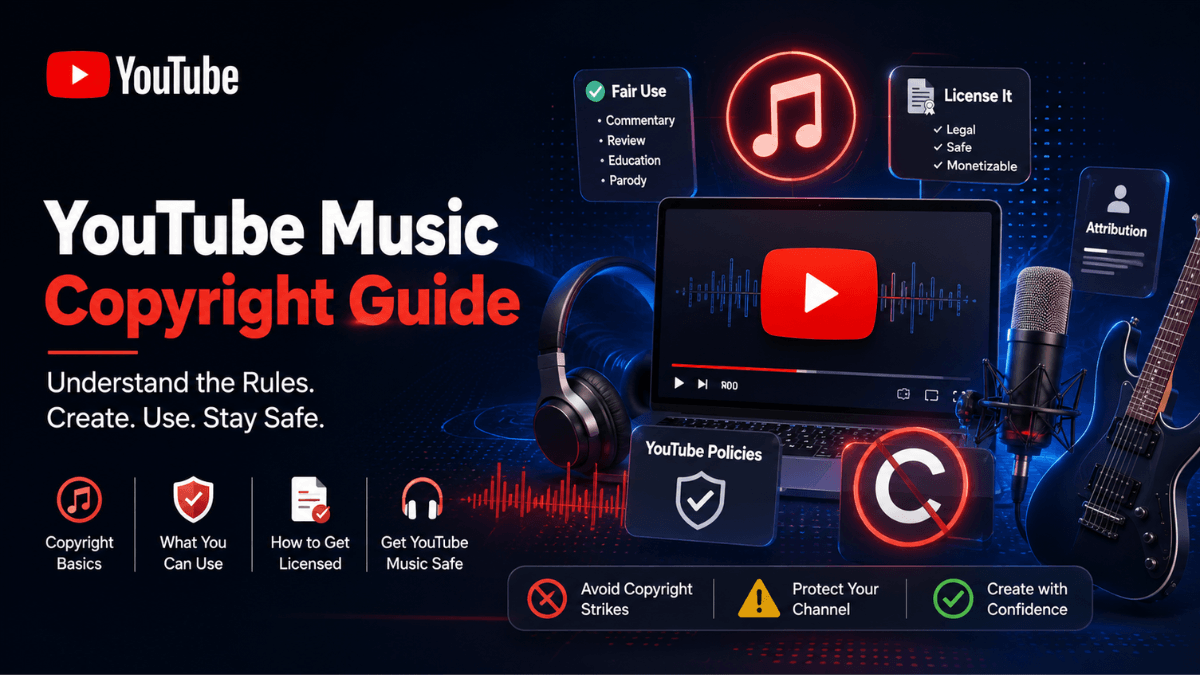
Direct answer: The only source YouTube's own pages describe as "known to YouTube to be copyright-safe" is the Audio Library inside YouTube Studio: the page states that music and sound effects downloaded from it "won't be claimed by a rights holder through the Content ID system". Every other source, including libraries that market themselves as royalty-free, depends on its own licence terms, and YouTube states plainly that it "is not responsible for issues that arise from royalty-free music and sound effects from YouTube channels or other music libraries". As of 19 August 2026, Creator Music is still in beta and is rolling out to YouTube Partner Program creators in the United States first.
- "Royalty-free" describes how you pay, not whether a claim can appear.
- The Audio Library is free and inside Studio; some tracks require attribution in the description and some do not.
- Creator Music lets you buy a licence or share revenue with rights holders, under defined usage rules, and excludes live streams and Shorts.
- A CC BY licence requires attribution, and a video carrying a Content ID claim cannot be marked with it.
- Licensed music can still be claimed, because matching is automatic and rights can differ by territory, which is why documenting a licence matters.
What "royalty-free" actually means
The phrase that causes the most trouble is "copyright-free music". No music is ownerless; every track has a rights holder, and what differs is the licence you hold. Three separate things get mixed up:
- Royalty-free: a payment model, meaning you do not pay recurring royalties. It says nothing about whether the track can be matched or claimed.
- Public domain: work whose copyright has expired or that was never eligible. YouTube's copyright page notes that verifying public domain status is your responsibility and that no official list of such works exists.
- Creative Commons: a standardised permission with conditions, attribution being the main one.
The Audio Library page sets the boundary directly: "Only music and sound effects from the Audio Library are known to YouTube to be copyright-safe", YouTube "is not responsible for issues that arise from royalty-free music and sound effects from YouTube channels or other music libraries", it cannot give legal guidance, and if you have questions about your use of music you may wish to consult a qualified lawyer. The wider copyright framework sits in the YouTube copyright guide.
The YouTube Audio Library
As read on 19 August 2026, the library is in YouTube Studio under Audio Library in the left menu, or directly at youtube.com/audiolibrary, and it exists only inside Studio. What the official page documents:
- Search and filters: by title, artist or keyword, with filters for genre, mood, attribution status and duration, a separate Sound effects tab, and a star icon for favourites.
- Downloads: preview a track, then download it as an MP3.
- Attribution: if the track carries a Creative Commons licence you "must credit the artist in your video's description", and the ready-made attribution text is copied from the Creative Commons icon in the License type column. To skip that requirement, use the "Attribution not required" filter.
- Updates: new releases are added twice a month.
- Monetization: YPP members can monetize videos using Audio Library music and sound effects, and downloads from the library "won't be claimed by a rights holder through the Content ID system".
One thing viewers notice: any Audio Library track makes a "Music in this Video" section appear on the watch page. Per the "Music in this video" page, YouTube adds it automatically in two situations, when a video is claimed by a copyright management tool such as Content ID, and when it contains Audio Library music, so its presence is not evidence of a problem. Creative Commons tracks still need the attribution in your description.
Creator Music: licence or revenue share
Creator Music is a marketplace inside Studio where a commercial track can be used in one of two ways: buying a licence, or sharing the video's revenue with the track's rights holders. The fact that matters most for creators in Saudi Arabia and the Gulf comes straight from the page on 19 August 2026: "Creator Music is in beta. We're gradually rolling it out to US creators in the YouTube Partner Program (YPP), then plan to expand to YPP creators outside the US." Check whether the section appears in your Studio before planning around it.
Where it is available, the revenue sharing usage requirements are:
- If a track is licensable but you do not want to buy the licence, you can share revenue by using it for less than 30 seconds in a video longer than 3 minutes.
- If a track is not licensable but is eligible for revenue sharing, you can use as much of it as you want in a video of any duration.
- The video cannot be a live stream or a Short, and cannot have monetization issues such as claims that blocked visibility or disabled monetization, or advertiser-friendly violations.
- If the usage requirements are not followed, the video could get a copyright claim or a removal request that disables monetization or blocks it.
- Terms can change at the rights holders' discretion, including after you publish, and changes can apply in some territories or all of them.
On the split, the page explains that in a long-form video using revenue sharing tracks the standard 55% creator share is adjusted to cover the cost of clearing music rights, depending on how many eligible tracks are used, plus a deduction of up to 5% for additional rights such as performing rights. YouTube's own example: one revenue sharing track means half of the standard 55% share.
Sources, licences and monetization
| Source | Licence | Attribution | Monetization |
|---|---|---|---|
| Audio Library (YouTube Studio) | Standard YouTube Audio Library licence or Creative Commons | Required for Creative Commons tracks only; text ready to copy | Available to YPP members; downloads "won't be claimed" through Content ID |
| Shorts Audio Library | Licensed for use inside Shorts | Not applicable | Within the Shorts revenue sharing model, with per-track duration limits |
| Creator Music | Purchased licence or revenue share | Not applicable | Depends on the route: the licence you bought, or an adjusted revenue share |
| CC BY video on YouTube | Creative Commons Attribution | Required: title, author, source, licence info | Possible if the licence grants commercial rights |
| Third-party "royalty-free" library | Whatever the provider grants | As the licence requires | As the licence allows; YouTube takes no responsibility for issues |
| Commercial song with no licence | None | Does not help | A claim is likely, and "Monetize" is the most common music claim policy |
Creative Commons on YouTube
According to "License types on YouTube", uploads carry one of two licences: the standard YouTube licence, which is the default, or the Creative Commons Attribution licence (CC BY). You can mark your video CC BY if everything in it is licensable that way: your own original content, content released under CC BY, or content in the public domain. If the video has a Content ID claim on it, you cannot add the licence.
If you are using someone else's work under CC BY, attribution is mandatory, and the page lists the fields for the video or its description: title, author, source URL, and licence info such as "is licensed under CC BY". CC content can be monetized if the licence grants commercial rights, and some owners require credit or proof of purchase for commercial use.
Music in Shorts
From the "Understand three-minute YouTube Shorts" page, read today: you can use any song available in the Shorts Audio Library, most songs for up to 90 seconds in a three-minute Short, though some tracks are limited to 60 or 30 seconds. You can also use royalty-free music from the YouTube Audio Library, which the page states "won't receive a copyright claim".
The rule that makes music choice consequential in Shorts is the length threshold: a Short over one minute with an active claim of any type is blocked globally, is not playable or recommended, and is not eligible for monetization, with no penalties to the channel, and it returns once the claim is resolved.
Why licensed music still gets claimed
This is the question that arrives from creators who did pay for their music. The reasons the official pages support:
- Matching is automatic: Content ID compares every upload against reference files and has no knowledge of your licence. "Monetize" is the most common policy applied to music claims.
- Multiple rights holders: a single track can involve separate recording and composition rights, and some music claims come from music publishing rights collecting societies rather than the artist.
- Territory: policies can be geography-specific, so the same video may be claimed in one market and untouched in another.
- Licence scope: some licences do not cover use or monetization on YouTube. The fair use page advises reading the terms and conditions of royalty-free and licensing sites carefully, because some services "may not give rights to use or monetize the music on YouTube".
In practice, keep proof for every track: the invoice, the licence or order ID, the terms as they read on the day of purchase, and a screenshot of the track page. That is editorial practice rather than an official requirement, but it is what you would need if you decide to dispute. Dispute windows and the faster alternatives, trimming or replacing the audio, are in the guide to copyright claims and strikes, and if your use rests on a legal exception, read the YouTube copyright guide first.
Frequently asked questions
Where do I get free music for YouTube videos?
The Audio Library in YouTube Studio, or directly at youtube.com/audiolibrary. Tracks are free to download, some require crediting the artist in the description and some do not, and YPP members can monetize videos that use them.
Is Audio Library music really free of claims?
YouTube states that downloads from the Audio Library "won't be claimed by a rights holder through the Content ID system", and that its music and sound effects are the only ones YouTube knows to be copyright-safe. The copyright page still adds that none of the safe-use options guarantee avoiding every issue, so no source should be described as permanently claim-free.
Can I use a popular song if I credit the artist?
No. The copyright myths page states that giving credit does not give you the rights to use someone's content, and that buying a song does not give you the right to upload or distribute it on YouTube.
What is the difference between the Audio Library and Creator Music?
The Audio Library is free and open to every channel inside Studio. Creator Music is a marketplace of commercial tracks used either by buying a licence or by sharing revenue, and it is in beta, rolling out to US YPP creators first with plans to expand outside the US.
Do covers and remixes need permission?
According to the myths page, using someone else's content to create something new, such as a cover, remix or translation, usually still requires the owner's permission, though some YouTube features, like creating Shorts from remixable content, come with a corresponding licence for that use.
Why does my video show a "Music" section?
Per the "Music in this video" page, YouTube adds it automatically when a video is claimed by one of its copyright management tools, or when the video contains Audio Library music. For videos with many songs, the first ten are listed.
If the music goes in during the edit, pick the track before you start cutting rather than after: swapping a song in a finished timeline means re-timing everything around it. The editing workflow itself is in the YouTube editing guide.
Practical summary
- Start with the Audio Library: it is the one source YouTube calls copyright-safe, and check the attribution filter before you publish.
- Treat "royalty-free" as a price model, not a promise; read the provider's terms on YouTube use and monetization.
- Creator Music is useful but still in beta and US-first; confirm it appears in your own Studio.
- In Shorts, one minute is the dividing line: an active claim on a longer Short means a block.
- Document every licence you buy; the invoice and terms are what you will need later.
- For everything else on the platform, start from the YouTube Resource Hub.
Official sources
- Use music and sound effects from the Audio Library - YouTube Help: where the library is, filters, attribution rules, monetization, and the limits of YouTube's responsibility (read 19 August 2026).
- Share revenue using Creator Music - YouTube Help: beta status and availability, usage requirements, and how the revenue share is calculated (read 19 August 2026).
- License types on YouTube - YouTube Help: standard licence versus CC BY, attribution fields, and the Content ID restriction (read 19 August 2026).
- Music in this video - YouTube Help: when the Music section appears and where its data comes from (read 19 August 2026).
- Learn about Content ID claims - YouTube Help: "Monetize" as the most common music claim policy, and the Shorts rule (read 19 August 2026).
- Understand three-minute YouTube Shorts - YouTube Help: song duration limits in Shorts and blocking for claimed Shorts over one minute (read 19 August 2026).
- Copyright on YouTube - YouTube Help: music sources among the safe-use options, and public domain (read 19 August 2026).