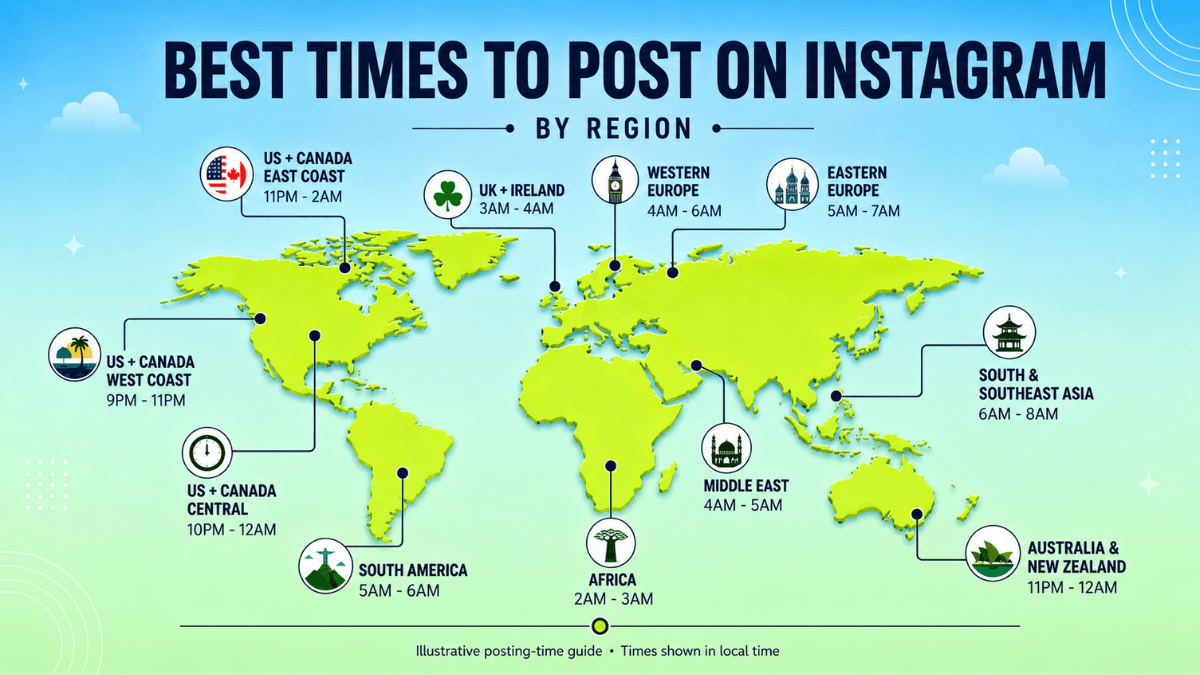
Instagram doesn't publish a best time to post. Adam Mosseri, described by Social Media Today as "Instagram chief," wrote as much in a reel caption on his own account: "There's no universal best time to post. If you really want to optimize, check your insights to see when your followers are actually online." (Instagram)
That leaves two honest sources of information. The first is Instagram's own documentation, which lists when a post was shared among its Feed signals and tells you where to check your own audience's active hours. The second is a set of vendor studies from Buffer, Sprout Social, Hootsuite and Later, each measuring its own sample of accounts or posts, not Instagram as a whole. This guide separates the two, shows where the vendors agree and disagree, and walks through testing a schedule against your own numbers. For the rest of our Instagram coverage, see the Instagram resource hub.
Key Takeaways
- Instagram doesn't publish a best time to post. Mosseri has said directly, on his own account, that there is no universal best time, and recommends checking your own Insights instead.
- Posting time is named inside Feed's "information about the post" signal group, but Instagram's published descriptions of Explore, Reels and Stories don't mention it.
- Buffer, Sprout Social, Hootsuite and Later don't agree on a single best day, and each uses a different sample and metric. Treat all four as Tier 3 vendor data, not Instagram data.
- Your own answer lives in Insights. "Times they're most active" appears once you reach 100 followers, and a two-week test with a metric decided in advance beats copying an hour from an article.
- Vendor worst-day findings come from mixed global samples, and Sprout Social defines the weekend as Saturday and Sunday. Saudi Arabia's weekend is Friday-Saturday, so treat any Gulf mapping of vendor data as an inference to test, not a fact.
Guide Contents
- What Instagram Documents About Posting Time
- What the Big Studies Say, and Why They Disagree
- What Vendor Weekends Mean for a Saudi or Gulf Audience
- Find Your Own Audience's Hours in Insights
- If You Have Fewer Than 100 Followers
- A Two-Week Timing Test
- How Often to Post
- Scheduling Posts at Your Chosen Time
- Posting Formulas and "First Hour" Claims
- FAQ
- Bottom Line
- About This Guide
What Instagram Documents About Posting Time
Instagram's most detailed public explanation of ranking we found is a 31 May 2023 post from Adam Mosseri, "Instagram Ranking Explained." It says Feed, Stories, Explore, Reels, Search and other parts of the app each use their own system: each one "uses its own algorithm tailored to how people use it." (Instagram) The same post says of the information it uses: "We call these 'signals,' and there are thousands of them." (Instagram) Our full breakdown of the ranking system is in how the Instagram algorithm works.
Feed ranks using four published signal groups, listed "roughly in order of importance": your activity, information about the post, information about the person who posted, and your history of interacting with them. (Instagram) That is a stated order, not a set of published weights. Instagram doesn't say how much more the first group matters than the second, or the second than the third.
Posting time sits inside the second group. Instagram's description of "information about the post" names "when it was posted" and "what location, if any, was attached to it." The same group covers popularity, including "how quickly people are liking, commenting, sharing and saving a post." (Instagram) A separate Help Center page on suggested posts also names timing directly: "how popular the post may be, how others on Instagram are interacting with the post, when or where it was posted." (Instagram Help) Our inference: posting when your followers are active gives a Feed post more chance of early interactions, which Instagram names in the same group. Instagram publishes no time window or weight for this.
That is the extent of what Instagram's ranking post says about timing. Instagram's own descriptions of Stories, Explore and Reels don't mention posting time. Stories ranks by "Viewing history," "Engagement history" and "Closeness." (Instagram) Explore's post-information signals cover popularity only, "how many and how quickly other people are liking, commenting, sharing, and saving a post." (Instagram) Reels' "information about the reel" group covers the audio track, visuals and popularity; none of the four Reels groups mentions when it was posted. (Instagram) On both Explore and Reels, Instagram adds, "the majority of what you see is from accounts you don't follow." (Instagram) For how that surface works, see our guide to the Instagram Explore page.
| Surface | Timing named in Instagram's own description? | Status |
|---|---|---|
| Feed ("information about the post") | Yes | Confirmed by Instagram |
| Suggested posts | Yes | Confirmed by Instagram |
| Explore | No | Not mentioned in Instagram's description (our reading) |
| Reels | No | Not mentioned in Instagram's description (our reading) |
| Stories | No | Not mentioned in Instagram's description (our reading) |
Meta's Transparency Center adds three narrower data points. One specific Feed prediction, how likely you are to share a post in a direct message, checks "how recently the post was created (within 90 days)." (Meta Transparency Center) That is one input to one prediction, not the whole ranking system. The Following feed, a separate view, shows posts "in reverse chronological order" without recommended content. (Meta Transparency Center) Reels chaining picks the next Reel to show. Its inputs include "what and whom you've followed, liked or engaged with recently" and "which authors have you commented on in the past hour." None of the inputs listed on that card refers to how recently a Reel was posted. (Meta Transparency Center)
Our reading: posting time is a named signal for Feed and for suggested posts, with no published weight. Instagram's descriptions of Explore, Reels and Stories don't mention it, which is a documented difference, not proof that timing has no effect there.
What the Big Studies Say, and Why They Disagree
Four vendors publish widely cited "best time to post on Instagram" tables: Buffer, Sprout Social, Hootsuite and Later. None of them is Instagram. Each measures its own sample of accounts or posts, not a cross-section of the platform.
| Vendor | Published | Sample and window | Metric | Time-zone basis (vendor's own wording) | Status |
|---|---|---|---|---|---|
| Buffer | 14 Jul 2026, updated Sep 2026 | 9.6M posts, 200,000+ accounts, Jan 2024 to Dec 2025 | Median engagement rate: (Likes + Comments + Shares + Saves / Followers x 100) | "our data scientist normalized the times so they apply to any timezone" and "These times already apply to your timezone." | Vendor data (Tier 3) |
| Sprout Social | Updated 31 Mar 2026 | Nearly 2 billion engagements across about 307,000 profiles, 27 Nov 2025 to 27 Feb 2026, from over 30,000 Sprout customers | Peak engagement windows | "All optimal posting times are listed in Local Time." | Vendor data (Tier 3) |
| Hootsuite | 14 Jul 2026 | Over 1 million posts; exact window not stated | "Engagement" (undefined on the page reviewed) | "Unless stated otherwise, the time of day was localized across 118 countries where sample data came from." | Vendor data (Tier 3) |
| Later | Updated 21 Apr 2026 | Over 6M posts including Reels, Jan to Oct 2024 | Engagement rate | "normalized to your audience's local time zone." | Vendor data (Tier 3) |
Read that last column carefully. All four vendors say their published times already account for the local time zone of the audience being measured (Hootsuite: unless stated otherwise). Do not add or subtract hours when reading these tables. The number printed on the page is the number each vendor intends you to read as is.
Per-day times, summarised from each vendor's page
| Day | Buffer | Sprout Social | Hootsuite | Later (2024 data) |
|---|---|---|---|---|
| Mon | 7 p.m. (also 6 p.m. or 8 p.m.) | 2-4 p.m. | 3-9 PM | 5 AM, 11 PM |
| Tue | 7 p.m. (also 3 p.m. or 5 p.m.) | 1-7 p.m. | 5-8 AM and 3-7 PM | 5 AM |
| Wed | 12 p.m. (also 6 p.m. or 8 a.m.) | 12-9 p.m. (plus 11 p.m.) | 5 PM | 3 AM |
| Thu | 9 a.m. (also 8 a.m. or 7 a.m.) | 12-2 p.m. | 4-5 PM | 4 AM to 5 AM |
| Fri | 10 p.m. (also 9 p.m.) | no significant peak | Around 4 PM | 3 AM to 6 AM |
| Sat | 9 p.m. (also 10 p.m. or 8 p.m.) | lowest engagement | 11 AM and 5 PM | 5 AM |
| Sun | 9 p.m. (also 10 p.m. or 8 p.m.) | among worst days | 12-3 PM | 12 AM, 5 AM, 11 PM |
All cells above are vendor data (Tier 3), not Instagram data. Times follow each vendor's wording; the Sprout Social entries for Friday to Sunday summarise its day-level findings rather than quote them. Sources: Buffer, Sprout Social, Hootsuite, Later.
The four vendors also measure different things. Buffer uses a specific formula: likes, comments, shares and saves, divided by followers, times 100. Sprout Social reports peak engagement windows and doesn't give a formula on the page we reviewed. Hootsuite reports "engagement" without a stated definition on the page we reviewed. Later reports engagement rates calculated from January to October 2024 data, nearly two years old by September 2026. None of the four measures reach or views, so none tells you when a post is most likely to reach people who don't already follow you.
Why the four disagree
Two details expose the limits of these tables. Hootsuite's own page is inconsistent on early mornings: it names 5-8 AM as part of Tuesday's best window, then separately says the least effective times are "typically early mornings (before 8 AM)". (Hootsuite) Later's page was updated 21 April 2026 but still reports January to October 2024 data, so the times reflect an audience and platform mix from almost two years before this review.
In our reading, sampling is the larger reason, alongside the metric differences above. Each vendor draws on its own sample, not a random cross-section of Instagram. Our inference: samples that differ in industry, account size and geography can produce different tables. Buffer's own page adds the caveat that matters most: "Your mileage may vary by industry." (Buffer)
The same pattern shows up on other platforms. If you also run TikTok or YouTube accounts, our TikTok posting-time guide and YouTube posting-time guide work through the vendor data for each, with the same caution about vendor sampling.
What Vendor Weekends Mean for a Saudi or Gulf Audience
None of the four vendors breaks out Gulf-specific data, so their day-of-week findings describe their own mixed global samples. When Buffer names Friday and Saturday as its worst days, Sprout Social names Saturday and Sunday, and Later names Saturday, those findings are about calendar days, not about any particular country's weekend.
Saudi Arabia moved its weekend from Thursday-Friday to Friday-Saturday under Royal Order No. O/185, effective 29 June 2013, according to a Crowell & Moring client alert. (Crowell & Moring) In the UAE, the Abu Dhabi government adopted a Saturday-Sunday weekend "as of 1 January 2022." (Abu Dhabi Media Office) That source covers the Abu Dhabi government workweek specifically; we could not verify a UAE-wide private-sector rule beyond it.
Our inference, not a finding any vendor states: a "weekend dip" in these samples may reflect people's days off rather than the calendar day itself. If so, a Saudi audience's version would more plausibly land on Friday and Saturday. Treat it as a hypothesis worth testing in your own Insights panel, not a fact you can act on directly.
Time zones matter when your own audience is split across countries. Hypothetical example: if your followers split between Riyadh (UTC+3) and Dubai (UTC+4), a post at 9 p.m. Riyadh time lands at 10 p.m. in Dubai. This is about your own audience split, not vendor tables, and 9 p.m. is illustrative, not a recommended hour. Check Top locations in Insights to see which country dominates before picking a window. The table lists UTC offsets and, where we could verify it, the weekend for each market.
| Region | UTC offset | Weekend | Status |
|---|---|---|---|
| Saudi Arabia | UTC+3, no daylight saving | Friday-Saturday | Verified (time-zone and legal sources) |
| Kuwait | UTC+3, no daylight saving | Not verified here | Offset verified; weekend not checked |
| Qatar | UTC+3, no daylight saving | Not verified here | Offset verified; weekend not checked |
| Bahrain | UTC+3, no daylight saving | Not verified here | Offset verified; weekend not checked |
| UAE | UTC+4, no daylight saving | Saturday-Sunday (Abu Dhabi government) | Verified for the Abu Dhabi government |
| Oman | UTC+4, no daylight saving | Not verified here | Offset verified; weekend not checked |
| Egypt | UTC+2 most of the year; UTC+3 from 24 Apr to 29 Oct 2026 | Not verified here | Offset verified; weekend not checked |
Bahrain, Kuwait, Qatar and Saudi Arabia offsets come from Wikipedia's UTC+03:00 summary. UAE and Oman come from Wikipedia's UTC+04:00 summary. The Saudi weekend citation is the Crowell & Moring alert above, and the UAE weekend citation is the Abu Dhabi Media Office release above. Egypt's 2026 daylight saving dates come from Egypt Independent. It reports: "under Law No. 24 of 2023, the nation's legal time is advanced by one hour starting from the last Friday of April through the final Thursday of October each year."
During Egypt's daylight saving window, it shares the same UTC+3 offset as Saudi Arabia, Kuwait, Qatar and Bahrain. Outside that window, it sits an hour behind them at UTC+2.
Ramadan deserves its own note. We could not find first-party Instagram or Meta data describing time-of-day posting behaviour during Ramadan. Any specific claim you see elsewhere, a stated spike at a particular hour, or a stated percentage increase, isn't something we could trace to a primary source, so we aren't repeating it here. If you manage a Gulf-region account, treat Ramadan as its own timing test. Rerun the two-week test below during the month itself rather than trusting an unverified outside claim.
Find Your Own Audience's Hours in Insights
Instagram's own answer to "when should I post" lives inside your account, not in a vendor table. The Insights Help Center page describes a Total followers section, available "when you have at least 100 followers," that includes "Times they're most active on Instagram" alongside growth, top locations and age range. (Instagram Help)
In the app, open Insights from your profile, go to Total followers, and scroll to "Times they're most active." On the web, Instagram's Help Center points professional accounts to "Dashboard" and personal accounts to "Your dashboard." (Instagram Help) Menu labels can vary by account type and app version. Our full walkthrough of the panel is in Instagram Insights. Read the days and hours it reports for your account, and write them down before you test anything.
One gap is worth naming plainly. The Help Center pages we reviewed don't state whether "Times they're most active" reports in your account's own time zone, the viewer's time zone, or something else. (Instagram Help) We could not verify this from a primary source, so if your audience spans several time zones, treat the reported hours as directionally useful rather than exact.
You can adjust the timeframe. Instagram lets you "view insights on an aggregate or individual post basis, for any time period within the past 90 days." (Instagram Help) Presets include "the last 7, 14, 30 or 90 days," a "Previous month" option, and a custom range of at least one day within the past 90 days. (Instagram Help) Re-check the panel every few months rather than relying on a reading from early in the year, since patterns can shift with holidays and seasons (our editorial suggestion).
If You Have Fewer Than 100 Followers
"Times they're most active" appears once your account reaches at least 100 followers. (Instagram Help) Below that threshold, the panel isn't shown.
Our editorial suggestion, not an Instagram rule: pick a schedule you can hold consistently. Put your energy into reaching people who don't already follow you rather than timing posts to a small audience. Our guide to growing Instagram followers organically is the better next read at this stage.
A Two-Week Timing Test
Once "Times they're most active" is visible, the vendor tables become optional. You have a number that describes your own account instead of an average drawn from someone else's audience. Run a short test rather than trusting either source blindly.
- Pick two windows from your own active-times data, for example one morning slot and one evening slot.
- Hold the format constant: same post type, similar topic and length, so timing is the only variable that changes.
- Write your metric and decision rule first. For example: "I will adopt whichever window has a clearly higher average reach across six posts."
- Alternate between the two windows for two weeks. Posting daily gives about seven posts per window; if you post less often, extend the test until each window has at least six posts.
- Compare the averages for each window using the metric you chose.
The six-post floor is our editorial rule of thumb, not an Instagram threshold. The vendor studies above measure forms of engagement, not reach, so pick the metric that actually matches what you care about; Instagram Analytics covers where to find both numbers in the app.
If the two windows come out close once you compare the six-post averages, that is a real result too. It suggests timing isn't your main constraint, and your time is probably better spent on the post itself than on the clock.
How Often to Post
Instagram doesn't publish a frequency requirement. The creator-facing reach tips page we reviewed covers content quality, creator collaboration, Search discovery, the Favorites feature, checking Insights, checking Account Status, and avoiding reposted content. (Instagram for Creators) It says nothing about how many times a day or week to post.
The closest thing to an official number is more than five years old and comes from reported remarks, not a Help Center page. Social Media Today reported in June 2021 that "posting consistently (Mosseri notes two feed posts per week, two stories per day) will help to build your following." (Social Media Today) Treat that as a historical data point, not a current Instagram rule.
Buffer's 2025 frequency study is the most detailed frequency dataset we found. Buffer "analyzed the performance and posting frequency of 2.1 million posts from 102K Instagram accounts," comparing each account's own results at different posting frequencies rather than comparing different accounts to each other. (Buffer) The reported weekly follower growth rates: 1-2 posts per week, +0.12%; 3-5 posts per week, +0.26%; 6-9 posts per week, +0.44%; 10+ posts per week, +0.66%. (Buffer) Compared with posting just 1-2 times a week, Buffer also reports roughly 12% more reach per post at 3-5 posts, about 18% more at 6-9, and around 24% more at 10+. (Buffer)
Buffer's own caveat is worth repeating in full: "the most important factor probably remains content quality." (Buffer) Buffer says the pattern shows "the Instagram algorithm rewards consistency," but that is Buffer's own interpretation of its data, not a statement Instagram has made anywhere we could find.
That study measured feed posts only, Stories excluded, so it says nothing about Stories frequency specifically. Buffer's separate best-time page also recommends posting "3 to 5 times per week (reels, carousels, or photos) plus 1 to 2 stories daily." It says Reels perform best "between 6 p.m. and 11 p.m., with Wednesday and Thursday as your strongest days." (Buffer) Both of those figures are Buffer's own recommendations layered on top of its data, not statements from Instagram. Our guide to Instagram Reels covers format decisions beyond timing.
For everyday planning, here is a realistic starting cadence by situation. These are editorial figures, not an Instagram recommendation, and they should sit alongside Buffer's data above rather than replace it.
| Your situation | A realistic cadence | Status |
|---|---|---|
| Solo, alongside another job | Two posts a week, with Stories on the days you post | Editorial suggestion |
| Content is a core part of your work | Three to four a week with one fixed primary format | Editorial suggestion |
| You have a team or a content backlog | Daily is possible, if quality doesn't drop | Editorial suggestion |
Scheduling Posts at Your Chosen Time
Once you know your target window, Instagram's native scheduler can act on it. "If you have a public Instagram account, you can plan ahead by scheduling reels, photos and carousel posts from the Instagram app." (Instagram Help) The stated limits: "You can schedule up to 25 posts a day, up to 30 days in advance." (Instagram Help)
Some features aren't compatible with scheduling at this time. Instagram states that "features like product tagging, collaborative posts, sponsored posts and fundraisers aren't compatible with scheduled content at this time." (Instagram Help) Check that list before you build a queue around a specific window.
Trial reels change the timing question slightly. Instagram says "Trial reels will be shown to non-followers first." Key engagement metrics are available "approximately 24 hours after you share a trial reel." You can also choose automatic sharing to your followers "if we determine it's performing well based on the views it receives within the first 72 hours." (Instagram for Creators) Our reading: for a trial reel, the timing that matters most to your existing followers is when it's shared with them, not the moment you first posted it. With automatic sharing, Instagram decides whether to share it with followers based on views in the first 72 hours. Non-followers see it first regardless of your own audience's active hours. Our Instagram Trial Reels guide covers the full flow.
Posting Formulas and "First Hour" Claims
Numbered posting rules like "5-3-1" circulate widely online. We could not find this ratio, or any similar formula, published anywhere by Instagram. The same applies to any claim that a decisive "first hour" after publishing determines how far a post travels; we could not trace that claim to an Instagram source either. Instagram does name how quickly people engage with a Feed post, but it doesn't define a first-hour window.
These formulas can still work as a personal planning habit, since a consistent content mix is easier to plan and review than an unstructured feed. Just don't present the ratio itself as a platform rule when it isn't one.
FAQ
Is there a best time to post on Instagram?
Instagram doesn't publish one. Instagram chief Adam Mosseri has said on his own account that there is no universal best time, and recommends checking your own Insights instead. The real answer lives in your account's Total followers panel once you reach 100 followers.
What is the best day to post on Instagram?
It depends on which vendor's table you read, and none of them is Instagram. Buffer names Wednesday as its top day, Sprout Social points to Tuesday and Wednesday, Hootsuite lists Monday, Tuesday and Thursday, and Later names Monday, each using a different sample and metric. Treat any of these as a starting point for your own test rather than a confirmed fact about the platform.
Does posting time matter for Reels?
Instagram's published description of Reels ranking doesn't mention when a Reel was posted, unlike Feed, where timing is a named signal. Instagram also says most of what people see in Reels comes from accounts they don't follow. That is a documented difference in what Instagram says about each surface, not proof that timing has no effect on Reels performance.
How often should I post on Instagram?
Instagram doesn't set a required frequency. Buffer's 2025 study of 2.1 million posts found higher posting frequency associated with higher follower growth and reach, though Buffer itself says content quality probably matters most. Pick a cadence you can sustain in a busy week, not just your best week.
Is it bad to post at night?
Not inherently; it depends entirely on when your specific audience is active. Buffer's windows lean toward evenings, including 10 p.m. on Fridays, while Hootsuite says late nights after 10 PM are typically among its least effective times. None of that overrides what your own Insights panel shows for your account. Check "Times they're most active" before assuming any hour is off-limits.
Does posting at the same time every day help?
Instagram's published ranking descriptions and its reach tips page don't say that a fixed daily posting time helps. Our editorial view, not an Instagram rule: a fixed time makes a cadence easier to keep and makes your posts easier to compare against each other.
Can I schedule Instagram posts?
Yes, for public accounts, using Instagram's built-in scheduler for reels, photos and carousel posts. You can queue up to 25 posts a day, up to 30 days ahead, though features like product tagging, collaborative posts, sponsored posts and fundraisers aren't compatible with scheduled content at this time.
Bottom Line
Instagram's published documentation doesn't name a best hour to post, and Mosseri has said there's no universal best time. The documented fact is narrow: posting time is a named Feed signal with no published weight, and Instagram's descriptions of Explore, Reels and Stories don't mention it.
Read vendor tables as a starting point if you have no data of your own yet, never as a substitute for your own Insights panel. Run the two-week test above, decide your metric before you start, and set a posting cadence you can hold in a busy week rather than a light one. If your audience is concentrated in the Gulf, remember that vendor day-of-week findings come from mixed global samples and don't show how an audience with a Friday-Saturday weekend behaves. Treat Ramadan as its own test rather than borrowing an unverified claim from somewhere else.
Related Guides
- The Instagram resource hub
- How the Instagram algorithm works
- Instagram Insights: reading your own numbers
- Instagram Analytics: reach, engagement and more
- Growing Instagram followers organically
- Best time to post on TikTok
- Best time to post on YouTube
About This Guide
This guide is maintained by the D3M Follow editorial team. Platform claims come from the Instagram Help Center, the Instagram and Instagram for Creators blogs, the Meta Transparency Center, and Adam Mosseri's official Instagram account, with his role and 2021 remarks as reported by Social Media Today. Vendor studies from Buffer, Sprout Social, Hootsuite and Later are labelled Tier 3. Time-zone and weekend facts come from Wikipedia's UTC offset pages, a Crowell & Moring client alert, the Abu Dhabi Media Office, and Egypt Independent.
Dashes inside quotations are rendered as commas or hyphens; the wording is unchanged. Vendor time ranges, such as Sprout Social's Monday window, are shown with a hyphen (2-4 p.m.). First published 17 June 2023. Rewritten and last reviewed 15 September 2026, with the next check due when any of the four vendor studies next update their figures.