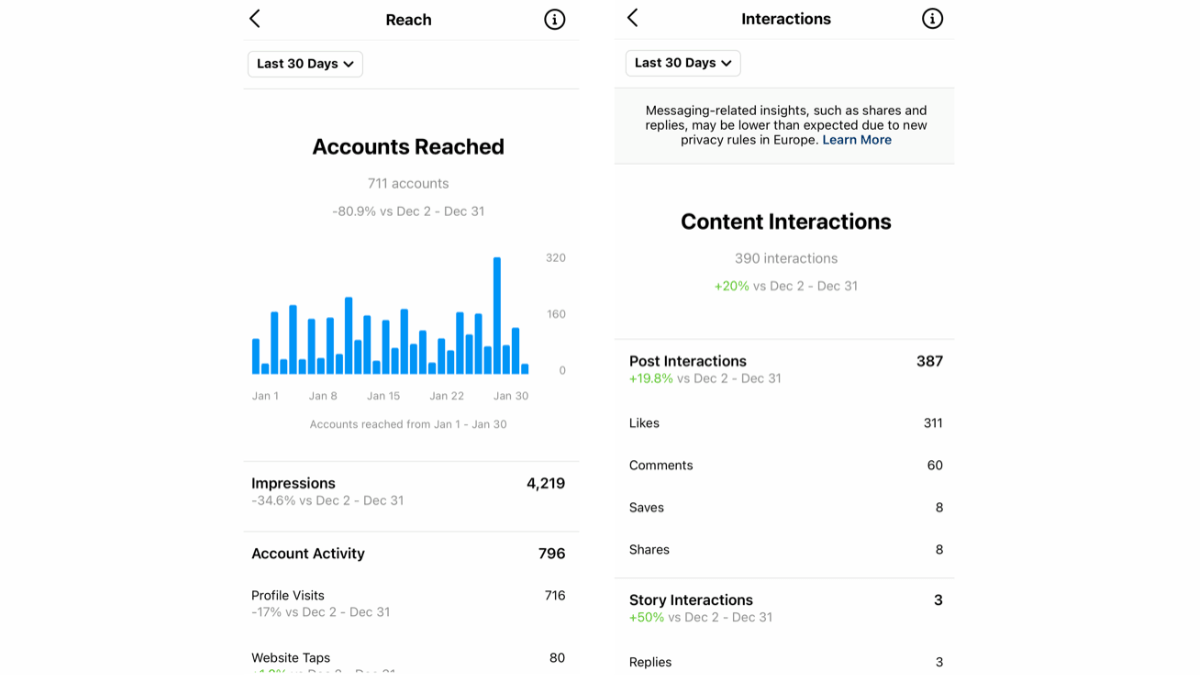
The direct answer: Insights are free on any public account, personal or professional. That is the single most misreported fact in this topic: you do not need a business account to see them. You open them from your profile, and they show Views, Interactions, New followers and the content you shared, for any period within the last 90 days. The only thing restricted to professional accounts is paid promotion.
1. Who can see Instagram Insights
The official wording is unambiguous: Insights are available to public accounts, personal and professional. Three related rules follow:
- A private account sees no Insights at all.
- If you switch to private you lose access.
- You can regain your past data if you switch back to public within 90 days.
If you were considering switching to a professional account purely for Insights, you do not need to: professional vs personal accounts.
2. How to open Insights
- Open your profile.
- Tap Insights, or View dashboard if your account is professional.
- Choose the timeframe at the top.
- For a single post: open it and tap View insights underneath.
This path was checked on 18 August 2026.
3. The overview screen, metric by metric
Views
How many times your content was viewed. This is the current primary reach metric, and it replaced the older naming.
Interactions
Likes, comments, saves and shares combined. One number bundling actions of very different value, so do not read it alone.
New followers
Net growth over the chosen period. This is the only metric measuring the end result.
Content you shared
Everything you published in the period, sortable by whichever metric you choose. This is the fastest way to see which post worked.
4. Accounts engaged: followers versus non-followers
This is the most important split in the whole panel, and it is broken out between followers and non-followers.
Why it matters: Instagram's own reach-tips page recommends splitting reach exactly this way, because the diagnosis is completely different:
- High non-followers: your content is travelling through recommendation and search. If there is a problem, it is a profile that does not convert them.
- Followers only: your content serves people who already know you and is not getting out. The problem is reach, not quality.
5. Viewers and demographics
This shows the accounts that viewed your content, with their demographics.
The gate: the official page states you need to reach or engage over 100 viewers before demographics appear, and that you need to use the preset timeframes. If they do not show for the last 7 days, try a longer preset such as 30 or 90 days.
6. Total followers and most active times
The Total followers section shows your growth trend, and it appears once you reach 100 followers or more. Inside it is "Times they're most active", which is the only official source of data about your own audience's timing.
How to turn that into a publishing decision: best time to post and how often.
7. Reels insights
| Metric | What it counts |
|---|---|
| Views | How many times the reel was viewed |
| Watch time | Total time people spent watching it |
| Viewers | The accounts that watched; Instagram labels this estimated and in development |
| Average watch time | Watch time divided by views |
| Follows | People who followed you after watching this reel |
How to use these to diagnose a weak reel: why your Reels views are low.
8. Stories insights
The official Stories metrics are Views, Viewers, Interactions, Accounts engaged and Profile activity. Profile activity matters especially, because it measures who moved from the Story to your profile.
9. Time windows
- Aggregate data: any period within the past 90 days.
- Presets: five options (7, 14, 30 and 90 days, plus a custom range).
- Custom range: the start and end dates must be at least one day apart and within the past 90 days.
- Per-post data: retained for two years.
What that means practically: you cannot compare this month against the same month last year at account level. If you need longer history, export your numbers monthly yourself, or use a third-party tool: Instagram analytics tools.
10. Estimated and in-development metrics
Instagram explicitly notes that some Insights metrics are estimated and in development. That is why a figure can shift slightly hours after publishing.
It adds an important note: the minimum follower count for Reels monetization is determined by the terms of the relevant program rather than by these in-development metrics.
The working rule: do not base a decision on a small difference between two numbers. Base it on the trend across several posts.
11. The three numbers worth acting on
- The non-follower share within Accounts engaged. Rising means your content is getting out. Flat means you are talking to the same people.
- New followers per month. This measures the result rather than the activity.
- Average watch time on Reels. Low on a short reel means an opening problem, not a distribution problem.
Everything else can be reviewed monthly rather than daily.
12. What Insights cannot tell you
- Any competitor's numbers.
- Account-level data older than 90 days.
- A permanent detailed source breakdown for every view.
- Who opened your profile without engaging.
- Any benchmark telling you whether your number is good or bad.
That last point matters: Instagram publishes no benchmarks. The full measurement framework is in Instagram analytics.
13. FAQ
Do you need a business account for Instagram Insights?
No. Insights are available on any public account, personal or professional.
How far back do Instagram Insights go?
90 days at account level, and two years for individual post data.
What happened to reach and impressions?
They are no longer the displayed names. The current metric is Views, alongside Viewers.
Why can't I see audience demographics?
Because you have not reached or engaged over 100 viewers in the selected period. Try a longer preset.
Why do the numbers change?
Because some metrics are estimated and in development, which Instagram states officially.
Why can't I see Insights at all?
Most likely your account is private. Insights require a public account.
14. Practical summary
Open Insights, and do not switch account type for them. Focus on three numbers only: the non-follower share, new followers per month, and average watch time on Reels. Remember that aggregate data stops at 90 days, so export what matters monthly. And do not look to the panel for a verdict on your numbers, because Instagram publishes no benchmarks.
The rest of the Instagram library is collected in the Instagram Resource Hub.
15. Official sources
- Insights on Instagram (read directly 18 August 2026): available on any public account, Views, Interactions and New followers, Accounts engaged split, the over-100-viewers demographics gate, most active times at 100 followers, and boosting restricted to professional accounts.
- Insights timeframes: any period within 90 days, five presets, two-year per-post retention, the estimated and in-development note, and the private-account rule.
- Reels insights: Views, Watch time, Viewers, Average watch time and Follows.
- Stories insights.
- Instagram tips for improving your reach: splitting reach by followers and non-followers.