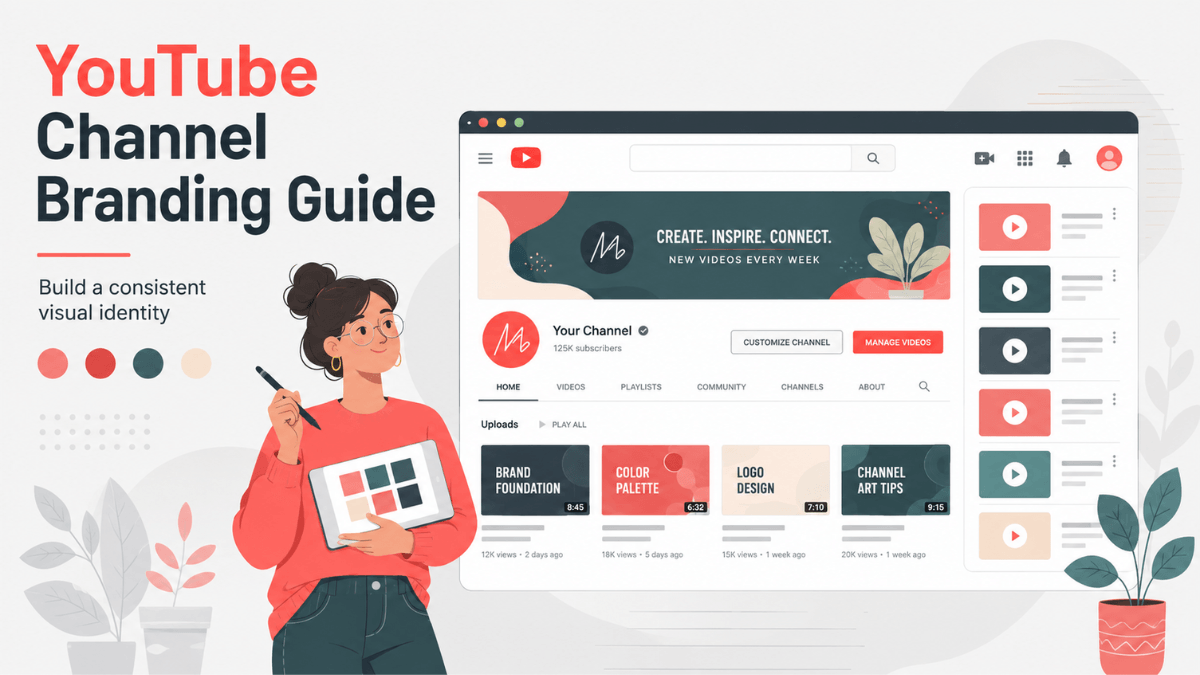
Direct answer: Per YouTube's "Manage your channel branding" page as of 19 August 2026, the minimum banner upload is 2048 x 1152 px at a 16:9 ratio, the safe area for text and logos at that minimum is 1235 x 338 px, and the recommended dimension, especially for TV, is 2560 x 1440 px with a file 6 MB or smaller. Your profile picture renders at 98 x 98 px and can be a JPG, GIF, BMP or PNG (no animated GIFs) up to 15 MB, and a video watermark must be a square image of at least 150 x 150 px under 1 MB. The same banner file is used on computer, mobile and TV, so anything outside the safe area can be cropped away.
- Design at 2560 x 1440 px and keep every word and logo inside the central 1235 x 338 px.
- One banner serves all devices; the crop differs between phone, desktop and TV.
- YouTube explicitly asks for no shadows, borders or frames on the banner.
- Watermarks do not appear on videos set as made for kids, and are not clickable on mobile.
- Branding is not only the banner: layout, trailer and sections shape the first-time visitor's impression.
The official size table (read 19 August 2026)
| Asset | Size | File | Official note |
|---|---|---|---|
| Banner, minimum upload | 2048 x 1152 px (16:9) | 6 MB or smaller | Anything smaller is rejected |
| Banner, safe area for text and logos | 1235 x 338 px | - | Measured at the minimum dimension |
| Banner, recommended | 2560 x 1440 px | 6 MB or smaller | Recommended especially for TV |
| Profile picture | Renders at 98 x 98 px | Up to 15 MB | JPG, GIF, BMP or PNG, no animated GIFs |
| Video watermark | 150 x 150 px minimum, square | Under 1 MB | Not shown on made-for-kids content |
YouTube's banner and profile picture tips page adds a direct recommendation: make the banner at least 2560 x 1440 px "to achieve the best display on all devices", and prefer a square or round image for the profile picture.
Banner and safe area
The detail people forget: YouTube uses one image file across computer, mobile and TV, and renders it differently on each. A phone shows the central strip; a TV shows close to the whole image. That makes the 1235 x 338 px safe area a hard constraint rather than a design suggestion, because it is the only region that survives the crop on every device.
To upload: YouTube Studio, then Customization, then Profile, click Change, pick your image, adjust the crop in the preview, then Publish. And follow the official instruction not to add shadows, borders or frames, since YouTube applies its own treatment on render.
What belongs on a banner
- Your channel name or logo, at a size readable on a phone.
- One line describing what the channel delivers. The official tips page also suggests adding your upload schedule if you keep a regular one.
- Nothing else. Links and buttons belong in the links fields, not baked into the image.
Profile picture
Your profile picture is, in YouTube's words, the image shown to viewers on your channel, your videos, and publicly attributable actions across YouTube. It appears in comments, in search results and beside your videos. The practical rule: design it as though it will only ever be seen at 98 x 98 px, because that is what happens.
- One face, one mark, or two letters. Busy logos disappear at that size.
- High contrast between subject and background so it reads in both light and dark themes.
- It is displayed inside a circle in most placements, so keep the important part centred.
- Per the official page, a change can take a few minutes to propagate across YouTube.
Video watermark
The watermark is a small mark inside the video that acts as a subscribe button. Set it in Studio under Customization, then Profile, and choose the display time. The three official options are end of video (it shows for the last 15 seconds), a custom start time, or the entire video.
- Specs: minimum 150 x 150 px, square, under 1 MB.
- Not available on videos set as made for kids. If you added one earlier and the video is later set as made for kids, viewers will not see it.
- Available in landscape view on computers and mobile devices, not clickable on mobile, and not shown on chromeless players.
- Its effect appears in the Subscription source report in YouTube Analytics.
In practice, make it a simplified version of your profile picture rather than a separate mark, so viewers connect the two.
Channel layout and trailer
This part shapes a visitor's impression more than the banner does. From YouTube's channel layout page:
- Home tab: can be turned on or off under Customization, and from the YouTube Studio app as well.
- Channel trailer: a short preview shown to people who have not subscribed. By default, ads will not show on your trailer unless it contains third-party claimed content, and once a viewer has watched it, it is not shown to them again.
- Featured video (Spotlight): shown to returning subscribers, added under Layout with Add section, and likewise not repeated to a viewer who has seen it.
- Sections: up to 12 custom sections. The layout defaults to four pre-populated sections: Short videos, Uploads, Created playlists, and Subscriptions you have made public. Available section types include For you (personalized content, with an option to show only the last 12 months), Videos, Playlists, Memberships, Channels, Top community clips, Effects and Posts.
A sensible order for a new channel: a short trailer of 30 to 60 seconds, then the Uploads section, then one playlist that represents your core topic. Add sections as you get content to fill them, not before.
Description, links and contact
All under Customization, then Profile, per the official channel profile page:
- Description: appears in the channel header and must follow the Community Guidelines. Use the first two lines to say who the channel is for, what to expect, and when you publish.
- Links: up to 14 on your Home tab. The first is displayed prominently near the Subscribe button and the rest appear when viewers click to see more. They must follow the external links policy.
- Contact info: an email address for business questions.
- Translations: you can add translated versions of your channel name and description.
Choosing the name itself, and the handle rules behind it, are covered in the guide to starting a YouTube channel; verification, permissions and the rest of the settings are in the the guide to starting a YouTube channel.
Notes for bilingual and Arabic channels
These are editorial observations rather than official rules:
- Arabic type needs more vertical breathing room than Latin type because of dots and diacritics. Leave a margin inside the safe area instead of filling it edge to edge.
- Modern geometric Arabic faces stay legible when scaled down far better than ornate calligraphic ones, which matters most inside a 98 x 98 px profile picture.
- If you mix Arabic and Latin on one banner, match their visual weight. Heavy Arabic next to light Latin looks unbalanced.
- Skip full diacritics in small headings; they compress into visual noise.
- Check the banner on a phone before you publish, ideally signed out, and see what actually survives the crop.
Keeping the look consistent
YouTube's own tips page says strong brands are easy to remember because their visuals have a consistent look, feel and voice, and it suggests asking your audience directly through the Posts tab and Shorts when you are considering a change. Translated into working rules:
- One palette: two base colours and one accent, used across banner, thumbnails and intro.
- One typeface family: two weights of the same family, rather than a new font every video.
- One thumbnail template: consistency here is what makes a viewer recognise your videos in a crowded feed. Thumbnail design and its specs are covered in the YouTube thumbnail design guide.
When should you rebrand? The official page frames it as visuals that "can change with you" when your values or message change. In practice, do not churn every few months: recognition needs repetition. The starting point for all of this is the guide to starting a YouTube channel, inside the YouTube content and production guide.
Practical summary
- Design the banner at 2560 x 1440 px, keep text inside 1235 x 338 px, file 6 MB or smaller, no shadows or frames.
- The profile picture has to read at 98 x 98 px: one element, high contrast.
- The watermark is at least 150 x 150 px and does not run on made-for-kids content.
- Set the layout: trailer for visitors, Spotlight for returning subscribers, sections to match the content you have (up to 12).
- For every later stage of the channel, browse the YouTube Resource Hub.
Official sources
- Manage your channel branding (YouTube Help): banner dimensions and safe area, profile picture specs, watermark specs and display times (read 19 August 2026).
- Channel banner and profile picture tips: the 2560 x 1440 px recommendation, visual consistency, adding your upload schedule (read 19 August 2026).
- Customize your YouTube channel layout: Home tab, channel trailer, Spotlight video, and up to 12 sections (read 19 August 2026).
- Manage your YouTube channel's profile: description, up to 14 links, contact info and translations (read 19 August 2026).