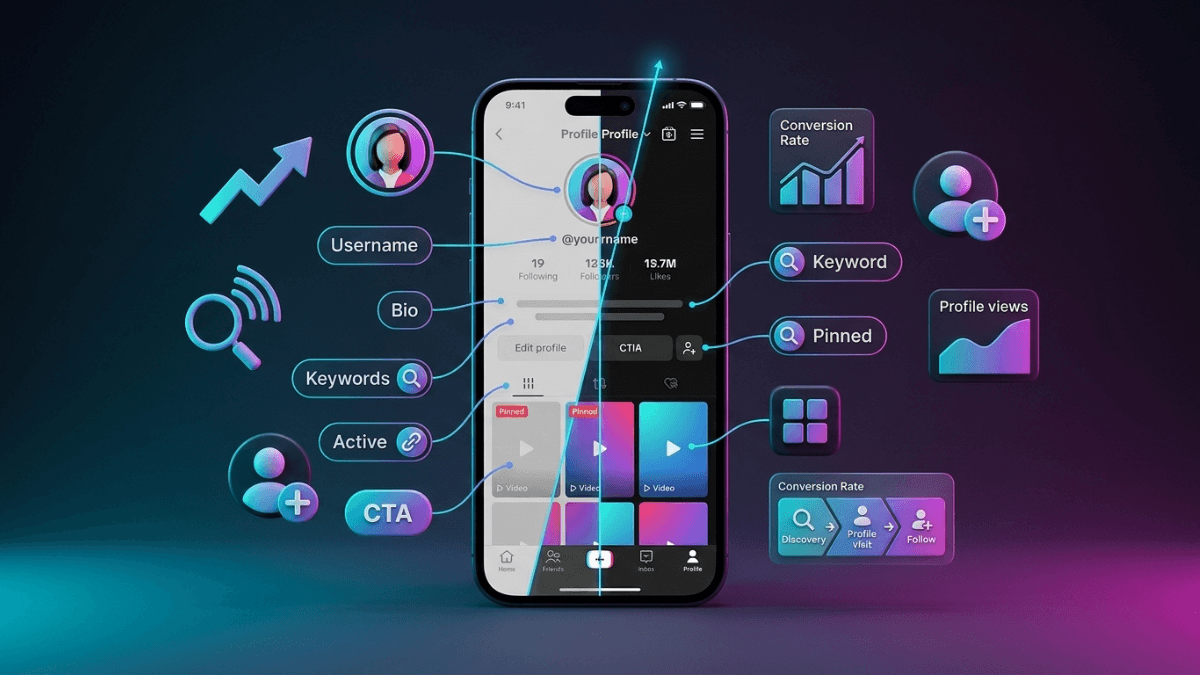
A familiar pattern: the videos get views, people do tap through to the account, and then nothing happens. The problem usually is not the video and it is not distribution. It is the page they landed on.
The direct answer: your profile is not a distribution tool, it is a decision page. A visitor opens it carrying one question, is this account worth a place in what I see every day, and you answer it with five things: your Display Name, your @username, your photo, your bio, and the first row of pinned videos. The order to fix them in: start with the bio, because it is the only field where you can say who the account is for; then pin three videos that show what kind of content this is; then set the name and photo; the link comes last.
One clarification before you change anything, because it is the most repeated claim on this topic: TikTok documents no "follow rate" signal that its recommendation system uses to judge account quality. Your profile works on a human decision, not on a distribution system, and that is reason enough to fix it. The profile is one stop on a longer path, mapped in the guide to growing a TikTok account.
What a Visitor Actually Reads in Three Seconds
Nobody reads your profile in the order you imagine. They take in the photo and name at a glance, read the bio line, scan the first row of videos, and decide. Each field answers a different question:
| Field | The question it answers | Most common mistake |
|---|---|---|
| Display Name | Who is this and what is it about? | A personal name only, with nothing that names the topic |
| @username | How do I find this again or send it to a friend? | Long handles with numbers and symbols nobody can spell |
| Profile photo | Is this account real and looked after? | An image that is unreadable at small size |
| Bio | Is this account for someone like me? | Describing yourself instead of describing who benefits |
| Pinned videos | What kind of content should I expect? | Nothing pinned, so the oldest post frames you |
| Bio link | Where do I continue outside the app? | A generic homepage unrelated to the reason for the visit |
Five fields and one row. That is everything you control, and it is more than enough if each one answers its own question.
What TikTok Documents About Your Profile, and What It Does Not
This is the topic where unsupported claims are most common, so here is the split:
| Type | Content |
|---|---|
| What TikTok documents | The editable profile fields (photo/video, name, username, bio, links where available) and the username change rules, published on the profile setup page · The recommendation system builds recommendations from user interactions, video information, and device and account settings; signals are weighted; follower count is not a direct factor, and neither is how your earlier videos performed · In-app search is an official surface with its own help article |
| Practical interpretation (ours, not TikTok's) | A clear bio raises the odds that a human decides to follow, and that alone justifies rewriting it · A name people can say and spell makes it easier for someone to recommend you |
| Circulating theory, unsupported | "Your follow rate is a signal the algorithm uses to judge account quality" · "Bio keywords raise your rank in TikTok search" · Pixel dimensions for the profile photo attributed to TikTok · "Changing your name or photo resets your account" |
The search line deserves an extra sentence. In-app search is real and TikTok publishes a help article for it, but no official page publishes ranking factors for that search. The practical consequence is to write a name and a bio that a human looking for your topic will understand, not one tuned for a ranking nobody documents. What is actually documented about distribution is covered in how the TikTok algorithm works.
The TikTok Bio Formula: Who It Is For, What They Get, What to Do Next
The bio field is short and the app shows a character counter as you type. Write the full sentence somewhere else first, then cut it down, rather than typing straight in and abandoning the idea halfway.
Three elements in one line:
- Who it is for: the field or the audience in a single phrase, "for busy parents", "for small shop owners".
- What they get: the concrete outcome, not the adjective. "Recipes with five ingredients or fewer" beats "great content".
- What to do next: one action only. Two requests in one line cancel each other out.
Two things worth knowing before you write it:
- Emoji spend your character budget. One or two work as a visual separator; the rest crowd out the words that are supposed to convince someone.
- The first phrase should describe the reader, not you. That single shift, from "I am X" to "you get Y", is what most of the profile work comes down to.
TikTok Bio Ideas: Structures by Niche (Fill the Brackets)
Most "TikTok bio ideas" pages hand you finished phrases. Copy one and your profile reads like the hundred other profiles that copied it. These are structures: the brackets force you to put in something only you can say.
| Niche | Structure | Why it works |
|---|---|---|
| Health & nutrition | [Your credential] · [Topic] explained for non-specialists · New every [day] | Credential, then benefit, then rhythm |
| Food & recipes | [Time] recipes for [audience] · Try one and tell me | Specific time promise, defined audience, one request |
| Tech & coding | [Field] for people who don't code · No jargon | Removes the first barrier, which is intimidation |
| Design & creative | [Your role] · Behind the scenes of [process] · A tip every [week] | Curiosity plus a stated cadence |
| Business & shops | Building [type of business] in public · Full story pinned below | Names the topic and points at the first pin |
| Education | [Subject] in two minutes for [level] students | A duration promise and an exact audience |
| Fitness | [No-equipment] workouts for [audience] · Start with the first pin | Solves a named obstacle, gives one next step |
| Beauty & skincare | [Speciality] · What works for [skin type or concern] · Honest reviews | Specific, and states the editorial stance |
| Travel | [Region] on [budget or constraint] · Routes and costs, no filters | Narrow scope beats "travel content" |
A warning about the brackets: never put a number in one that you cannot stand behind. "Helped [number] people" needs a real figure or it should be deleted, and it is the first thing a sceptical visitor will question.
What to avoid in a bio:
- Vague labels: "Content creator · Influencer · Coach". Everyone writes them, so they carry no information.
- Describing behaviour instead of value: "I post videos" tells the reader nothing.
- More than one request: "follow, share, comment and click the link" ends with none of them happening.
- A line only about you: "I love travel, coffee and photography" describes a person, not an account worth following.
TikTok Username vs Display Name: Which One Carries the Keyword?
TikTok gives you two separate names and most accounts confuse them:
- Display Name: shown in large type, with more room. This is where the word that names your topic belongs: "Alex | phone photography".
- @username (handle): what gets typed when someone mentions you, searches for you, or sends your account to a friend.
Search demand for "tiktok username" and "tiktok username ideas" is far larger than for the Display Name, and the generators that rank for it will not help you, because the constraint is not creativity. It is four practical tests:
- It survives being spoken. Say the handle out loud and ask someone to type it. If they ask "how do you spell that?", change it.
- Short, with no filler. Numbers and symbols that mean nothing get misremembered and mistyped.
- The same as, or close to, your handle on other platforms, so people who know you elsewhere find you here.
- It can grow. A handle welded to a very narrow topic becomes a liability when your content widens a year later.
Before you change it: the username change rules are published on TikTok's profile settings page, so read them first. More importantly, a change breaks every existing mention of your old handle in other people's comments and posts, so only do it for a real reason.
And if your question is bigger than the field itself, if it is "what is my topic and my angle in the first place", that belongs to a different page: building a personal brand on TikTok.
Your TikTok Profile Picture at Thumbnail Size
You will not find a pixel dimension attributed to TikTok on this page, because TikTok's help pages do not publish one. The practical rule is simpler: upload the largest clear square image you have, then run one test.
The thumbnail test: shrink the image on your screen until it is about the size of a thumbnail. If you cannot tell what it is, neither can a visitor, because that is the size they usually see it at.
- For individuals: a clear face, clean background. Faces are recognised faster than anything else at small size.
- For brands: a simple mark with no small text. A logo full of words turns into a grey smudge.
- Avoid: group photos, heavy text, busy backgrounds and dark images.
- Consistency beats beauty: changing the photo every month erases the visual recognition you built.
For the record: the blue badge is not part of photo optimisation and cannot be bought. TikTok grants it to authentic, notable accounts, and the detail is in the TikTok verification guide.
Pinned Videos: Pick Three
Pins are the only thing that controls what a visitor sees first. Leave them empty and you hand your first impression to a timestamp that has nothing to do with quality.
The three slots:
- Best performing: the video people actually responded to. Its presence tells a visitor that others got here first.
- Clearest definition: the video that explains your topic most precisely, even if it is not the most watched. This is the one that makes the category obvious.
- Most recent representative: the latest work that reflects your current standard, so your first impression is not a year old.
Review the three roughly monthly. And if your most-watched video no longer resembles what you post today, do not pin it, because it brings visitors who expect something else.
The Bio Link and Your Account Type
The bio link is the only bridge between your TikTok audience and anything outside the app. Three options, depending on your goal:
- A link-in-bio tool: one page holding all your links. Best when you have more than one destination.
- A dedicated landing page: a page written for someone who arrived from TikTok. Strongest when you have a single offer.
- A direct link: simplest when you have one clear goal, such as a shop or a channel.
Availability of the field differs by account type. TikTok documents that personal, Creator and Business accounts differ in features and that you switch from Settings, but the conditions attached to individual fields change over time. So instead of trusting any article, open Edit profile and see whether the field is there for you. Before switching to a Business account, read what you gain and lose in TikTok business vs personal account.
Whatever you choose: open the link from a phone that is not yours every so often. Broken links stay broken for months because the owner never taps them.
Profile Mistakes and Their Fixes
| Mistake | Why it hurts | Fix |
|---|---|---|
| A bio that only describes the owner | The visitor cannot tell what they get | Who it is for, what they get, one action |
| A photo that is unreadable when small | Reads as a neglected account | A clear square image that passes the thumbnail test |
| A Display Name with no topic word | Nothing connects the name to the subject | Your name plus a word that names the field |
| A long handle with filler numbers | Gets mistyped, so nobody finds you | A short handle that survives being spoken |
| No pinned videos | Your first impression is left to chance | Pin three: best, clearest, most recent |
| A broken or unrelated bio link | Every interested visit ends in nothing | Open it yourself regularly and change it when your goal changes |
| A private account with no reason | Blocks discovery by non-followers | Keep it public unless you have a specific reason |
How to Tell Whether the Change Worked
This is exactly where invented numbers appear. The real position: TikTok publishes no benchmark for any profile-related rate and no comparison between accounts. Every "a good rate is X%" you read comes from a writer, not from the platform.
The only honest method is to compare your account with itself:
- Change one field at a time. Rewrite the bio, swap the photo and re-pin on the same day, and you will never know which one did anything.
- Hold the content type steady during the measurement window. Comparing two different content types produces a false conclusion.
- Compare a group with a group: five posts before the change against five after, never one post.
- What to compare: new followers over the period, and the per-post traffic sources TikTok documents in the analytics panel.
"How many visitors followed" is a number you can watch on your own account if profile-visit figures are available to you, but it is only a comparison against yourself: it is not a documented ranking factor and there is no general benchmark to measure it against. How to read the whole panel is in the TikTok analytics guide.
Where Do Follower Services Fit In?
Plainly: the number above your name does not answer the visitor's question. Someone who opened your profile and could not tell what it was about in three seconds will not change their mind because the count is higher. Follower services change a displayed number and nothing else: they do not write a bio, do not choose pins, and do not control recommendations or organic reach.
If what you want is ordered growth, the staged plan is in how to get more followers on TikTok, and the rest of account-level work sits in the growth guide.
Frequently Asked Questions
How do you write a good TikTok bio?
One line: who the account is for, what they get from it, and the single next action. Draft the sentence outside the app and then cut it down, and avoid vague labels and multiple requests.
Does your TikTok profile affect the algorithm?
No official TikTok page connects the profile to the recommendation system, and none documents a "follow rate" signal. What is documented is that recommendations are built from user interactions, video information and account settings, and that follower count itself is not a direct factor. Your profile works on the decision of the human who reached it, which is reason enough to improve it.
How many characters can a TikTok bio be?
The field is short and the app shows a counter as you type, which is the only reference that never goes stale. We do not publish a number here because the figures in circulation are not documented on TikTok's help pages and they change.
How do you choose a good TikTok username?
Make it short, spellable from hearing it, free of filler numbers, close to your handle on other platforms, and wide enough to survive your content expanding. The keyword that names your topic belongs in the Display Name, not the handle.
Can every account add a link in bio?
Availability differs by account type and the conditions change. The only reliable check is to open Edit profile and see whether the field is there, and if you are considering a Business account, read the full comparison first.
Should I refresh my photo and profile look regularly?
No. Changing your photo and name often erases the visual recognition you built with your audience. Change them when your identity actually changes, not as a monthly experiment.
Practical Summary
- Your profile is a decision page, not a distribution tool. Fix it because a human reads it, not in expectation of an algorithmic effect.
- TikTok documents no "follow rate" ranking signal, publishes no in-app search ranking factors, and publishes no profile photo dimensions.
- Start with the bio: who it is for, what they get, one action. Fill the structures with what is yours; do not copy finished phrases.
- The topic word belongs in the Display Name. The handle's job is to be spelled from hearing it and sent to a friend.
- Pin three videos: best performing, clearest definition, most recent representative. Review monthly.
- Your photo succeeds or fails at thumbnail size. Test it at that size before uploading.
- Bio link availability differs by account type and the conditions change. Check in the app, not in an article.
- Measure on your own account: one field at a time, a group of posts before against a group after.
- Your next step: open your profile now and ask whether a stranger would know, in three seconds, what this account is about and what they get. If the answer is no, the bio comes first.
The rest of the TikTok guides are collected in the TikTok Resource Hub.
Official Sources
- TikTok Support: Setting up your profile
- TikTok Support: Profile and profile settings
- TikTok Newsroom: How TikTok recommends content
- TikTok Support: Discover and search
- TikTok Support: Switching to a Creator or Business account
- TikTok Support: Understanding your analytics in TikTok Studio
- TikTok Support: How to tell if an account is verified