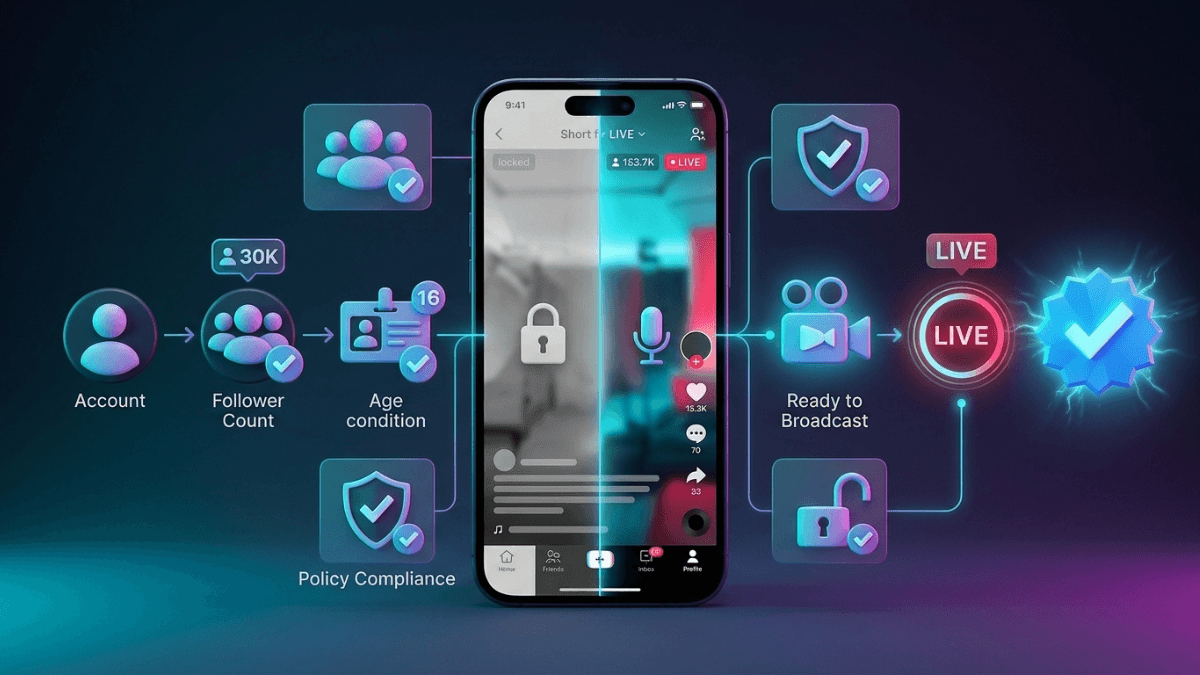
Most people searching for how to go LIVE on TikTok are not looking for steps. They are looking for a reason: the LIVE option is not in their app at all.
Direct answer: TikTok publishes two conditions for starting a LIVE. You must be at least 18 years old, and your account must have "a certain number of followers, which may vary by market". That is TikTok's own wording, and it never states the number. The figure everyone repeats, 1,000 followers, does not appear on any official page we could read. If you meet both conditions and the button is still missing, there are four remaining causes, and every one of them can be checked inside your own app.
This page was reviewed on 17 August 2026.
What TikTok actually requires
TikTok's LIVE Safety Guide states it directly:
"To go LIVE, you must be at least 18 years old, and your account must have a certain number of followers, which may vary by market. When you first start going LIVE, you may not have access to all the features LIVE has to offer."
The age condition is repeated in the Community Guidelines: "You must be 18 and older to go LIVE and to send gifts to a creator during a LIVE session."
| Claim | Status |
|---|---|
| You must be 18 or older to host a LIVE | Officially documented, in two official sources |
| A follower condition exists and varies by market | Officially documented, with no number attached |
| "You need exactly 1,000 followers" | Circulating theory. No official page we could read states this number |
| Violations can remove your access to LIVE | Officially documented |
| "There is a way to unlock LIVE without meeting the conditions" | False. TikTok supports no such route |
How to go LIVE, step by step
If the option is already available on your account, the path is short:
- Open TikTok and tap the create button (+).
- Swipe across the capture options until you reach LIVE.
- Add a title that says what the stream is about, and choose a cover image.
- Set your LIVE options, then start.
Before you start, spend a minute on the About me field. TikTok documents its path as "LIVE settings > About me" and describes it as where you tell people what the LIVE is about and set out any guidelines you want. Screen layouts change between app versions, so treat the order above as the usual arrangement and TikTok's own What is TikTok LIVE page as the reference for the feature itself.
How many followers do you need to go LIVE?
The honest answer: TikTok says there is a number, says it varies by market, and does not publish it. Every specific figure you find in an article or a tutorial is someone reporting their own account, in their own market, at some point in the past. It is not a published condition.
The only reliable way to check your own account: open the create screen and look for LIVE among the capture options. If it is there, your account meets the conditions in your market today. If it is not, it does not. There is no progress counter for this, and TikTok publishes none.
Why the LIVE button is missing
Five causes, ordered by how often they apply:
| Cause | How to check it |
|---|---|
| The birth date on the account is under 18 | Check the date of birth in account settings. The condition follows what is recorded, not your actual age |
| Follower count below your market's condition | No number is published. The absence of the option is the only available signal |
| A restriction after a violation | Open Account Status / Account Check. TikTok states this screen shows whether access to certain features has been restricted due to violations |
| Feature availability in your market | TikTok's own wording is that the condition "may vary by market". No country list is published |
| App version | Update and restart the app. This is practical interpretation, not a published condition, but it is the cheapest check on the list |
On restrictions specifically, the Community Guidelines state: "If a LIVE session includes content that violates our policies, the session may be stopped, and the creator could face temporary restrictions from going LIVE." TikTok's account enforcement announcement adds that a strike is recorded as the violating content is removed, that strikes expire after 90 days, and that a permanent ban applies once an account reaches the strike threshold within a single product feature, with LIVE named among its examples.
If your account is genuinely restricted rather than simply below the conditions, the full diagnosis and the appeal route are in TikTok shadowban.
Can you go LIVE without 1,000 followers?
This is the most common follow-up search, and the answer is direct: TikTok supports no route around the follower condition. The number itself is not published, so the question is built on a figure that was never an official requirement in the first place.
As for the services and apps advertising instant LIVE access, they are one of two things. Either they are selling followers, which is exactly what the Integrity and Authenticity policy addresses: TikTok prohibits fake engagement and states it may restrict accounts involved in it. Or they are promising something they cannot deliver, because eligibility is calculated on TikTok's side, not by any third party.
The route that does work is the slow one: real followers earned by content worth following. How to build them is in the TikTok follower growth roadmap.
How to go LIVE from a computer
TikTok's Community Guidelines state that eligible creators can use LIVE Studio or third-party tools to share their device screen. The word "eligible" is the important one: the desktop app is an additional interface for accounts that already have LIVE access, not a way around the conditions.
In practice, if the LIVE option is missing in the mobile app, desktop software will not solve it, because the problem is account eligibility rather than the device.
Region and availability
The same two conditions apply everywhere. TikTok publishes no country list for LIVE access and no market-specific number, which is why you will not find a table of countries here.
One distinction matters if you are outside the largest markets: the availability of gifting and payout features is separate from the availability of LIVE itself. You may have one without the other. The only useful check is inside the app, on your account, in your country. Everything about the money side sits in making money from TikTok LIVE, and the full map of earning routes is in how to make money on TikTok.
What changes once you have LIVE access
TikTok says plainly that your first LIVE will not include everything: "When you first start going LIVE, you may not have access to all the features LIVE has to offer... Over time, you'll be able to gain access to the full LIVE experience as long as you follow our safety policies."
Three things the official guide documents that are worth knowing on day one:
- The LIVE Safety Education Center, reached through "Creator tools > Rules and guidance > LIVE Safety Education Center", which holds feature-specific guidance and information about any potential violations on your account.
- Moderators. You can appoint community moderators to manage comments during a stream, up to 30 per LIVE according to the guide.
- LIVE Replay. The guide states you can review a finished LIVE for up to 30 days afterwards.
Frequently asked questions
What are the requirements to go LIVE on TikTok?
Being 18 or older, having the follower count TikTok describes as "a certain number... which may vary by market" without publishing it, and an account that is not restricted for violations.
How many followers do you need to go live on TikTok?
TikTok does not publish the number. The condition is official; the figure is not, and it varies by market. Any specific number you read is someone's reported experience.
Why can't I go live on TikTok?
One of five reasons: the recorded birth date, the follower condition, a restriction from a violation, market availability, or an outdated app. Work through the table above, and start with Account Status because it is the only one that answers you explicitly.
Is there a best time to go LIVE?
TikTok publishes no recommended time to stream, and every hour-by-hour table you see is a third-party estimate. The workable method is to read your own audience's active hours in your analytics, which is covered in the best times to post on TikTok.
Can I go LIVE with audio only or with a still image?
TikTok documents no option to broadcast a still image instead of the camera from inside the app. What is documented is that multi-guest LIVE lets guests join "in audio or video mode", and that eligible creators can share a device screen through LIVE Studio or third-party tools. Anything beyond that relies on external apps and is your own risk.
Does a private account block LIVE?
We found no official text linking account privacy to LIVE eligibility. The official guide only asks you to decide whether you want the content public or private before you start. In practice a private account limits who can reach the stream, which is practical interpretation rather than a published condition.
Practical Summary
- Bottom line: the two published conditions are being 18 or older and a follower count that varies by market. TikTok does not publish the number, so do not plan around a figure you read somewhere.
- The presence of LIVE in your create screen is the only reliable indicator of your account's eligibility today.
- If the option disappeared after being available, start with Account Status. Restrictions after violations are documented, and strikes expire from the record after 90 days.
- No service or app can grant you LIVE access. Anyone selling it is selling either fake followers or a promise they do not control.
- Your next step: open the create screen now. If LIVE is there, you are done. If it is not, check Account Status before anything else.
The rest of the TikTok guides are collected in the TikTok Resource Hub.
Official Sources
- TikTok Safety: TikTok LIVE Safety Guide
- TikTok Community Guidelines: Accounts and features
- TikTok Support: What is TikTok LIVE?
- TikTok LIVE Creator Hub: TikTok LIVE Studio
- TikTok Newsroom: Supporting creators with an updated account enforcement system
- TikTok Newsroom: More updates to help the TikTok community create and share safely
- TikTok Safety: Integrity and Authenticity