Losing access to TikTok is not one problem. It covers five separate situations: a forgotten password, a lost email and phone number, a hacked account, a ban or restriction, and an account you deactivated or deleted yourself. Each situation has its own official TikTok path.
TikTok's own support pages route every one of these cases back to the app or the Help Center, not to a third party (our synthesis of TikTok's support pages). The FTC gives the same general advice for any hacked social account: "follow the provider's account recovery instructions" (FTC, Aug 2023). We found no TikTok route that lets an outside service complete these steps for you. Any offer to do so for a fee is a separate risk, closer to the refund-recovery scams the FTC warns about than to an actual shortcut (FTC, Dec 2023).
For the rest of our TikTok coverage, see the TikTok hub.
Key Takeaways
Key Takeaways
- Recovery starts with matching your situation to one of five cases: forgotten password, no working email or phone, a hacked account, a ban or restriction, or an account you closed yourself (our inference).
- If you still have a working sign-in method, TikTok's password reset and Recover account flow are TikTok's documented routes for a forgotten password (Confirmed by TikTok).
- Losing both contact methods leaves friends verification, Recover account, or the form behind the "Need more help?" button; TikTok states that reset "may take up to 30 days."
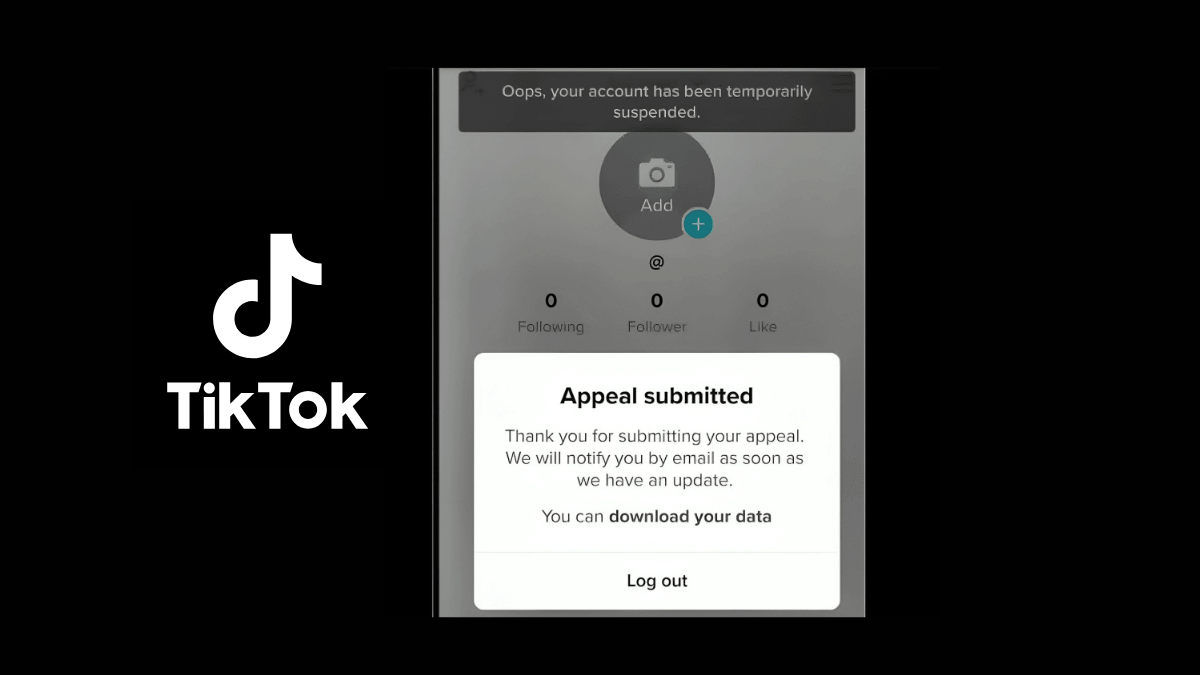
- Banned accounts can still log in to submit an appeal and download their data before TikTok deletes it. A strike expires from the record after 90 days (Confirmed by TikTok).
- We found no TikTok statement allowing an outside party to recover, unban, or reinstate an account. The FTC separately warns people never to pay upfront for help getting a refund, a useful parallel for paid recovery offers.
Guide Contents
- Which of the Five Situations Are You In?
- If You Forgot Your TikTok Password
- Recovering Without Your Email or Phone Number
- Can You Recover an Account With Just the Username?
- Gulf Cases: Changed Number or Sign-In Through Another Account
- If Your TikTok Account Was Hacked
- If the Account Is Banned or Restricted
- First Check: Banned, or Just Restricted?
- What TikTok Publishes About Strikes and Bans
- How to Write an Appeal That Reads Clearly
- Short Appeal Template
- If the Appeal Is Rejected
- If You Deleted or Deactivated the Account Yourself
- What to Send TikTok Support
- Why Third-Party Recovery Services Don't Work
- Protect the Account Before You Lose It
- Two-Step Verification and Passkeys
- Security Checkup and Trusted Devices
- How to Recognize a Phishing Attempt
- Three Things to Set Up Before You Need Them
- After You Get Back In
- Claims About TikTok Recovery: What's Confirmed
- FAQ
- Bottom Line
- About This Guide
1. Which of the Five Situations Are You In?
Matching your symptoms to the right situation matters more than moving fast. Sending the wrong request to TikTok usually means starting over on the right path (our editorial observation).
| Situation | Closest sign | Where to go |
|---|---|---|
| Forgot password | Account exists, credentials fail, nothing else changed | Forgot your password |
| No working email or phone | You know the account, but every linked contact method is dead | No email or phone |
| Hacked | Password, phone, username, or videos changed without you; an unfamiliar device | Hacked account |
| Banned or restricted | A ban banner, a warning in Account check, or a blocked feature | Banned or restricted |
| You deleted or deactivated it | You started the closure yourself | Deleted or deactivated |
One case doesn't belong on this page at all. If you can still log in normally and nothing has changed except reach, that isn't an account-recovery problem. TikTok's enforcement pages treat a For You feed ineligibility and a feature restriction as separate, reviewable issues, not a ban (Confirmed by TikTok). A views drop with no restriction shown anywhere points to a different cause: see why TikTok views drop instead.
The flow chart below sorts the five cases from one starting question: can you still log in?
2. If You Forgot Your TikTok Password
If nothing else changed and you simply can't remember your credentials, TikTok's reset flow is built for that. It works whether you're locked out or still signed in.
If you're locked out, TikTok's documented path starts from the login screen. Tap "Log in," choose "Use phone / email / username," then pick "Email" or "Username." Tap "Forgot password?" and choose to reset by phone or email (Confirmed by TikTok, reset password). A related Help Center page, now titled "Forgot my password," covers the same flow when you reach it through "Report a problem."
If you're still signed in, go to Profile, then the menu, then "Settings and privacy," then "Account," then "Password," and follow the on-screen steps (Confirmed by TikTok, reset password).
If you joined through Apple, Google, or Facebook, TikTok's documentation is narrow here: "If you joined TikTok using another social media account, you'll need to reset the password from that platform." TikTok doesn't describe a separate in-app reset for that case. Recovering the underlying Apple, Google, or Facebook account first is likely to restore TikTok access too, though TikTok doesn't state this directly (our inference).
Two more things TikTok documents on this same page:
- Resetting your password logs you out everywhere else. TikTok states that once you update your password, "you'll be logged out of your TikTok account on all other devices." Anyone else signed in "will need to log back in using your new password" (Confirmed by TikTok).
- An "unrecognized device" error during a reset is a security feature, not a bug. It appears when 2-step verification is on and you're resetting from a new or untrusted device. TikTok states: "This restriction prevents others from resetting your password without your permission, even if they have access to your email or phone number." Try a device you've used before if you hit this.
If you no longer have access to any device you've used before, TikTok's route is a formal request rather than a simple reset. From the login screen, tap "Forgot password?" then "Recover account." Follow the identity steps. TikTok states: "You may be asked to provide account information such as your registered email, phone number, or previous passwords." TikTok states only that its "Support team will review your request and get back to you soon," with no number of days attached.
3. Recovering Without Your Email or Phone Number
Losing your linked email and phone doesn't automatically mean losing the account. It does move the case from an automatic reset to proving ownership another way.
Start with a rule that explains why a lost SIM can't just be swapped in settings. TikTok states: "Since we send verification codes to your email, both the old and the new email address associated with the account must be active and verified" (Confirmed by TikTok). The same requirement applies to phone numbers. In practice, that means changing a dead contact method from inside the app needs the old one to still receive codes.
If you no longer have access to the email or phone you signed up with, TikTok's documented route is a form. Tap "Need more help?" in the app and fill it out. TikTok states "this process may take up to 30 days" (Confirmed by TikTok, email and phone number).
TikTok's own troubleshooting tips for phone-number issues, quoted directly rather than endorsed as a fix for every case:
- "Select the correct country code."
- "Enter your phone number with the prefix '0' and without the country code."
- "Restart your device and request a verification code again."
TikTok also states plainly that "only one phone number can be associated with one account" (Confirmed by TikTok).
Two more routes TikTok documents for this exact situation:
- Friends verification. From "Help," tap "Recover your account," enter your username or email (or search by phone), tap "Can't access these?" then "Ask friends to verify," then "Start" and "Share." TikTok states "at least 2 friends are required for the verification process" (Confirmed by TikTok, account safety). Friends only have a limited window to confirm you, and there's a daily cap on how many times you can request it.
- Lost authenticator app. Tap "Can't access the app" and enter your saved time-based one-time password (TOTP) recovery code. If you've lost that code too, tap "Need more help?" TikTok states this again "may take up to 30 days" (Confirmed by TikTok).
Can You Recover an Account With Just the Username?
No, not on its own. A username can start the "Recover your account" search that leads to friends verification, covered above, but we found no TikTok statement promising recovery from a username alone. Anyone can type a username; it identifies the account, not who owns it.
What actually helps is the same detail TikTok's own recovery flow asks for: your registered email or phone (even an old one) and any previous passwords. Knowing roughly when the account was created can help too (our editorial suggestion). Gather these before you start, since TikTok's process runs on proving ownership, not on naming the account correctly.
Gulf Cases: Changed Number or Sign-In Through Another Account
For Saudi Arabia and the wider Gulf, a changed or lapsed mobile number is one break point Gulf readers often face (our editorial observation). TikTok's own rule above already explains why: an in-app change needs both the old and the new number active and verified, so a dead SIM can't simply be swapped from settings.
A Saudi mobile operator can reassign a number after an idle period. This is operator policy, not a TikTok rule, though Virgin Mobile KSA's terms reference Saudi Arabia's telecom regulator, the Communications, Space and Technology Commission (CST). As one documented example, Virgin Mobile KSA publishes a 90-day rule for inactive lines. Its terms state: "If you don't recharge your account or use your line for (90) consecutive days, your account may be closed and your mobile number may be reassigned, in line with CST regulations." We didn't verify other operators' terms; check the terms of the operator you're on.
If the number is still yours but has gone inactive, our editorial suggestion is to reactivate it with your operator before trying anything else. We found no documented TikTok path that skips the rule that the old and new number must both be active, so getting the old number working again may restore the simplest route.
If the number now belongs to someone else, don't try to reach it. Go straight to TikTok's own routes instead: Recover account, friends verification, or the "Need more help?" form covered above.
The CST also runs a free, instant service called "الاستعلام عن أرقامي" ("check my numbers"). It lets you confirm which phone numbers and SIM cards are registered under your national ID. It checks number ownership, not your TikTok account, and it has no connection to TikTok support that we found.
We found no TikTok statement describing a Saudi-specific support channel for account recovery. The official routes remain the same ones covered above: Recover account, friends verification, and the in-app "Need more help?" form.
If the account was created through Apple, Google, or Facebook sign-in, the same logic applies: see social sign-in above for TikTok's documented reset path.
4. If Your TikTok Account Was Hacked
Treat unexplained changes as a hacked account, not a forgotten password. The two situations need different first moves.
TikTok's hacked-account page lists the signs directly. It states your account may have been hacked "if you notice any of these suspicious behaviors" (Confirmed by TikTok, my account has been hacked):
- "Your account password or phone number has been changed."
- "Your account username or nickname has been changed."
- "Your videos have been deleted or posted without your permission."
- "Messages that you did not write were sent from your account."
If you're still signed in, TikTok's own hacked-account page lists three fixes, in this order, and stops there. It doesn't mention a form, a timeline, or two-step verification on that specific page (based on TikTok's hacked-account page):
- Reset your password. Profile, then the menu, then "Settings and privacy," then "Account," then "Password."
- Link your phone number. Same menu, then "Account Information," then "Phone number."
- Remove suspicious devices. "Security & permissions," then "Manage devices." TikTok's instruction: "Remove unwanted or suspicious devices."
After those three, run a Security checkup and turn on two-step verification, covered in the security section below. TikTok's hacked-account page itself doesn't go that far, but it's the logical next step once the immediate access risk is closed (our editorial suggestion).
One quirk worth knowing: TikTok states "TikTok may log a user out if someone else is trying to remove an active device from the app settings." If that happens and it wasn't you, TikTok's advice is direct: "change the password of your account immediately" (Confirmed by TikTok, device removal).
Any login from an unrecognized device or a third-party app triggers a password-plus-code prompt at login. Inside Manage devices, TikTok's instruction: "If you don't recognize a device, tap the Delete button to remove it and change your password to protect your account" (Confirmed by TikTok).
If you're locked out, use whichever route still works:
- "Forgot password?" then "Recover account," covered in the forgotten-password section.
- Friends verification through "Help," "Recover your account," then "Ask friends to verify," covered above.
- "Report a problem," then if that doesn't help, "Need more help?" then "Chat with us" (Confirmed by TikTok, report a problem).
- TikTok's official web form, under an "Account access / security" topic. We found no topic labeled "hacked".
TikTok also sends a proactive notice in some cases. It states it emails and shows an in-app alert "next time you log in" when it detects that your password "has been exposed or compromised by outside sources" (Confirmed by TikTok). If you get one of these, change your password immediately, even without other signs of a hack.
5. If the Account Is Banned or Restricted
A ban is not a login problem, and a password reset won't touch it. Read whatever notice TikTok shows you before doing anything else.
First Check: Banned, or Just Restricted?
TikTok's Account check tool tells you your actual standing instead of leaving you to guess. It reports on five areas (Confirmed by TikTok):
- "Login: Restricted from logging in"
- "Posts: Restricted from posting"
- "Comments: Restricted from commenting"
- "Profile: Restricted from editing your profile"
- "Direct messages: Restricted from sending messages"
Find it two ways. From TikTok Studio: Profile, then the menu, then "TikTok Studio," then "More tools," then "Account check." From the Safety Center: "Settings and privacy," then "Support," then "Safety Center," then "Account check" (Confirmed by TikTok, Account check).
TikTok announced this tool in April 2024. Its own description: Account check lets creators "quickly audit their account and their last 30 posts, and see at a glance whether they are in good standing" (TikTok Newsroom, Apr 17, 2024).
Two things that are not a ban:
- A post made ineligible for the For You feed. TikTok treats this as distinct from a ban, and you can appeal it directly if you disagree (Confirmed by TikTok).
- A temporary restriction on one feature, such as LIVE or direct messages, while content is under review. TikTok states this exists "to ensure that you don't immediately re-engage in violative behavior" during the review window (Confirmed by TikTok).
If your account works but reach dropped, with nothing flagged anywhere in Account check, that's a different diagnosis. See TikTok shadowban for that case.
What TikTok Publishes About Strikes and Bans
TikTok's current wording on strikes: "The first time your content is removed because of a Community Guidelines violation, you'll receive a warning strike on your account." It adds that strikes "will expire after 90 days and will no longer be taken into consideration for a permanent account ban" (Confirmed by TikTok, content violations and bans).
TikTok's 2023 enforcement announcement set out the underlying mechanics (TikTok Newsroom, Feb 2, 2023):
- A strike is recorded "as the content is removed."
- Strikes expire after 90 days.
- An account is permanently banned once it "meets the threshold of strikes within either a product feature... or policy." TikTok states that threshold "can vary depending on a violation's potential to cause harm."
- Severe violations can trigger a ban on the first strike. TikTok's 2023 list includes threats of violence, child sexual abuse material (CSAM), and real-world violence.
We found no TikTok statement giving a general strike count that leads to a ban for a typical account. TikTok itself calls the threshold variable.
A 7-to-30-day restriction does exist in TikTok's rules, but only for one narrow case: "public interest accounts" during events like "civil unrest, elections" (Confirmed by TikTok). We found no general restriction length for ordinary accounts, and no such figure anywhere else in the sources reviewed.
Underage-specific appeal windows also exist, but only for that one category. For underage bans, TikTok allows 113 days to appeal or download data in most regions. It allows 180 days in the European Economic Area (EEA), UK, or Switzerland, and 23 days in the US (Confirmed by TikTok, underage appeals). These numbers don't apply to bans generally; treat any page applying them to all bans as unsupported.
For any other ban, TikTok states you "can log in to the account to submit an appeal and download your personal data." After a retention period tied to law and policy, "your account will no longer be available" (Confirmed by TikTok).
How to Write an Appeal That Reads Clearly
When TikTok bans an account, it states you'll see "a banner notification when you next open the app." Open it, tap "Appeal," and follow the instructions shown (Confirmed by TikTok). TikTok also posts notices "in the Account Updates section of your Inbox" (Confirmed by TikTok). Its Community Guidelines enforcement page, effective September 13, 2025, confirms that a ban, a removal, an FYF (For You feed) ineligibility, or another restriction can each be appealed if you believe it was an error.
One rule matters before you touch the content itself. TikTok states: "If you delete appealed content that is under review, we may not be able to remove the violation from your record if your appeal is approved." It adds that the content itself "will also not be restored if you delete it after submitting an appeal." Leave it alone until the appeal is resolved.
One case is easy to miss. If violating content was posted from your account during a compromise, you may receive a separate enforcement notice for it (our inference). Our editorial suggestion is to recover access first, then appeal and mention that the post happened during the compromise.
TikTok's Creator Academy describes the possible outcome: "If your appeal is successful, the content will be restored, and the penalty will be removed from your account."
We found no TikTok wording formula for a successful appeal. Our editorial suggestion: keep it short, name the exact notice or piece of content, add only genuinely new context, and ask clearly for a review. Repeated messages that restate the same claim don't add anything.
Short Appeal Template
Fill in every bracket with your own facts. Don't send this unedited if it doesn't describe your actual case.
Dear TikTok Support,

I am requesting a review of the action taken on my account @[username].

The notice I received relates to [briefly describe the decision or content].

I believe the decision should be reviewed because [specific factual context].

If additional information is required, I can provide it. Please review the decision and let me know if any specific content or account information needs clarification.

Thank you.
If the Appeal Is Rejected
We found no TikTok statement describing a second-level appeal or any further review process after a first appeal is rejected. TikTok's documented path is the notice, then the appeal.
While you can still log in, download your personal data. TikTok states that banned accounts "can log in to the account to submit an appeal and download your personal data," ahead of the account's data eventually being deleted under TikTok's retention policy (Confirmed by TikTok).
6. If You Deleted or Deactivated the Account Yourself
Deactivating and deleting are two different actions with two different timelines, and TikTok documents a timeline for each.
Deactivate is reversible with no stated deadline. TikTok states: "Deactivating your TikTok account allows you to put it on a temporary hold." It adds: "When you're ready to get back on TikTok, you can reactivate it anytime" (Confirmed by TikTok, deactivate). The path is Account, then "Deactivate or delete account," then "Deactivate account." TikTok states that while an account is deactivated, "no one will see your content or profile." To come back, log in with the same credentials and tap "Reactivate."
Delete is different and harder to reverse. TikTok states: "If you delete your TikTok account that is currently associated with your phone number, it will be deactivated for 30 days and then erased permanently." It adds: "After 30 days, you can connect that phone number to a new account" (Confirmed by TikTok, email and phone number). The same 30-day rule applies to a linked email address.
The practical difference: deactivation has no stated deadline to reverse it, while deletion leaves the account deactivated for 30 days before TikTok erases it for good. Logging in during that window may bring it back, but TikTok's pages we reviewed don't state this (our inference).
TikTok's account deletion guidance has TikTok's own deletion steps.
7. What to Send TikTok Support
A useful support request states the case once, clearly:
- Your username, and any previous usernames.
- The registered email or phone number, even an old one.
- Any previous passwords you remember; TikTok's own Recover account flow can ask for these.
- The device you normally signed in from.
- Screenshots of any notice TikTok showed you.
- What you already tried, and what happened.
Use TikTok's own channels: "Report a problem," then "Chat with us" inside the app, or TikTok's official web form under the "Account access / security" topic.
TikTok publishes very little about response times. The authentication-method reset states it "may take up to 30 days." The Recover account flow says only that the "Support team will review your request and get back to you soon," with no number attached. We found no published response time for appeals or for the general web form. Treat any specific figure you see elsewhere for those two as unverified.
8. Why Third-Party Recovery Services Don't Work
We found no TikTok statement describing any way for an outside service to access or change an account decision. A paid "recovery" promise can only end a small number of ways, and none of them is a shortcut TikTok itself doesn't offer for free (our editorial observation).
TikTok states plainly it will never ask for your credentials. Its Business help center: "TikTok will never ask for your account password or multifactor code" (TikTok for Business, Feb 2025). Its Newsroom, separately: "Remember, TikTok will never reach out to you and ask you for your password" (TikTok Newsroom, Oct 29, 2025). Official emails come only from "tiktok.com or bytedance.com" domains.
TikTok's Safety Center adds a related warning: "Any legitimate email from our teams would never ask you for your password!" It also warns against "third-party websites that promise to give away free likes, fans, crowns, coins, or other incentives," since they may be able to capture your login details instead (Confirmed by TikTok).
The FTC's general guidance for a hacked social account matches TikTok's own routes: "follow the provider's account recovery instructions," and turn on two-factor authentication (FTC, Aug 2023).
A useful analogy, though not about TikTok specifically, comes from a separate FTC page on refund scams: "Never pay upfront for a refund or help with a refund" (FTC, Dec 2023). The same logic applies to a paid account-recovery offer. We found no TikTok fee for these recovery steps, and no TikTok statement describing a faster lane for outside parties.
The same reasoning applies to anyone selling a verified badge or "account protection," a topic our TikTok verification guide covers in full.
We found no credible published figures for how often paid recovery services succeed or fail, so no success-rate numbers appear on this page.
9. Protect the Account Before You Lose It
The steps below take a few minutes on a working account, and they make a lockout or takeover harder.
Two-Step Verification and Passkeys
TikTok states it "strongly recommend[s] turning on 2-step verification (2SV)." It describes 2SV as adding "an extra layer of protection when you log in from a new or unfamiliar device" (Confirmed by TikTok, account safety). If someone gets your password with 2SV on, TikTok states "they'll still need access to your phone or email address" to log in.
Set it up with at least two methods (Confirmed by TikTok):
- "Phone (recommended)"
- "Email (recommended)"
- "Authenticator (recommended)... such as Google Authenticator or Microsoft Authenticator"
- "Password"
TikTok also "strongly recommend[s] setting up a passkey." It describes a passkey as "a secure digital key stored on your mobile device" that lets you log in "without having to remember a password" (Confirmed by TikTok). It's usable "from any device that is also signed in to your Apple ID or Google account." Set it up under Account, then "Passkey," then "Set up."
Passkeys need a reasonably current device (Confirmed by TikTok, passkey): an Android phone with a screen lock, or an iPhone with iCloud Keychain and two-factor Apple ID turned on. TikTok states it "can't access this biometric data and is only notified if the authentication is accepted."
TikTok launched passkeys in July 2023, rolling out to iOS first and joining the FIDO Alliance the same year (TikTok Newsroom, Jul 17, 2023).
Security Checkup and Trusted Devices
TikTok's Security checkup lives under "Settings and privacy," then "Security & permissions," then "Security checkup" (Confirmed by TikTok, launched March 17, 2025). It walks through six steps:
- Link and verify your phone number.
- Link and verify your email address.
- Turn on 2-step verification.
- Manage trusted devices.
- Check your account's security activity; TikTok marks this step as checked automatically if nothing unusual happened in the last 30 days.
- Add a passkey.
Manage devices shows every device tied to your account, "how you logged into the account (e.g. Facebook account), and when" (Confirmed by TikTok).
TikTok also recommends adding two contact methods, so "if one linked method is compromised, you have an alternative login method" (Confirmed by TikTok).
How to Recognize a Phishing Attempt
Official TikTok emails come from "tiktok.com or bytedance.com" domains (TikTok for Business, phishing guide). TikTok states: "TikTok will never ask for your account password or multifactor code."
TikTok's Safety Center specifically warns against sites promising free followers, likes, or coins, since they may be able to take your login details (Confirmed by TikTok). Verify any link sent to you privately before you open it.
Three Things to Set Up Before You Need Them
- Two working contact methods, linked and verified, per TikTok's own recommendation.
- Two-step verification with an authenticator app as one method, plus your TOTP recovery code saved outside the app itself (our editorial suggestion). Losing that code without a backup triggers the same "may take up to 30 days" process as a lost email.
- A passkey set up on a device you actually keep.
10. After You Get Back In
Regaining access isn't the end of the job. Run TikTok's own Security checkup again, and remove any device in "Manage devices" you don't recognize or no longer use.
Confirm the linked email and phone are still yours and still active, since both need to be current for any future in-app change. Run Account check to confirm no violation was recorded while you were locked out.
Review posts and direct messages sent during the time you were locked out, and remove anything you didn't publish yourself (our editorial suggestion). Once things are stable, revisit the profile itself: a recovered account may carry stale or altered details (our editorial observation). See TikTok profile optimization and how to grow on TikTok for the next steps.
11. Claims About TikTok Recovery: What's Confirmed
| Claim | Status | Basis |
|---|---|---|
| Strikes expire from an account's record after 90 days | Confirmed by TikTok | TikTok Support, TikTok Newsroom 2023 |
| First violation gets a warning strike unless it's severe | Confirmed by TikTok | TikTok Support |
| A severe violation can trigger a permanent ban on the first strike | Confirmed by TikTok | TikTok Newsroom 2023 |
| A deleted account is erased 30 days after deletion | Confirmed by TikTok | TikTok Support |
| Authentication-method reset "may take up to 30 days" | Confirmed by TikTok | TikTok Support |
| Friends verification needs at least two friends | Confirmed by TikTok | TikTok Support |
| Banned accounts can log in to appeal and download their data | Confirmed by TikTok | TikTok Support |
| TikTok offers in-app chat support | Confirmed by TikTok | TikTok Support |
| Passkeys are a supported login method | Confirmed by TikTok | TikTok Support, TikTok Newsroom 2023 |
| A general appeal response-time window, of any length | Unconfirmed: not published | Absence noted across all sources reviewed |
| A specific strike count that causes a ban | Unconfirmed: TikTok calls the threshold variable | TikTok Newsroom 2023 |
| A 7-to-30-day restriction for a typical account | Unconfirmed: that window applies only to public interest accounts | TikTok Support |
| A recycling period for a Saudi mobile number after a lapse | Unconfirmed for TikTok or CST; one operator's own terms state 90 days | Virgin Mobile KSA terms |
| A Saudi-specific TikTok support channel, or Absher/Nafath recovery | Unconfirmed: nothing found | Absence noted across sources reviewed |
| "Three strikes" or a "48-hour" appeal turnaround | Rumour, not sourced to TikTok | Not documented anywhere reviewed |
| TikTok has no chat support | Rumour, contradicted by TikTok's own page | TikTok Support |
FAQ
Can I recover a TikTok account without the email or phone number?
Possibly. TikTok's friends verification, Recover account and "Need more help?" form are built for this case, though each asks you to prove ownership another way. TikTok states an authentication-method reset through that form may take up to 30 days. We found no published success rate, so gather your account details before you start.
How do I know whether I was hacked or just forgot my password?
Look for changes you didn't make: a different password, phone number, or username, or videos posted or deleted without you. TikTok's hacked-account page lists these signs, plus messages you didn't send. If you see any of them, or an unfamiliar device in Manage devices, treat it as a hack: reset your password, check your linked phone and email, then remove suspicious devices. If nothing looks different and you just can't remember your credentials, start with a normal password reset.
Can a permanently banned TikTok account be recovered?
If TikTok shows an appeal option, use it: name the account, the exact decision, and any genuinely new context. TikTok confirms banned accounts can still log in to appeal and download their data before it's eventually deleted. We found no published second-level review after a rejected appeal. If TikTok confirms the decision is final, we found no other official path, and no TikTok statement describing any way for an outside party to change it.
How long does TikTok support take to respond?
TikTok publishes very little here. An authentication-method reset through the "Need more help?" form "may take up to 30 days," by TikTok's own wording. The Recover account flow only promises a reply "soon," with no number attached. We found no published response time for appeals or the general web form. Treat any specific figure you see elsewhere for those two as unverified, and avoid resubmitting the same request repeatedly.
My account works but my views collapsed. Is that a ban?
Not necessarily. A ban shows a notice in the app, and the account can only be used to appeal and download data; a feature restriction shows as a warning in Account check. A views drop with nothing restricted in Account check is a separate issue, tied to reach rather than access. Run Account check first to rule out a restriction. If everything shows clear, the cause more likely sits in the content or the posting pattern than in a hidden penalty (our inference).
Should I pay someone to recover my account?
No. TikTok states it will never ask for your password or verification code, and we found no TikTok statement describing any way for an outside service to act on your account. A paid "recovery" offer can only repeat TikTok's own free steps, take your money without results, or ask for your login details and become a second compromise (our editorial observation). Use TikTok's own in-app routes, the Help Center, or the official report and appeal forms instead.
Can I get back a TikTok account I deleted?
It depends on timing. TikTok deactivates a deleted account for 30 days before erasing it permanently, and the same window applies to the phone number or email tied to it. If you're within that window, try logging in with the same credentials; TikTok doesn't state in the pages we reviewed whether this reverses a deletion (our inference). Once the 30 days pass, TikTok states the account is "erased permanently," and the linked number or email can be connected to a new account.
Does TikTok have live chat support?
Yes. Inside the app, go to "Settings and privacy," then "Report a problem." If the suggested fix doesn't solve it, tap "No" when asked whether your problem is resolved, then tap "Need more help?" and scroll to "Chat with us." That opens a chat with TikTok's helpdesk. TikTok presents this route after its suggested steps, though it doesn't publish how quickly a chat gets answered.
Bottom Line
TikTok account recovery starts with naming your actual situation. A forgotten-password reset, a hacked-account fix, and a ban appeal are three different processes with three different official routes.
- Forgotten password: reset from the login screen, or Recover account if you no longer have any device you've used before.
- No email or phone: friends verification or the "Need more help?" form, which TikTok says may take up to 30 days.
- Hacked: if you're still signed in, secure the account first; if you're locked out, use Recover account or friends verification.
- Banned or restricted: check Account check before assuming a ban, then use TikTok's in-app appeal if one is offered.
- Deleted or deactivated by you: reactivate anytime if deactivated; if deleted, check TikTok's deletion guidance within 30 days, since TikTok erases the account after that.
- We found no TikTok route that lets a paid service complete these steps for you. TikTok states it will never ask for your password or a verification code.
Your next step, if the account still works: turn on two-step verification and set a passkey today. Both take a few minutes and reduce the risk of a lockout or takeover.
The same logic applies elsewhere too: secure the account first, then recover it through the platform's own process. See our Instagram account recovery guide for that process, or the TikTok hub for the rest of our TikTok coverage.
About This Guide
This guide is maintained by the D3M Follow editorial team. Platform claims come from TikTok's Help Center, TikTok Newsroom, TikTok Creator Academy, TikTok Safety Center, and TikTok for Business. Non-TikTok claims come from the US Federal Trade Commission's consumer guidance on hacked accounts and refund scams. Saudi-specific facts come from Virgin Mobile KSA's published terms and the Communications, Space and Technology Commission's "الاستعلام عن أرقامي" service.
Claims labeled "Confirmed by TikTok" quote or closely paraphrase TikTok's own documentation. "Our inference" marks a reasonable reading of the evidence that TikTok doesn't state directly. "Our editorial suggestion" marks a recommendation with no official source, offered as a starting point. "Our editorial observation" marks a pattern we've seen but haven't measured. "Our synthesis" combines several TikTok pages into one statement. "Unconfirmed" or "Rumour" marks a claim we couldn't trace to TikTok, or one contradicted by TikTok's own pages.
First published 5 January 2026. Rewritten and reviewed 15 September 2026.