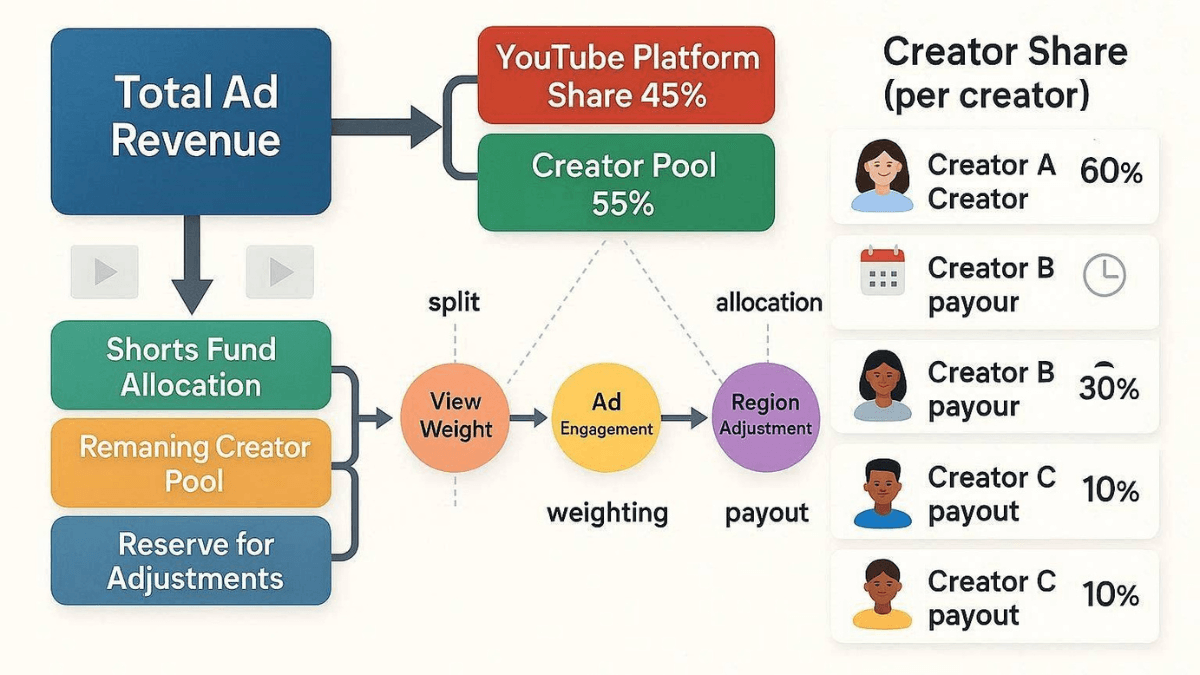
Direct answer: Earning from Shorts ads takes two things: membership of the YouTube Partner Program at the full tier (1,000 subscribers with 10 million qualified Shorts views in 90 days, or with 4,000 qualified long-form watch hours in 12 months), and acceptance of the Shorts Monetization Module in YouTube Studio. After that you do not take a cut of an ad shown next to your clip. You take a share of a monthly pool: ad revenue from the Shorts feed is pooled, the music licensing portion is taken out, the remainder is distributed to creators according to each one's share of eligible engaged views in each country, and you keep 45% of what is allocated to you. That is the mechanism as of 19 August 2026, and from 1 February 2027 you also have to maintain 10 million qualified Shorts views over the last 90 days to keep earning from the pool each month.
- Shorts views collected before you accept the module are not eligible; revenue accrues from the acceptance date onward.
- Payments are calculated on eligible engaged views, not on the public view counter.
- Music shrinks the pool, not your percentage: 45% stays 45% whether you use music or not.
- Any Short longer than one minute carrying an active copyright claim is blocked globally and earns nothing until the claim is resolved.
- The expanded tier (500 subscribers with 3 million Shorts views) unlocks fan funding, not Shorts ads.
What actually unlocks Shorts ads
This is where the most common confusion in the whole topic lives. The two Partner Program tiers are not two doors to the same room:
- The expanded tier (500 subscribers with 3 valid public uploads in 90 days and either 3,000 qualified watch hours or 3 million qualified Shorts views): unlocks memberships, Super Chat, Super Thanks and some Shopping features. It does not unlock Shorts ad revenue sharing.
- The full tier (1,000 subscribers with either 4,000 qualified watch hours in 12 months or 10 million qualified Shorts views in 90 days): this is what unlocks Watch Page ads, Shorts feed ads and Premium revenue.
If your channel is Shorts only, your entry route is 10 million qualified Shorts views, because the official page states that watch hours generated from Shorts views in the Shorts feed do not count toward the 4,000-hour threshold. What counts on each route, and the rest of the joining conditions, belong to YouTube monetization requirements. The full map of earning routes is in the YouTube monetization guide.
A note on length: since 15 October 2024 a Short can run up to three minutes, and any square or vertical video up to three minutes uploaded after that date is classified as a Short and monetizes in the Shorts revenue sharing model. Making Shorts, the tools and the format itself are covered in the complete YouTube Shorts guide.
The Shorts Monetization Module
Being accepted into the program is not enough on its own. The official page says monetizing partners "will need to accept the Shorts Monetization Module, terms that let you earn from ads and YouTube Premium in the Shorts Feed". And crucially: "Shorts ad revenue sharing will apply to your channel's eligible Shorts views starting on the date you accept. Shorts views accrued prior to accepting the Shorts Monetization Module are not eligible."
You turn it on in YouTube Studio: the Earn tab, the Shorts module card, then review and accept the terms. A creator who no longer wants to monetize their Shorts views with ads can opt out of the module by contacting Creator Support. The other modules and what each one covers are in the YouTube Partner Program explainer.
How the revenue is shared: four steps
The official page describes the mechanism in four steps, and understanding them removes most of the wrong explanations circulating:
- Pool the Shorts feed ad revenue: each month, revenue from ads running between videos in the Shorts feed is added together and used both to reward creators and to help cover the costs of music licensing.
- Calculate the Creator Pool: part of that amount is allocated into the Creator Pool based on engaged views and music usage across Shorts uploaded by monetizing creators.
- Allocate the Creator Pool: revenue is distributed to monetizing creators based on their share of total engaged views from monetizing creators' Shorts in each country. YouTube's own illustration is that a creator with a given share of eligible engaged views is allocated that same share of the pool.
- Apply the revenue share: "Monetizing creators will keep 45% of their allocated revenue, regardless if music was used or not."
The structural difference from long-form: on long-form, your percentage is applied to an ad served on your content; on Shorts, it is applied to your share of a shared pool. That is why "how much did I earn from the ad before my clip" is not a meaningful question. That ad does not belong to your clip; it goes into the pool.
How music affects the calculation
This point is told backwards in a lot of places. The official rule:
- A Short with no music: all the revenue associated with it goes into the Creator Pool.
- A Short with one music track: half the revenue associated with its engaged views goes into the Creator Pool, and the other half covers music licensing.
- A Short with two music tracks: one third goes into the Creator Pool, and two thirds cover licensing.
But at the allocation stage, YouTube states that each monetizing creator is allocated the full number of engaged views on their Shorts regardless of whether music was used, so using music "won't affect a creator's allocation from the Creator Pool or their revenue share rate". The takeaway: music shrinks the shared cake, not your slice of it.
"Music" has a specific definition here: content made available or claimed by YouTube's music industry partners, which may include audio tracks, music videos or other music content, and it also includes music generated by Dream Track. The page adds that no other category of third-party content is currently credited as contributing to a Short, even where a Content ID monetize policy is set on it.
What does not count
The official page separates two things: views that are not eligible, and revenue that never enters the pool at all.
| Category | Official examples |
|---|---|
| Ineligible engaged views | Non-original Shorts such as unedited clips from others' movies or TV shows, reuploading other creators' content from YouTube or another platform, or compilations with no original content added; artificial or fake views such as those from automated click or scroll bots; views of content inconsistent with the advertiser-friendly content guidelines |
| Blocked Shorts | Any Short over one minute with an active copyright claim of any type, including manual claims: blocked globally, not playable, not recommended and not eligible for monetization. There is no penalty to the channel, and once the claim is resolved the Short becomes eligible again |
| Revenue outside the pool | Revenue from views of Shorts by creators who have not accepted the module or are not yet eligible; Shorts uploaded by music partners; views determined to be ineligible; ads shown on opening the Shorts feed before a Short is viewed; ads on navigational pages within the Shorts player; image posts appearing in the Shorts feed |
In practice: the non-original Shorts clause is what disqualifies most channels built on other people's clips, and the claim rule on Shorts over one minute is what catches creators who moved to three-minute Shorts with claimed music.
Premium revenue on Shorts
Views from Premium subscribers on Shorts follow a parallel track. YouTube says it "will pay 45% of the net revenue from YouTube Premium that is allocated to monetizing creators for Shorts", that a portion of Premium revenue is allocated to help cover music licensing costs, and that payments to each creator are based on their share of subscription Shorts views within each country. The module required for it is the same Shorts Monetization Module.
The 10 million rule from 1 February 2027
On 10 August 2026 YouTube announced a change aimed at creators already in the program: "To earn each month from the Shorts Creator Pool, creators will now need to maintain 10M qualified Shorts views over the last 90 days." What deserves saying plainly, because a lot of coverage got it wrong:
- Missing the threshold means "you will not be removed from YPP", and it does not affect the rest of your program earnings, long-form included.
- Shorts revenue sharing resumes automatically once you cross 10 million views again, according to the official blog announcement.
- This is a continuity rule for the pool, not a new entry threshold. The new entry threshold for new applicants from the same date is 8,000 qualified watch hours or 20 million qualified Shorts views with 1,000 subscribers.
From the same date YouTube adds two other doors for Shorts creators: new incentive programs (bonuses for YouTube Shopping, production credits for brand deals, and earnings boosts for cultural trend activations), and targeted Shorts ads, where an advertiser targeting a group of five or fewer channels pays eligible creators a direct 45% revenue share from those placements on top of their general Creator Pool earnings.
How much do Shorts pay?
There is no official figure, and the mechanism makes one impossible: your income depends on the size of that month's pool in each country, the music share taken out of it, and your own share of engaged views among all monetizing creators. Those are three variables you cannot know in advance, which is why every "Shorts pay per 1,000 views" table online is a third-party estimate with no official source behind it.
What you can read is your own number: Shorts RPM is officially calculated per 1,000 engaged views rather than per 1,000 ordinary views, and it sits in the Revenue tab in YouTube Analytics. The two metrics and the difference between them are explained in the RPM and CPM explainer.
Frequently asked questions
Do YouTube Shorts actually pay?
Yes, but through a specific route: full-tier Partner Program membership, then acceptance of the Shorts Monetization Module, then a share of a monthly pool. A creator outside the program earns nothing from Shorts feed ads, and the official page says the remaining revenue "will be used to cover the costs of music licensing or be retained by YouTube".
What are the requirements to monetize Shorts?
1,000 subscribers with 10 million qualified Shorts views in the last 90 days (or with 4,000 qualified long-form watch hours in the last 12 months), plus the other joining conditions, then acceptance of the Shorts module. The expanded tier at 500 subscribers does not unlock Shorts ads.
Does using music reduce my Shorts earnings?
It does not reduce your percentage: you keep 45% of your allocation whether you use music or not, and your allocation is calculated on all of your engaged views. What shrinks is the pool itself, because half the revenue associated with a Short carrying one music track goes to licensing costs.
Why is one of my Shorts earning nothing?
The official possibilities: you have not accepted the Shorts module, or the Short was published before you accepted it; the Short is non-original or inconsistent with the advertiser-friendly guidelines; or it runs over one minute and carries a copyright claim, in which case it is blocked. The monetization status of each Short shows in the Content section of YouTube Studio.
Do Shorts views count toward the 4,000 watch hours?
No. The official page states that watch hours from Shorts views in the Shorts feed do not count toward the 4,000-hour threshold. The Shorts route is entirely separate and is measured in qualified views.
What if I fall below 10 million views after February 2027?
You stay in the YouTube Partner Program, your long-form and other feature earnings continue, and only your monthly share of the Shorts Creator Pool pauses until you are back above the threshold, at which point revenue sharing resumes automatically.
Practical summary
- Check first that you have actually accepted the Shorts Monetization Module; plenty of creators are in the program without it, and views before acceptance are lost either way.
- Understand that you are competing for a share of a pool, not for an ad next to your clip. That changes how you read your numbers.
- Watch your clip lengths: anything over a minute carrying a claim is blocked globally and loses eligibility.
- If Shorts are your only income source, plan now around 10 million views every 90 days, and diversify your sources.
- This page is part of the YouTube Resource Hub, where the rest of the monetization and content guides live.
Official sources
- YouTube Shorts monetization policies: the Shorts module, the four pool steps, the music split, ineligible views, and what is excluded from the pool (read 19 August 2026).
- Changes to the YouTube Partner Program: the 10 million view requirement from 1 February 2027, targeted Shorts ads, and the incentive programs (read 19 August 2026).
- YouTube's official announcement of the 2027 updates: Shorts revenue sharing resuming automatically above the threshold (read 19 August 2026).
- YouTube Partner Program overview and eligibility: the 10 million Shorts route and the exclusion of Shorts hours from the 4,000-hour threshold (read 19 August 2026).
- Overview of the expanded YouTube Partner Program: what the 500-subscriber and 3 million Shorts view tier unlocks (read 19 August 2026).
- Understand three-minute YouTube Shorts: classification after 15 October 2024 and the global block on claimed Shorts over one minute (read 19 August 2026).