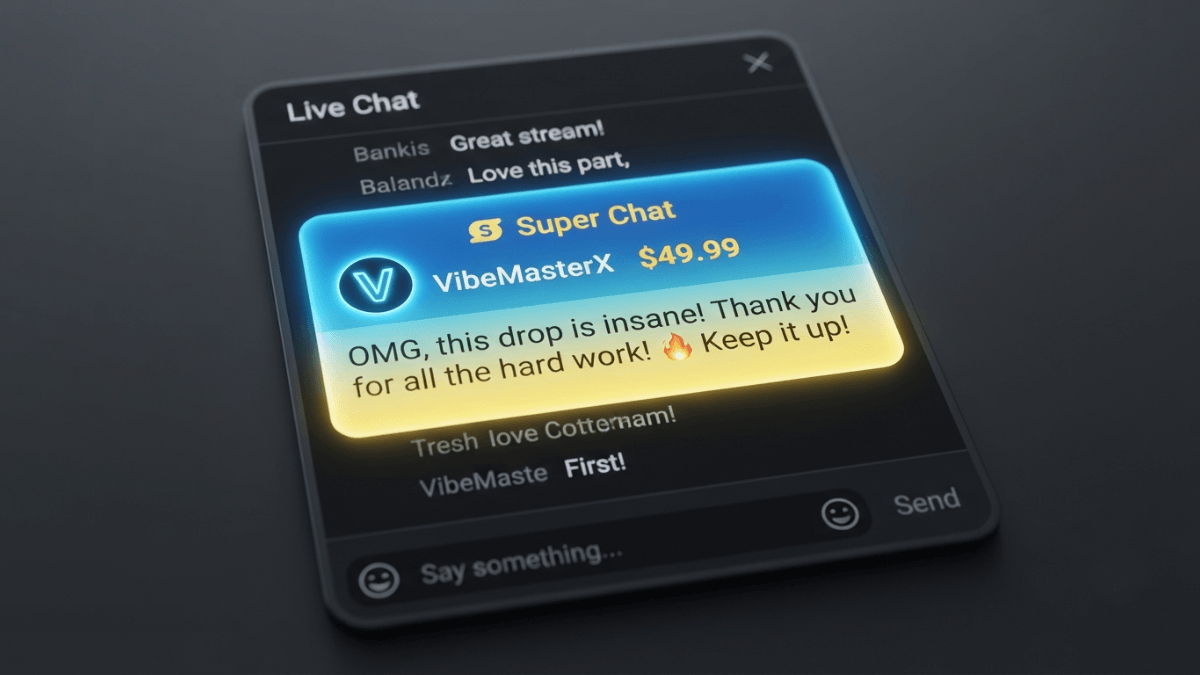
You can monetize YouTube live streams through four main tools, all requiring YouTube Partner Program (YPP) membership and acceptance of the Commerce Product Module: Super Chat and Super Stickers (paid highlighted messages and animated images in live chat), channel memberships (recurring monthly payments), and YouTube Shopping (product tagging during the stream). All of these are available in eligible countries only — verify your eligibility in YouTube Studio before proceeding.
| Tool | Minimum subscribers (YPP tier) | Creator revenue share | Geographic restriction? |
|---|---|---|---|
| Super Chat & Super Stickers | 500 subscribers (expanded YPP) | 70% after local taxes and iOS App Store fees | Yes — specific countries |
| Channel memberships | 500 subscribers (expanded YPP) | 70% after local taxes and iOS App Store fees | Yes — specific countries |
| YouTube Shopping in live streams | YPP + connected store | Set by retailer (not YouTube) | Yes — specific countries |
| Live stream ads | 1,000 subscribers + 4,000 watch hours | 55% of net ad revenue | Where YPP is available |
Key takeaways:
- Per YouTube's Help Center, Super Chat, Super Stickers, and channel memberships are available from the expanded YPP tier (500 subscribers) — you do not need to wait for 1,000 subscribers to access these features.
- Live streaming on YouTube requires phone verification (intermediate features) at minimum. After enabling live streaming for the first time, you may need to wait up to 24 hours before your first stream.
- All fan funding features (Super Chat, Super Stickers, memberships) require accepting the Commerce Product Module (CPM) in YouTube Studio → Earn — YPP acceptance alone is not sufficient.
- Creators receive 70% of Super Chat and Super Stickers revenue confirmed by Google. This is calculated after local sales taxes and iOS App Store fees are deducted. Transaction costs including credit card fees are currently covered by YouTube.
- Super Chat and Super Stickers are unavailable when live chat is turned off, when the content is set as Made for Kids, or when the video is private or unlisted.
What do you need to live stream on YouTube before monetizing?
According to YouTube's live streaming help page, going live requires channel verification (intermediate features via phone number verification) and no live streaming restrictions in the past 90 days. You must be at least 16 years old to live stream. After enabling live streaming for the first time, you may need to wait up to 24 hours before your first broadcast.
Mobile live streams may have audience limitations for channels under 1,000 subscribers. Per YouTube's Help Center, these limitations are lifted after reaching 1,000 subscribers, which can take several weeks to process after crossing that threshold.
What is the difference between expanded YPP and full YPP for live stream monetization?
According to YouTube's expanded YPP overview page, two tiers are relevant to live stream monetization:
Two YPP tiers relevant to live stream monetization
- Expanded YPP (500 subscribers): Unlocks Super Chat, Super Stickers, channel memberships, and Jewels & Gifts — collectively called "fan funding features." Requires 500 subscribers + 3 valid public uploads in 90 days + 3,000 watch hours in 12 months (or 3 million Shorts views in 90 days).
- Full YPP (1,000 subscribers): Adds ad revenue sharing on live streams. Requires 1,000 subscribers + 4,000 watch hours in 12 months (or 10 million Shorts views in 90 days).
This means a creator with 500 subscribers can already receive Super Chats from viewers during live streams — but will not earn from any ads that appear until reaching the 1,000-subscriber threshold.
How do Super Chat and Super Stickers work, and what are the eligibility requirements?
Super Chat and Super Stickers are paid fan interaction tools during live streams and Premieres. A viewer purchases a Super Chat to highlight their message in live chat — the higher the purchase amount, the longer the Super Chat stays pinned at the top of the chat. Super Stickers are animated images that appear in the chat feed.
Eligibility
According to YouTube's official Super Chat and Super Stickers eligibility page, the requirements are (verify current requirements before acting — these may change):
- Be in the YouTube Partner Program and meet the minimum requirements for fan funding features
- Live in one of the available locations (see the full list on the official eligibility page)
- Accept the Commerce Product Module (CPM) in YouTube Studio → Earn
When Super Chat and Super Stickers are not available
Per the official page, these features are unavailable on:
- Age-restricted, private, or unlisted videos
- Content set as Made for Kids
- Live streams associated with YouTube Giving fundraisers
- Any live stream where live chat or comments have been turned off
Revenue share
According to YouTube's Super Chat management page, creators receive 70% of Super Chat and Super Stickers revenue confirmed by Google. This percentage is calculated after local sales taxes and iOS App Store fees are deducted. Transaction costs including credit card fees are currently covered by YouTube.
How to enable
In YouTube Studio → Earn → Supers → Get started. If this is your first time, you will be prompted to sign the Commerce Product Module (CPM). Once enabled, Super Chat and Super Stickers appear automatically on all eligible live streams.
How do channel memberships generate revenue during live streams?
Channel memberships are recurring monthly payments viewers make in exchange for exclusive perks you define as a creator — badges, custom emoji, members-only content. In a live stream context, members appear with distinct badges in the chat feed, which creates a visible tier within your community and can encourage other viewers to subscribe.
According to YouTube's channel memberships eligibility page, the requirements are similar to Super Chat: YPP membership, residence in an eligible country, the channel not being set as Made for Kids, and CPM acceptance. Channels with a significant number of ineligible videos (Made for Kids videos or videos with music claims) may also be restricted.
How do you display and sell products during a live stream?
If your channel is eligible for YouTube Shopping and you have connected your store, you can tag products during a live stream. Viewers see a tappable product shelf during the broadcast. According to YouTube's Shopping help page, product tagging is available across long-form videos, Shorts, and live stream events.
Vertical live streams (9:16 format) also surface in the Shorts feed for viewers who don't follow the channel, which can extend the reach of both the stream and the tagged products. See our guide to selling products and services on YouTube for the full YouTube Shopping eligibility requirements.
How do you set up monetization for a live stream — step by step?
📋 Pre-stream monetization checklist
- Confirm you are in YPP and have accepted the base terms in YouTube Studio → Earn.
- In YouTube Studio → Earn → Supers: sign the CPM, then enable Super Chat and Super Stickers.
- In YouTube Studio → Earn → Memberships: enable memberships and define the perks for each tier.
- If eligible for YouTube Shopping: connect your store in YouTube Studio → Earn → Shopping.
- When creating the live stream in YouTube Studio → Go live: confirm that live chat is enabled and the content is not classified as Made for Kids.
⚠️ The Commerce Product Module (CPM) is a separate step
Per YouTube's Help Center, accepting YPP terms alone does not enable fan funding features. You must separately accept the Commerce Product Module (CPM) in YouTube Studio for each feature (Supers, Memberships) before they appear on your live streams.
Common mistakes that prevent monetization tools from appearing during live streams
❌ Mistake 1: Streaming with Made for Kids classification
If the live stream or channel is set as Made for Kids, Super Chat and Super Stickers will not appear regardless of your eligibility. This is explicitly stated in YouTube's official eligibility documentation.
❌ Mistake 2: Turning off live chat
Super Chat and Super Stickers are unavailable when live chat is disabled. Per the official page, this restriction applies even if all other eligibility criteria are met — live chat must remain active for the features to function.
❌ Mistake 3: Waiting for 1,000 subscribers before enabling Super Chat
Super Chat, Super Stickers, and channel memberships are available from the expanded YPP tier (500 subscribers) in eligible countries — the 1,000-subscriber threshold applies to ad revenue only. Waiting for 1,000 subscribers to enable fan funding delays income that could be earned earlier.
Frequently asked questions
Can I earn from live streams without 1,000 subscribers?
Yes, partially. Per YouTube's Help Center, fan funding features — Super Chat, Super Stickers, and channel memberships — are available from the expanded YPP tier starting at 500 subscribers in eligible countries. Ad revenue from live streams requires the full YPP tier: 1,000 subscribers and 4,000 watch hours.
What is the difference between Super Chat and Super Thanks?
Super Chat is available only during live streams and Premieres — a viewer purchases a highlighted message in the live chat feed. Super Thanks is available on regular videos (long-form and Shorts) — a viewer purchases a visual animation and gets a highlighted comment in the comments section. Both require YPP and CPM acceptance. Per YouTube's Help Center, the creator revenue share is 70% for both features.
Do I need to do anything special in YouTube Studio before each live stream to enable Super Chat?
No. According to YouTube's Help Center, once you enable Super Chat and Super Stickers for your channel by accepting the CPM and turning on the features in YouTube Studio → Earn → Supers, they are automatically active on all eligible live streams and Premieres where live chat is turned on. You do not need to re-enable them before each broadcast.
Where do I track my Super Chat earnings?
Per YouTube's Help Center, Super Chat and Super Sticker purchases from the past 30 days are viewable in YouTube Studio → Earn → Supers. Revenue reports also appear in YouTube Analytics → Revenue → How you make money. During a live stream you can filter the chat feed to show fan funding purchases only by selecting Chat filter → Fan funding.
Can Super Chat appear on a live stream replay after the broadcast ends?
Super Chat purchases are tied to the live stream session. Per YouTube's Help Center, Super Chats and Super Stickers do not transfer between videos. The archived replay of your live stream will show the chat as it appeared during the broadcast, but viewers cannot make new Super Chat purchases on the replay.
Official sources
- YouTube Help — Super Chat & Super Stickers eligibility, availability, and policies
- YouTube Help — Manage Super Chat & Super Stickers for Live Chat (revenue share)
- YouTube Help — YouTube Commerce Products monetization policies (fan funding & CPM)
- YouTube Help — Overview of the expanded YouTube Partner Program
- YouTube Help — Channel memberships eligibility, policies, and guidelines
- YouTube Help — Get started with live streaming on YouTube