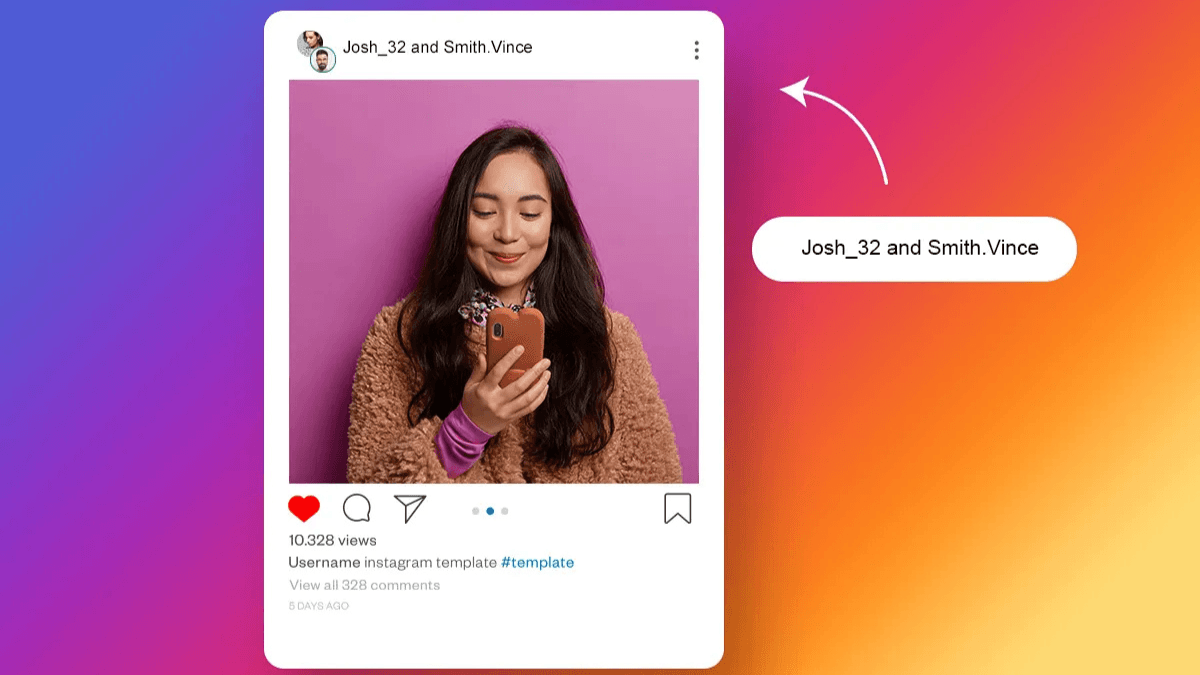
A Collab post means two or more accounts co-author a single post — it appears on everyone's grid, reaches everyone's audience, and pools everyone's engagement into unified numbers. One post, double the reach or more — with no extra production required.
| Aspect | Details |
|---|---|
| Maximum collaborators | 5 accounts (original creator + 4 collaborators) |
| Supported types | Feed post / carousel / Reel |
| Follower minimum | None — works with accounts of any size |
| Where it appears | All collaborators' grids + each collaborator's followers' feeds |
| Engagement | Pooled — the same numbers appear on all accounts |
| Deletion | Any collaborator can delete from their account — removes it from everyone |
| Ads | Only the original creator can run ads on the post |
- How Collab works technically — from invitation to appearing on both grids
- The core difference between Collab, Tag, and Brand Mention
- How Collab pools engagement and strengthens algorithmic signals
- Criteria for choosing the right partner — and what makes a Collab fail
- How to request a Collab in a way that actually gets accepted
- The types of Collab that work and those that don't
How Collab Works Technically — From Invitation to the Grid
The original creator creates the post as usual, but before publishing sends a collaboration invitation (Invite Collaborator) to another account. Here's what happens next:
Collab stages from invitation to publication
- Invitation: The original creator sends an invite to the collaborator — the post stays hidden until it's accepted
- Acceptance: The collaborator receives a notification and accepts — the post publishes simultaneously on both grids
- Appearance: Both account names (or more) appear in the post header — each account's audience sees it in their feed
- Engagement: Every like, comment, save, and send is pooled into a single number that appears on both accounts' Insights
You can also add a collaborator after publishing: open the post → tap ⋯ → Edit → Tag People → Invite Collaborator. The post appears on the collaborator's grid as soon as they accept, even if days have passed since the original publish.
Collab vs Tag vs Brand Mention — The Core Difference
| Type | What happens to the post | Where it appears | Engagement |
|---|---|---|---|
| Collab | Both accounts are official co-authors | Both accounts' grids | Pooled — same numbers on both |
| Tag | Mention only — ownership stays with original | Original account's grid only | Goes to original account only |
| Brand Mention (@) | Reference in caption or Story | Creator's grid only | Goes to original account only |
The decisive difference: Collab is a partnership that makes the post appear on the other party's grid and reach their full audience. Tags and Mentions are references that don't multiply reach.
How Collab Boosts Your Algorithmic Reach
Collab doesn't just multiply reach — it strengthens the algorithmic signals that push content toward wider distribution. For more on engagement signal weights, see the boost engagement guide:
- Pooled engagement: If a post earns 2,000 likes — both accounts show 2,000, not 1,000 each. Doubled engagement signals tell the algorithm the content has high value
- Cross-audience signals: When two different audiences engage with the same post, the algorithm notices that the content attracts a broader range of interested users — increasing the probability of pushing it to Explore
- Social trust signal: Two account names appearing on the same post generates social trust — the audience sees "these two creators trust each other" which improves the likelihood of engagement and follows
⚠ Overlapping audiences reduce the benefit
A Collab between two accounts whose audiences already follow each other doesn't multiply actual reach — the overlapping audience sees the post only once. The real value of Collab lies in partial intersection rather than complete overlap: two audiences sharing common interests but not following the same accounts.
For more on how engagement signals affect the algorithm, see the complete Instagram algorithm guide.
How to Choose the Right Collab Partner
Choosing the right partner is the most important decision in a Collab — a wrong partner wastes your effort even if they accept immediately:
3 criteria for an effective Collab partner
- Overlapping but not identical audiences: They share a core interest but don't follow exactly the same accounts. Example: a fitness coach + a nutrition expert — overlapping audience without complete duplication
- Acceptable engagement quality: Don't just look at follower count. An account with 5K followers and a 6% engagement rate delivers more effective reach than one with 50K and 0.5%. Calculate engagement rate before reaching out
- Compatible values and style: The post will appear on your grid — a partner with content that conflicts with your brand confuses your audience and damages your credibility
Where to find suitable Collab partners
- Comments on your posts: Someone who comments thoughtfully and regularly is likely in your niche and values your content
- Accounts that complement rather than compete: Same niche but different angle — you teach strategy, they teach execution
- Followers who already engage with you: They've already begun building a relationship — outreach is easier and acceptance rate is higher
How to Request a Collab Professionally — A Message That Gets Accepted
Most Collab requests are rejected because they appear one-sided. A convincing request makes the value clear for both parties:
Collab request message structure
- Why you're reaching out to them specifically: "I saw your post about [topic] — the way you approached it complements what I offer my audience"
- The post idea clearly stated: "I'm thinking of a Reel about [specific topic] that would deliver [clear value] to both our audiences"
- What the other party gains: "My audience is interested in [what they offer] and this would introduce them to you naturally"
- One specific next step: "Does a quick call this week work for you?" or "I'll send you the full idea if you're interested"
Avoid: "I want to collab with you" without details, or "this will benefit us both" without specifying how.
Types of Collab That Actually Work
- Creator + complementary creator: Each covers a different angle of the same topic — a joint Reel presenting "strategy + execution" from two accounts
- Creator + brand: The creator produces the content and the brand shares it as a Collab — more credible than explicit advertising
- Giveaways and contests: Entry requires following both accounts — Collab makes both creators appear as official co-organizers
- Product or service launch: The announcement reaches both parties' audiences simultaneously
- "Problem and solution" content: One account presents the problem, the other presents the solution — a joint carousel that tells the complete story
| Aspect | Brand Collab | Creator Collab |
|---|---|---|
| Primary goal | Reach brand audience + commercial credibility | Reach new audience + content complementarity |
| Content type | Tied to a product or service | Educational, entertaining, or joint storytelling |
| Disclosure | Required if paid (Paid Partnership label) | Not required if organic |
| Most important metric | Link clicks and profile visits | Follower growth and non-follower reach |
Steps to Create a Collab Post
- Create the post (Reel / carousel / photo) as usual until the publishing screen
- Tap Tag People
- Tap Invite Collaborator
- Search for the account you want to collaborate with and select it
- Publish the post — it stays on your grid only until the other party accepts
- After acceptance: it appears immediately on the collaborator's grid and reaches their audience
💡 Adding a collaborator after publishing
No need to republish if you forgot — open the post → tap ⋯ → Edit → Tag People → Invite Collaborator. This works on already-published posts, not only before publishing.
💡 Collab timing — publish when both audiences overlap
Before setting a publish time, check Insights on both accounts: when is each audience most active? Find a window that falls in the overlapping activity zone. Publishing a Collab when one audience is asleep wastes half the post's potential.
Tracking Collab Performance
After publishing a Collab, open the post's Insights — you'll see the same numbers your partner sees: views, reach, engagement, and reach sources. What to look for to evaluate a Collab's success:
- Non-follower Reach: Did it rise compared to your regular posts? This tells you whether you actually reached a new audience
- Follower growth after publishing: Did follower count increase in the 24–48 hours after the Collab?
- Comment quality: Are comments coming from accounts that haven't engaged with you before? This confirms genuine new reach
- Comparison to a similar solo post: Same content type and topic — did the Collab achieve more reach?
For the complete guide to reading reach and engagement metrics, see the Instagram Insights complete guide.
What Makes a Collab Fail
❌ Collab with a completely identical audience
If both your audiences already follow each other — no new reach. Collab multiplies reach only when the two audiences are mostly different.
❌ Content that only serves one audience
A Collab post designed for only one of the two audiences confuses the other's followers. The content must deliver clear value to both audiences — otherwise the other party will experience negative engagement on their grid.
❌ Requesting a Collab without a prior relationship
A "let's collab" message to an account you've never engaged with is almost always rejected. Build a relationship first: comment on their posts, send a message with value, then propose the collaboration.
❌ Random Collab without strategy
One well-chosen Collab beats ten random ones. Define the goal: follower growth? Reaching a new niche? Selling a product? The goal determines who you choose and what you produce.
Frequently Asked Questions About Instagram Collab Posts
Can I see the collaborator's Insights separately?
No — both parties see the same aggregated total numbers in their own Insights. Neither can see the other's Insights separately. The numbers are unified: total views, reach, and engagement appear at the same value on both accounts' Insights.
What happens to a Collab post if one party deletes it?
Any collaborator who deletes the post from their account removes it from all collaborators' accounts. The deletion is permanent and cannot be undone. If a collaborator wants to exit without deleting the post, they can "remove themselves" from the collaboration — the post remains on the remaining collaborators' accounts only.
Can a personal account Collab with a business account?
Yes — Collab works between any account types: personal, Creator, or Business. There are no restrictions on account type or follower count. An account with one follower can participate in a Collab with an account with a million followers.
Does a Collab count as paid content and require disclosure?
An organic (unpaid) Collab between two creators doesn't require disclosure. If the Collab is part of a paid brand partnership (brand deal), it must be disclosed according to platform guidelines and local regulations — Instagram provides a "Paid Partnership" label option for commercial content. Check the platform's current guidelines in the Help Center.
How often should I use Collab posts in my strategy?
There's no fixed ratio — it depends on the size of your network and the quality of available partners. One well-chosen monthly Collab produces better results than a weekly Collab with mismatched partners. Quality beats quantity. Start with one Collab, evaluate results via Insights, then adjust frequency based on what achieves your goal. For integrating Collab into your broader content strategy, see the effective content strategy guide.