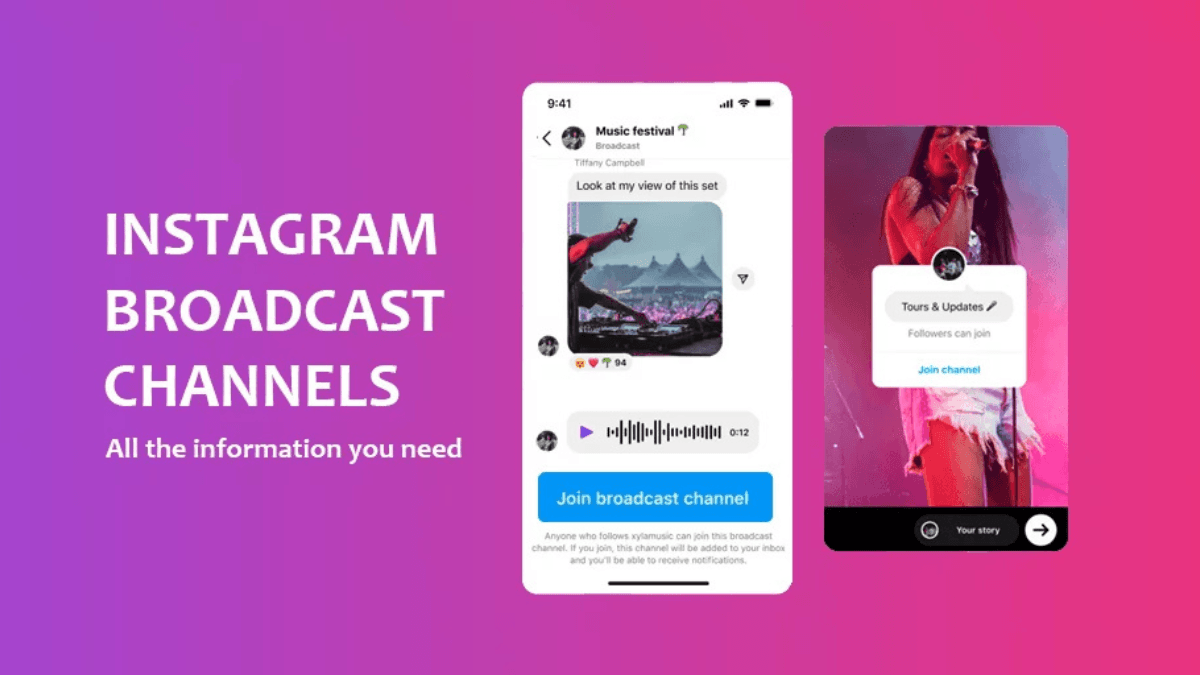
A Broadcast Channel is a one-to-many feed inside Instagram Direct — you post and the content goes straight to every subscriber's DM inbox with no algorithmic filtering. Not a feed post competing for visibility — a message that reaches everyone who opted in.
| Aspect | Details |
|---|---|
| Who can create | Professional accounts (Creator or Business) — availability expanding gradually |
| Subscriber limit | None — thousands or millions |
| Who can post | Channel owner only (+ collaborators you add) |
| Subscriber replies | Reactions only — no public text replies |
| Content types | Text / image / video / audio / poll / interactive |
| Advance scheduling | Third-party tools can't schedule — manual publishing only |
| Distribution | Direct to DM inbox — no algorithmic filtering |
- What sets the channel apart from Stories, DMs, and Groups
- How to create your channel and prepare it for early subscribers
- What content keeps subscribers — and what pushes them to mute
- How to grow your subscriber count from zero
- Channel Collab and how it expands your reach
- Performance metrics and what they actually mean
Channel vs Stories vs DMs vs Groups — When to Choose Each
| Aspect | Broadcast Channel | Stories | Regular DMs | Groups |
|---|---|---|---|---|
| Reach | Direct to inbox — no algorithm | Algorithm — ranked by prior interaction | Direct — but one-to-one | Direct — but capped at 250 |
| Replies | Reactions only for subscribers | Reply via DM | Full conversation | Everyone replies and sees replies |
| Best for | Announcements + exclusive content + regular updates | Daily presence + quick interaction | Individual relationships + customer service | Small community with peer interaction |
| Cap | None | None | Practically limited by time | 250 members |
The channel isn't a replacement for Stories — it's an additional communication layer that reaches those who chose a closer connection. Stories cover the general audience; the channel serves the most committed community. For the complete strategy that integrates channels with all other content formats, see the effective content strategy guide.
How to Create Your Channel
- Open Instagram Direct Messages
- Tap the compose icon (pencil) at the top of the screen
- Select Create a Broadcast Channel
- Add a clear name that communicates value, not just your name
- Set visibility: Public for your followers — or private for link-only access
- Set an end date if the channel is for a specific event or phase
- Tap Create Broadcast Channel
⚠ If you don't see the option yet
Instagram is rolling out channels gradually — some accounts get access before others. Check: Professional account + update the app to the latest version. If both are met and the option still doesn't appear — check weekly. It usually appears without prior notice.
💡 The welcome message — the first thing every new subscriber sees
Send and pin a welcome message the moment you create the channel that answers: What will you find here? How often will I post? What won't you find in the feed or Stories? The pinned message is your contract with your audience — every new subscriber sees it first.
What Content to Post in the Channel
The channel reaches inboxes directly — a privilege that shouldn't be wasted on content people could find anywhere else. The right channel content makes subscribers feel they know something before the general public does:
- Early announcements: Product, service, or content launches — channel subscribers know 24–48 hours before everyone else
- Behind the scenes: What happens before the Reel publishes, decisions not yet announced, personal sides that don't go on the feed
- Real decision polls: "What topic do you want next?" or "Which of these two options do you prefer?" — the subscriber feels they're shaping the content, not just consuming it
- Resources and references: A useful article link, a tool you tested, a book you're reading — worth sharing without turning it into a full post
- Voice messages: An underused feature — a voice message in your natural tone builds closeness that text can't reach
- Urgent updates: A schedule change, a Reel you just published, news worth sharing right now
Exclusive Value — Why People Subscribe and Stay
People subscribe expecting something they won't find in the feed. They mute or unsubscribe when the channel becomes just another version of Stories.
The subscriber retention formula
- Right frequency: 2–4 messages per week is the sweet spot that maintains presence without becoming annoying. More raises the mute rate; less makes you forgettable
- Clear expectation: Subscribers know what to expect — not a surprise every time. "Every Sunday: what I read this week" is stronger than random content
- Every message answers: Why am I sending this now? What makes it different from feed content?
How to Grow Your Subscriber Count
Subscribers don't come through the algorithm — the channel doesn't distribute like Reels. Every new subscriber chose to come. That means promotion depends entirely on you. For building an organic audience that responds to channels like this, see the organic followers growth guide:
5 ways to grow your subscriber count
- Regular Stories: Share the channel link in Stories with a specific reason to join — not "join my channel" but "in the channel there's something I'm not posting to the feed: [specific thing]"
- Link in bio: Channel link directly or via a Linktree page — bio subscribers tend to be the most committed
- Mention it in Reels: "Full details in the channel" or "I'll share [exclusive thing] with subscribers only" — Reels bring the interested
- Collab with another channel: Add another channel as a temporary collaborator — their subscribers discover your channel
- Hint in captions: "I sent more details in the channel two days before publishing this" — generates FOMO for those not yet subscribed
💡 Your first wave of subscribers arrives automatically
When you create your channel for the first time, Instagram automatically sends a "Join Channel" notification to your existing followers. This first wave gives you early subscribers without any promotion. What comes after depends on your ongoing promotion in Stories and Reels.
Collab Between Channels
Instagram allows adding another creator as a collaborator in your channel for a set period. When you add a partner:
- Their channel subscribers are notified of your channel's existence — some will subscribe
- They can post in your channel temporarily — adding value and variety for your subscribers
- Best fit: a creator in a complementary niche with a partially different audience — same logic as Collab Posts
- Set the collaboration duration in advance and inform your subscribers that a guest is joining — an unannounced surprise may raise questions
Channel Performance Metrics
Instagram provides analytics inside the channel after each message. The metrics that tell the truth:
| Metric | What it means | What to do if it drops |
|---|---|---|
| Message open rate | Percentage of subscribers who opened the message | Improve the first line — it's what decides whether the message gets opened |
| Reactions | Signal that content landed emotionally — strongest resonance indicator | Add a question or reply prompt at the end of the message |
| Weekly subscriber growth | Is your promotion in the feed and Stories working? | Increase channel mentions in your public content |
| Mute / unsubscribe rate | Subscribers find the content annoying or repetitive | Reduce frequency or raise content exclusivity |
| Link clicks | Is the channel converting subscribers into real actions? | Make the CTA more specific and clear |
For more on reading engagement metrics professionally, see the Instagram Insights complete guide.
Mistakes That Lose Subscribers
❌ Mistake 1: Copying feed content into the channel
The subscriber already saw the Reel or caption. Reposting it to the channel makes them feel they're getting nothing different — and that's the fastest path to unsubscribing. The channel needs content that exists nowhere else.
❌ Mistake 2: Daily posting with no clear purpose
High message frequency without clear value raises the mute rate — and Instagram notices, quietly down-ranking your channel's notification priority. The quality of each message matters more than its frequency.
❌ Mistake 3: Neglecting the welcome message
A new subscriber arrives at a channel with no context — they don't know what to expect. A pinned welcome message sets expectations, introduces the channel's rhythm, and reduces early drop-off.
❌ Mistake 4: No channel promotion in feed content
The channel doesn't grow on its own — every new subscriber chose to come. Without regularly mentioning the channel in Stories, Reels, and captions, growth stops. Promotion isn't a one-time event — it's a routine.
Frequently Asked Questions About Instagram Broadcast Channels
Do channel subscribers count toward my follower count?
No — channel subscribers are completely separate from follower count. Someone who subscribes to your channel without following your account counts only as a channel subscriber. Equally, your followers can choose not to subscribe to the channel. The two counts are entirely independent.
Can subscribers reply to channel messages?
Subscribers can respond with Reactions (emoji responses) only — no public text replies visible to everyone. Crucially, each member sees only their own reactions — not other members' reactions. This keeps the channel clean, organized, and broadcast-focused rather than becoming a group chat. The channel owner sees total Reactions and their count. If a subscriber wants to reply with text, they send a separate private message in DMs.
Is the channel free and is there a message limit?
Yes — the channel is completely free, with no fees for creation or publishing, and no limit on messages or subscribers. The only cost is your time producing content and maintaining a posting frequency sufficient to keep subscribers engaged.
Can channel messages be scheduled in advance?
No — Instagram doesn't give third-party tools API access to schedule broadcast channel messages. Every message must be published manually. The practical solution: plan channel content in your calendar and set yourself reminders for publishing times — but the actual sending happens directly from the app.
Are Broadcast Channels suitable for smaller accounts?
Yes — the channel suits any follower size that can access it. In fact, smaller accounts may benefit more because their channel generates a feeling of tight community and closeness that larger accounts struggle to achieve. 50 enthusiastic subscribers are stronger than 5,000 disengaged ones. For building your broader content strategy around community, see the effective content strategy guide.
Does a Broadcast Channel affect the feed algorithm?
Not directly on feed post distribution, but it strengthens the relationship with your most loyal followers — which improves their engagement with your feed posts and Stories, strengthening algorithmic signals indirectly. Channel notifications keep you top of mind with members consistently, increasing the likelihood they engage with your feed content when it reaches them.