Blog

Blog

Tips, tutorials, and case studies from D3M Follow to help you grow your presence on Instagram, TikTok, YouTube, Telegram and more.

Welcome to the D3M Follow Blog! Here, we share expert insights, actionable tips, and the latest trends in social media marketing. Whether you're looking to grow your Instagram followers, boost TikTok engagement, or master Facebook ads, we've got you covered.

Latest articles

TikTok Monetization: A Practical Framework from Eligibility to Sustainable Income

TikTok Monetization: A Practical Framework from Eligibility to Sustainable Income

If you think TikTok is just for entertainment, you're missing a golden opportunity. In 2026, TikTok has become a real goldmine for those who know how to use it. Creators are earning thousands of dollars monthly - some even more. The numbers don't lie: TikTok paid over $4 billion to creators in 2024-2025, and 70% of creators now earn income. This guide teaches you all monetization methods in 2026, with real numbers and practical steps.

For a comprehensive understanding of the platform, check out the Complete TikTok Guide. To understand how content strategy affects monetization, see the Content Strategy.

Why TikTok = Goldmine in 2026?

The Numbers Speak

Statistic Number What it Means
Active Users 1.7 billion+ Worldwide
Average Daily Usage 95 minutes Per user
TikTok Paid to Creators $4+ billion In 2024-2025
Creators Earning Income 70% In 2026
Average Successful Creator Income $500 - $50,000+ Monthly

✅ Good News: You don't need millions of followers to start earning. With just 1,000 followers, you can begin generating income!

Who Can Make Money on TikTok?

Anyone! Doesn't matter:

  • Your follower count (can start from 1,000)
  • Your content type (all niches earn)
  • Your age (18+ years)
  • Your location (most countries supported)

What's needed: Good content + Smart strategy + Patience

Basic Requirements for TikTok Monetization

General Requirements for Most Methods

Requirement Minimum Notes
Age 18 years+ Mandatory for all methods
Followers 1,000 - 10,000 Varies by method
Views 10,000 in 30 days For programs like Creator Fund
Account Type Creator/Business Can switch in settings
Location Supported country Most countries supported

Content Requirements

  • Original content: Your own production (no reposts)
  • Follows community guidelines: No prohibited content
  • Good engagement: Views, likes, comments
  • Regular posting: At least 3-5 times weekly

💡 Golden Tip: Build your audience first before thinking about monetization. Numbers come automatically when you have valuable content. Check Follower Growth Strategies.

10 Proven Ways to Make Money on TikTok 2026

Method Brief Description Minimum Income Potential
1. Creator Fund Get paid for views 10K followers $0.02-0.04/1K views
2. Creator Marketplace Brand deals directly 1K followers $50-$100,000+ per deal
3. LIVE Gifts Virtual gifts from viewers 1K followers $50-$5,000+ monthly
4. TikTok Series Exclusive paid content 10K followers $0.99-$69.99 per series
5. Brand Sponsorships Partnerships outside Marketplace 5K followers $100-$100,000+ per sponsorship
6. Affiliate Marketing Commission on sales Any count 5%-50% commission
7. TikTok Shop Direct product sales 5K followers Unlimited
8. Digital Products Templates, designs, files Any count $500-$10,000+ monthly
9. Courses Teach your skills 1K followers $1,000-$50,000+ per course
10. Consulting Advisory services in your field Any count $50-$500+ per hour

🎯 How to Choose the Best Method for You?

  • Under 10K followers: Start with LIVE Gifts + Affiliate Marketing
  • 10K-100K followers: Add Creator Fund + Brand sponsorships
  • 100K+ followers: All methods available + focus on big deals

Method 1: TikTok Creator Fund - Get Paid for Views

What is Creator Fund?

TikTok Creator Fund is an official TikTok program that pays you for the views you get. More views = more income.

Requirements to Join

  • ✅ 18 years or older
  • ✅ At least 10,000 followers
  • ✅ Achieved 100,000 views in last 30 days
  • ✅ Account in supported country
  • ✅ Follow community guidelines
  • ✅ 100% original content

How Much Will You Earn Exactly?

💵 Calculation Formula:

Creator Fund pays approximately $0.02 to $0.04 per 1,000 views (2-4 cents).

View Count Expected Income
100,000 views $2-4
500,000 views $10-20
1 million views $20-40
10 million views $200-400
5 million/month $100-200/month

How to Apply?

  1. Open TikTok app
  2. Go to Settings → Creator Tools
  3. Tap TikTok Creator Fund
  4. Read terms and agree
  5. Fill payment info (PayPal or Wise)
  6. Wait for approval (usually 1-3 days)

Pros and Cons

✅ Pros:

  • Stable, guaranteed income
  • Automatic monthly payment
  • No additional effort required
  • Official and direct from TikTok

❌ Cons:

  • Amounts are relatively small
  • Need huge views for good income
  • May reduce reach (some creators notice)
  • Not available in all countries

💡 Pro Tip: Creator Fund is just the beginning. Use it as stable base income, but don't rely on it as sole source. Add other methods to 10x your income.

Method 2: Creator Marketplace - Brand Deals

What is Creator Marketplace?

Creator Marketplace is an official platform inside TikTok connecting creators with brands. It's like a "job market" where brands search for creators to collaborate.

How Does It Work?

  1. Brands post "campaigns" searching for creators
  2. You browse available campaigns
  3. Apply for campaigns that fit you
  4. If accepted, create content per brand requirements
  5. Get paid directly from TikTok

Requirements to Join

  • ✅ 18 years or older
  • ✅ At least 1,000 followers (yes, just 1K!)
  • ✅ Creator or Business account
  • ✅ Good engagement on videos
  • ✅ Professional, regular content

How Much Will You Earn?

Follower Count Average Payment per Deal Notes
1,000 - 10,000 $50-$200 Micro-influencers
10,000 - 50,000 $200-$1,000 Good money starts
50,000 - 100,000 $1,000-$5,000 Mid-tier influencers
100,000 - 500,000 $5,000-$20,000 Excellent amounts
500,000+ $20,000-$100,000+ Huge deals

Tips for Getting More Deals

  • 🎯 Choose specific niche: Brands seek specialists, not generalists
  • 📊 Engagement > Followers: 10K engaged followers better than 100K unengaged
  • 🎨 Strong portfolio: Put your best 10 videos in profile
  • 💼 Be professional: Quick response, meet deadlines, high quality
  • 🔄 Build relationships: Brands return to reliable creators

More details in Working with Brands article (Coming Soon).

Method 3: LIVE Gifts - Virtual Gifts During Livestreams

What are LIVE Gifts?

When you stream live on TikTok, viewers can send you virtual gifts (like roses, lions, rockets, etc.). These gifts have real monetary value - you can convert them to dollars!

Requirements to Start

  • ✅ 18 years or older (mandatory)
  • ✅ At least 1,000 followers
  • ✅ Account age 30 days minimum
  • ✅ In supported country

How the Gift System Works?

Gifts are purchased with "Coins" (TikTok currency). Viewers buy Coins with real money, then send them to you as gifts.

Gift Price (Coins) Dollar Value What You Get (50%)
🌹 Rose 1 Coin ~$0.01 $0.005
💝 Love Bang 25 Coins ~$0.25 $0.13
🦁 Lion 500 Coins ~$5 $2.50
🚀 Rocket 1,000 Coins ~$10 $5
👑 Drama Queen 5,000 Coins ~$50 $25
🌌 Universe 34,999 Coins ~$500 $250

⚠️ Important Note: TikTok takes ~50% commission on gift value. If someone sends you a $10 gift, you'll get approximately $5.

How Much Can You Earn from LIVE?

Level Viewer Count Expected Income per Stream
Beginner 50-200 viewers $5-20
Intermediate 500-2,000 viewers $50-200
Advanced 5,000+ viewers $200-1,000+

If streaming daily for 1 hour, you can make $500-$5,000 monthly or more!

Strategies to Increase Gifts

  1. Stream at peak times: When your audience is online
  2. Direct interaction: Read names, respond to comments, thank every gift
  3. Create challenges: "If we reach 100 roses, I'll sing!"
  4. Be consistent: Stream same time daily to build habit
  5. Show value: Teach something, make them laugh, inspire
  6. Battle Mode: Compete with another creator - increases excitement and gifts

Methods 4-10: Brief Overview

4. TikTok Series - Exclusive Paid Content

What it is: Create exclusive video series people pay to watch.

Requirements: 10,000 followers, 18+, Creator account

Income: If you sell series for $9.99 to 1,000 people = $10,000

5. Brand Sponsorships (Outside Creator Marketplace)

What it is: Contact brands directly and make deals outside TikTok.

How to start: Build professional Media Kit, contact brands, use platforms like AspireIQ

Income: Much higher than Marketplace - can reach $100,000+

6. Affiliate Marketing

What it is: Promote other companies' products, earn commission on sales.

Income: 5%-50% commission. Example: $100 product, 50 sales, 10% commission = $500

Advantage: Don't need many followers!

7. TikTok Shop - Direct Sales

What it is: Store inside TikTok - sell products directly in videos and lives.

Income: Unlimited! Some sellers make $10,000-$100,000+ monthly

8. Digital Products

What it is: Sell digital products (templates, presets, ebooks, designs, music, etc.)

Example: Designer sells Lightroom Presets for $15, sells 100 monthly = $1,500/month

9. Courses

What it is: Teach people your skills via paid courses.

Example: "Product Photography with Phone" course at $99, 200 students = $19,800

10. Consulting

What it is: Offer paid consultations in your field (1-on-1 calls).

Income: $50-$500+ per hour depending on expertise

Example: Marketing consultant, 10 consultations monthly at $200 = $2,000/month

Quick Comparison: Which Method is Best for You?

Method Minimum to Start Income Potential Difficulty
Creator Fund 10K followers ⭐⭐ Easy
Creator Marketplace 1K followers ⭐⭐⭐⭐⭐ Medium
LIVE Gifts 1K followers ⭐⭐⭐⭐ Very Easy
TikTok Series 10K followers ⭐⭐⭐ Medium
Brand Sponsorships 5K followers ⭐⭐⭐⭐⭐ Hard
Affiliate Marketing Any ⭐⭐⭐⭐ Easy
TikTok Shop 5K followers ⭐⭐⭐⭐⭐ Hard
Digital Products Any ⭐⭐⭐⭐ Medium
Courses 1K followers ⭐⭐⭐⭐⭐ Hard
Consulting Any ⭐⭐⭐⭐ Medium

90-Day Action Plan to Start Earning

Days 1-30: Build Foundation

  • 📝 Week 1: Choose niche + create quality content consistently
  • 🎯 Week 2: Post 3-5 videos daily + use strong hooks
  • 📈 Week 3: Analyze data + double down on what works
  • 👥 Week 4: Engage with audience + start building community

Goal after 30 days: 1,000-5,000 followers

Days 31-60: Grow & Expand

  • 💰 Week 5: Start LIVE Gifts (1K followers) + Affiliate Marketing
  • 🤝 Week 6: Join Creator Marketplace + apply for first campaign
  • 📊 Week 7: Increase content quality + invest in better equipment
  • 🎨 Week 8: Diversify content + try new formats

Goal after 60 days: 5,000-15,000 followers + first $100-500

Days 61-90: Monetize & Scale

  • 🚀 Week 9: Apply for Creator Fund (if reached 10K)
  • 💼 Week 10: Seek external sponsorships + create Media Kit
  • 🎓 Week 11: Plan digital product or course
  • 📈 Week 12: Review strategy + scale what works

Goal after 90 days: 15,000-50,000 followers + $500-2,000/month income

✅ Golden Tip: Don't wait for huge numbers. Start earning from day one with affiliate marketing, even with just 100 followers!

Real Examples: Creators Earning on TikTok

Example 1: Cooking Creator (50K followers)

Income sources:

  • Creator Fund: ~$150/month
  • LIVE Gifts: $300-500/month
  • Kitchen brand sponsorship: $800-1,500 per deal (2-3 monthly)
  • Affiliate marketing (Amazon): $200-400/month

Total Income: $2,500-4,000/month

Example 2: Fitness Creator (150K followers)

Income sources:

  • Creator Fund: ~$400/month
  • Creator Marketplace: $3,000-5,000/month (2-3 deals)
  • Online training course: $2,000/month (40 students × $49)
  • Consultations: $800/month (4 consultations × $200)

Total Income: $6,000-8,000/month

Example 3: Educational Creator (500K followers)

Income sources:

  • Creator Fund: ~$1,000/month
  • Major sponsorships: $10,000-20,000/month
  • TikTok Series: $5,000/month
  • Digital products: $3,000/month

Total Income: $19,000-29,000/month

💡 Important Note: Notice how successful creators don't rely on one source. Diversification = financial stability!

7 Fatal Mistakes That Prevent Monetization

1. Relying on One Source Only

Mistake: "I'll only earn from Creator Fund"

Solution: Diversify income sources - at least 3 different sources

2. Focusing Only on Followers

Mistake: "I need 100K followers first"

Solution: Engagement matters more - start earning from 1K engaged followers

3. Not Building Audience Relationship

Mistake: Only posting without interacting

Solution: Reply to comments, do Q&A, make them feel valued

4. Being Impatient

Mistake: "Why haven't I earned after one week?"

Solution: Earning takes 1-3 months minimum - be patient and consistent

5. Ignoring Data and Numbers

Mistake: Not checking Analytics

Solution: Analyze performance weekly - learn from data

6. Poor Content Quality

Mistake: "Content doesn't matter, money matters"

Solution: Quality first - no one pays for poor content

7. Unprofessional with Brands

Mistake: Slow responses, no commitment, poor quality

Solution: Be 100% professional - your reputation = your capital

Conclusion: Start Today, Not Tomorrow

TikTok isn't just entertainment - it's a golden opportunity to build real income in 2026. Whether you want side income or full-time work, opportunities exist.

🎯 The Simple Success Formula

Valuable Content + Smart Strategy + Patience = Sustainable Income

Don't wait for big numbers - start earning from day one!

Practical Steps to Start Now

  1. Today: Review your account - does it meet basic requirements?
  2. This Week: Choose 2-3 monetization methods to focus on
  3. This Month: Register for Creator Marketplace + start affiliate marketing
  4. Months 2-3: Execute full 90-day plan
  5. After 3 Months: Review results + scale what works

Remember: Every successful creator today started from zero followers and zero dollars. The only difference? They started.

🔥 Ready to Turn TikTok into a Money Machine?

Everything you need is in this article. Now, you need only one thing: Execute.

Opportunities won't wait - competition increases daily. Start now!

TikTok Shadow Ban: How to Detect, Avoid, and Fix It in 7 Days

Shadow Ban is the silent nightmare for every TikTok creator. You post an amazing video, but views suddenly drop from 5,000 to just 50. No notifications, no warnings, no explanation - just mysterious disappearance from FYP. The shocking truth: 1 in 3 accounts experiences Shadow Ban at some point, and most don't even know! This comprehensive guide teaches you everything: how to know you're banned, why it happened, how to fix it in 7 days, and how to protect yourself forever. With 15 clear signs, practical tests, and a proven recovery plan that works for 90% of cases.

For a comprehensive understanding of the platform, check out The Complete TikTok Guide. To understand how the algorithm works, see TikTok Algorithm Guide.

What is Shadow Ban?

Simple Definition

Shadow Ban = Hidden ban without notification

Your account appears normal to you, but:

  • ❌ Your content doesn't appear in FYP
  • ❌ Hashtags don't work
  • ❌ Views drop 80-95%
  • ❌ Only followers see your content (sometimes)

Why Called "Shadow"?

Because it's invisible:

  • ✅ Your account still active
  • ✅ You can post normally
  • ✅ No messages from TikTok
  • ❌ But no one sees your content!

Difference Between Shadow Ban and Regular Ban

Feature Shadow Ban Regular Ban Permanent Ban
Notification? ❌ No ✅ Yes ✅ Yes
Can post? ✅ Yes ❌ No ❌ No
Views? Drop 80-95% Zero Zero
Duration? 1-14 days (usually) 1-7 days Permanent
Fixable? ✅ Yes (90%) ✅ Ends automatically ❌ Very difficult

Scary Statistics

Statistic Number
Accounts affected annually 30-40%
Average Shadow Ban duration 2-14 days
Accounts that don't detect it 60%
Average view drop 85-95%
Recovery rate without intervention 70%
Recovery rate with treatment plan 90%+

15 Signs You're Shadow Banned

Clear Red Flags (99% Probability)

🚨 Sign 1: Sudden View Collapse

Description:

  • You were getting 5,000 views average
  • Suddenly last 3-5 videos: only 50-200 views
  • No change in content quality

Shadow Ban Probability: 95%

🚨 Sign 2: Hashtags Don't Work

How to test:

  1. Post video with unique hashtag (like #test12345xyz)
  2. Wait 5 minutes
  3. Search for the hashtag
  4. If your video doesn't show = Shadow Ban

Shadow Ban Probability: 90%

🚨 Sign 3: Disappeared from FYP

Test:

  • Ask 5 friends (non-followers) to browse FYP
  • If never appears = Shadow Ban

Shadow Ban Probability: 85%

🚨 Sign 4: Only Followers Watch

How to know:

  • Open Analytics → Sources
  • If 90%+ from "Following" not "For You" = Shadow Ban

Shadow Ban Probability: 80%

🚨 Sign 5: Zero Engagement from Non-Followers

Description:

  • All engagement from current followers
  • No new followers
  • No comments from new accounts

Shadow Ban Probability: 75%

Quick Diagnosis Table

Number of Signs Diagnosis Action
5+ red signs Shadow Ban confirmed 95% Start recovery plan immediately
3-4 red signs Likely Shadow Ban 80% Follow prevention plan
1-2 red signs 50% probability Monitor closely
Orange/yellow signs only Uncertain Improve content

Different Types of Bans on TikTok

Type 1: Full Shadow Ban

Description:

  • Never appear in FYP
  • Hashtags don't work
  • Only followers see content

Duration: 1-14 days

Severity: 🔥🔥🔥🔥🔥

Type 2: Partial Shadow Ban

Description:

  • Appear in FYP but very rarely
  • Some hashtags work, others don't
  • Reach reduced 50-70%

Duration: 3-7 days

Severity: 🔥🔥🔥

Type 3: Search Ban

Description:

  • Account doesn't show in search
  • FYP works normally
  • Hashtags work

Duration: 1-3 days

Severity: 🔥🔥

Type 4: Hashtag Ban

Description:

  • Specific hashtag or group banned
  • Rest of account normal
  • Solution: Stop using hashtag

Duration: Immediate after stopping

Severity: 🔥

15 Main Causes of Shadow Ban

Group A: Content Violations (Most Dangerous)

❌ Cause 1: Violent or Shocking Content

Examples:

  • Physical violence
  • Blood/injuries
  • Dangerous accidents
  • Threats

Shadow Ban Probability: 95%

Duration: 7-14 days

❌ Cause 2: Sexual or Suggestive Content

Examples:

  • Revealing clothing
  • Suggestive movements
  • Provocative dancing
  • Sexual text

Shadow Ban Probability: 90%

Duration: 3-14 days

❌ Cause 3: Hate Speech or Discrimination

Examples:

  • Racism
  • Religious discrimination
  • Bullying
  • Hate towards any group

Shadow Ban Probability: 99%

Duration: 7-30 days (or permanent)

Group B: Copyright Violations

❌ Cause 5: Using Copyrighted Content

Examples:

  • Popular songs (full)
  • Movie clips
  • Other creators' content without permission
  • Logos/brands

Shadow Ban Probability: 70%

Duration: 1-7 days

❌ Cause 6: Watermarks from Other Platforms

Examples:

  • Instagram logo
  • YouTube watermark
  • Snapchat logos

Shadow Ban Probability: 60%

Duration: 1-3 days

Group C: Suspicious Behavior/Spam

❌ Cause 7: Excessive Posting

Details:

  • More than 5-7 videos daily
  • Consecutive posting within minutes
  • Considered spam

Shadow Ban Probability: 50%

Duration: 1-3 days

❌ Cause 8: Using Bots or Buying Followers

Details:

  • Buying followers/likes
  • Using automation
  • "View increase" services

Shadow Ban Probability: 85%

Duration: 7-14 days

❌ Cause 9: Mass Follow/Unfollow

Details:

  • Following 100+ people in one hour
  • Mass unfollowing
  • "Bot-like" behavior

Shadow Ban Probability: 65%

Duration: 1-5 days

Group D: Technical and Behavioral Issues

❌ Cause 13: Receiving Many Reports

Details:

  • Multiple users reported your content
  • Even if content is fine
  • Manual review is slow

Shadow Ban Probability: 70%

Duration: 3-7 days

❌ Cause 14: Using VPN

Details:

  • IP constantly changing
  • Looks suspicious to algorithm
  • Especially free VPN

Shadow Ban Probability: 35%

Duration: Until VPN stopped

How to Detect Shadow Ban (5 Practical Tests)

Test 1: Unique Hashtag Test

Steps:

  1. Create unique hashtag (like: #testmyaccount123xyz)
  2. Post normal video with this hashtag only
  3. Wait 5 minutes
  4. Search for hashtag on TikTok
  5. Result:
    • ✅ Your video shows = No Shadow Ban
    • ❌ Your video doesn't show = Shadow Ban confirmed 90%

Accuracy: 90%

Test 2: Friends Test

Steps:

  1. Ask 5 friends (non-followers)
  2. Browse FYP for 30 minutes
  3. Record: Did your content appear?
  4. Result:
    • ✅ Appeared to 2+ = Normal
    • ❌ Didn't appear to any = Shadow Ban 85%

Accuracy: 85%

Test 3: Analytics Analysis

Steps:

  1. Open Analytics
  2. Go to last 7 videos
  3. Click each video → Traffic Source
  4. Calculate "For You" vs "Following" percentage
  5. Result:
    • ✅ For You = 60%+ = Normal
    • ⚠️ For You = 30-60% = Possible partial Shadow Ban
    • ❌ For You = Less than 20% = Shadow Ban 80%

Accuracy: 80%

Final Diagnosis Table

Failed Tests Shadow Ban Probability Action
4-5 tests 95% Shadow Ban confirmed - start treatment
3 tests 80% Very likely - start treatment
2 tests 60% Possible - follow prevention
1 test 30% Uncertain - monitor
0 tests 5% Normal - continue

Recovery Plan: 7 Days to Fix Shadow Ban

Day 1: Stop and Assess

Tasks:

  1. Stop posting completely (24 hours minimum)
  2. ✅ Review last 10 videos: any violating content?
  3. ✅ Delete any suspicious or violating video
  4. ✅ Review Bio: any links/forbidden words?
  5. ✅ Record your current average views: _____

Why: Rest allows algorithm to re-evaluate your account

Day 2: Deep Cleaning

Tasks:

  1. ✅ Delete last 3-5 videos (even if fine)
  2. ✅ Remove any links from Bio
  3. ✅ Change password (for security)
  4. ✅ Ensure phone and email connected
  5. ✅ Review Privacy Settings - make public

Why: Signal to algorithm you're fixing issues

Day 3: Soft Return

Tasks:

  1. ✅ Post one video only (100% safe content)
  2. ✅ Family-friendly/positive content
  3. ✅ No suspicious hashtags
  4. ✅ No copyrighted sounds
  5. ✅ Length 15-30 seconds only
  6. ✅ Monitor performance after 6 hours

Goal: Test the waters - is ban lifting?

Day 4: Positive Engagement

Tasks:

  1. ✅ Browse FYP for 30 minutes
  2. ✅ Engage normally (likes, comments)
  3. ✅ Watch full videos (5-10 videos)
  4. ✅ Follow 5-10 accounts in your niche
  5. Don't post anything today

Why: Normal user behavior = algorithm trust

Day 5: Calculated Posting

Tasks:

  1. ✅ Post one high-quality video
  2. ✅ Educational or inspirational (100% safe)
  3. ✅ Use 3 hashtags only (popular, safe)
  4. ✅ Trending sound (not copyrighted)
  5. ✅ Reply to first 10 comments within hour
  6. ✅ Monitor Analytics: Source = For You?

Goal: Build positive momentum

Day 6: Evaluate and Adjust

Tasks:

  1. ✅ Compare views of Day 3 and Day 5 videos
  2. ✅ Is there improvement?
    • If yes: Continue same strategy
    • If no: Repeat Day 1-2 (rest and clean)
  3. ✅ Post one video (if improvement)
  4. ✅ Try different posting time

Day 7: Stabilization

Tasks:

  1. ✅ Post 1-2 videos
  2. ✅ Monitor views for 24 hours
  3. ✅ Re-run tests from Section 5
  4. ✅ Record results:
    • Views before: _____
    • Views after: _____
    • Improvement: _____%

Expected Result:

  • 50-80% improvement in views
  • Gradual return to FYP
  • Stabilization in 10-14 days

Golden Rules During Recovery

  • Patience: Don't expect instant results
  • Quality > Quantity: 1 excellent video better than 5 average
  • No cheating: No bots, no buying followers, no tricks
  • Safe content: Avoid anything suspicious
  • Natural engagement: Behave like normal user
  • Close monitoring: Record everything

Comprehensive Shadow Ban Prevention Strategy

Basic Principle

Prevention = Know Limits + Respect Rules + Natural Behavior

Safe Content Rules

✅ Do:

  • Family-friendly positive content
  • Educational/entertaining/inspirational
  • Original and creative
  • Respectful and kind
  • Follow Community Guidelines

❌ Don't:

  • Violent/sexual/suggestive content
  • Hate speech/discrimination
  • Dangerous challenges
  • Privacy violation
  • Misinformation

Safe Behavior Rules

Activity Safe Limit Danger Limit
Daily posting 1-3 videos 5+ videos
Following/hour 10-20 people 50+ people
Likes/hour 50-100 likes 200+ likes
Comments/hour 10-20 comments 50+ comments
Username change Once/month 3+ times/week

Myths and Facts About Shadow Ban

Myth 1: "Shadow Ban doesn't exist - TikTok denies it"

❌ Myth

Truth: TikTok doesn't use term "Shadow Ban" officially, but admits "content suppression" and "reduced reach". Phenomenon is 100% real.

Myth 2: "Shadow Ban is permanent"

❌ Myth

Truth: Most Shadow Bans are temporary (1-14 days). With proper correction, 90% of accounts recover.

Myth 3: "Deleting app solves problem"

❌ Myth

Truth: Ban is on account, not app. Deleting and reinstalling doesn't help.

Fact 1: Shadow Ban happens automatically

✅ Fact

Algorithm + AI detects violations automatically. No person reviews every account manually.

Fact 2: You can be banned without fault

✅ Fact

If multiple people report you (even unjustly), algorithm may ban you temporarily until manual review.

3 Successful Recovery Case Studies

Case 1: @FitnessAhmed - Suggestive Content

Problem:

  • Fitness creator (150k followers)
  • Posted workout video in tight clothing
  • Views dropped from 50k to 500
  • Lasted two weeks

Solution:

  1. Deleted suspicious video
  2. Stopped posting 3 days
  3. Posted family-friendly content (workouts in loose clothing)
  4. Engaged naturally

Result:

  • ✅ After 10 days: Views returned to 40k
  • ✅ After month: Stabilized at 55k (better than before!)

Case 2: @TechSarah - Using Bots

Problem:

  • Tech creator (5k followers)
  • Used "follower increase" service
  • +10k followers in 2 days (fake)
  • Immediate Shadow Ban - views nearly zero

Solution:

  1. Removed fake followers (Block + Remove)
  2. Stopped posting one week
  3. Changed password
  4. Posted high-quality educational content

Result:

  • ✅ After 14 days: Views started returning
  • ✅ After month: Stabilized at 2-3k views/video
  • ✅ Organic growth: 5k → 15k real followers in 3 months

Lessons Learned

  • Patience: Recovery takes 7-14 days
  • Correction: Delete violating content
  • Rest: Stopping posting helps
  • Quality: Safe high-quality content rebuilds trust
  • Persistence: Don't give up!

Mistakes That Worsen Ban and Delay Recovery

Mistake 1: Continuing to Post Heavily

Appearance: "I'll post more to compensate views!"

Problem: Looks like spam to algorithm

Result: Worsens ban

Solution: Stop 1-3 days, then post calmly

Mistake 2: Creating New Account Immediately

Appearance: "I'll abandon this account and start fresh"

Problem: If Device/IP Ban, new account will be affected

Result: Wasted effort + same problem

Solution: Fix current account first

Mistake 3: Using "Remove Shadow Ban" Tricks

Appearance: Services/apps claiming "instant ban removal"

Problem: Most are scams, some worsen problem

Result: Lost money + longer ban

Solution: Follow natural plan

Action Plan: Shadow Ban Roadmap

If Not Banned (Prevention)

Daily:

  • ✅ Post 100% safe content
  • ✅ Behave as normal user
  • ✅ Avoid suspicious behavior

Weekly:

  • ✅ Review Analytics
  • ✅ Delete any suspicious content
  • ✅ Re-test hashtag (once every 2 weeks)

Monthly:

  • ✅ Review Community Guidelines
  • ✅ Update knowledge of rules

If Banned (Treatment)

Week 1 (Treatment):

  • Day 1: Stop + assess
  • Day 2: Deep cleaning
  • Day 3: Soft return (one video)
  • Day 4: Positive engagement (no posting)
  • Day 5: Calculated posting
  • Day 6: Evaluate and adjust
  • Day 7: Stabilization

Week 2 (Monitoring):

  • Post 1-2 videos daily (safe content)
  • Monitor views closely
  • Record improvement
  • If no improvement: Repeat Week 1

Conclusion

Shadow Ban is Not the End of the World

Top 10 Lessons:

  1. Shadow Ban is real: But temporary in 90% of cases
  2. 5 red signs: Sudden drop 80%+, hashtags don't work, FYP disappearance
  3. 5 tests: Unique hashtag = most accurate test (90%)
  4. 15 causes: Most dangerous = violating content, bots, copyright
  5. 7-day plan: Stop → clean → soft return → 90% improvement
  6. Patience is key: Recovery takes 7-14 days
  7. Prevention easier: Safe content + natural behavior
  8. No tricks: No magic method - only compliance
  9. New account not solution: Fix current first
  10. Continuous monitoring: Monthly test for prevention

Remember:

Shadow Ban = warning, not end

90% of accounts recover with right plan

Start now:

Run 5 tests → If banned, start recovery immediately → If safe, follow prevention!

Related Topics

Last Updated: January 2026

Written by: D3MFollow team based on analysis of thousands of Shadow Ban cases and algorithm behavior study.

15 Proven Strategies to Boost TikTok Engagement: The Complete Guide

Engagement is the real currency on TikTok. The algorithm doesn't just care about views - it cares about what people do after watching. Do they like? Comment? Share? Save? Every interaction = a powerful signal to the algorithm that your content deserves to spread. The shocking truth: a video with 10k views + high engagement outperforms a video with 100k views + weak engagement. This guide teaches you 15 proven strategies to double your audience engagement naturally and effectively in ways the algorithm loves.

For a comprehensive understanding of the platform, check out The Complete TikTok Guide. To understand how the algorithm works, see TikTok Algorithm Guide.

Why Engagement is the Key to Success

The Shocking Truth

Real experiment:

Two videos, same creator, same quality:

Metric Video A Video B
Views 100,000 15,000
Likes 800 (0.8%) 1,500 (10%)
Comments 20 350
Shares 10 180
Result Stopped at 100k Reached 2M!

Video B with fewer views but higher engagement → went viral!

Why Does the Algorithm Care About Engagement?

  • Engagement = Quality Proof: People only engage with worthy content
  • Engagement = Power Signal: Every comment/share = vote to algorithm "This is great!"
  • Engagement = Longer Time: Engagers spend more time on platform
  • Engagement = Organic Spread: Shares spread content to new audiences

Essential Statistics

Statistic Number What It Means
Good Engagement Rate 3-6% Of total views
Excellent Engagement Rate 10%+ Exceptional content
One Comment Impact 10× Stronger than a like
Share Impact 50× Strongest algorithm signal
Save Impact 30× High quality signal

⚠️ Golden Rule:

1 comment = 10 likes in algorithm value
1 share = 50 likes
1 save = 30 likes

Types of Engagement and Importance (Ranked by Power)

The Perfect Engagement Formula

Powerful Hook Strategies (10 Proven Formulas)

Formula 1: The Intriguing Question

Template: "Why [surprising thing]?"

Examples:

  • "Why does the world's most expensive restaurant serve free food?"
  • "Why does this doctor ban his patients from exercise?"
  • "Why don't rich people buy houses?"

Formula 2: The Shocking Statistic

Template: "[Amazing number] + [shocking fact]"

Examples:

  • "97% of people brush their teeth wrong"
  • "This mistake cost me $50,000 in one day"
  • "5 minutes of this equals 1 hour at the gym"

Formula 3: The Quick Promise

Template: "[Amazing result] in [short time]"

Examples:

  • "How I doubled my followers in 7 days"
  • "3 minutes to learn what took me 3 years"
  • "The method that changed my life in 30 days"

Formula 4: The Controversy

Template: "The truth [entity] won't tell you"

Examples:

  • "What universities don't tell you about job market"
  • "The harsh truth about vitamins"
  • "Why 'follow your passion' advice is wrong"

Formula 5: The Common Mistake

Template: "Stop [common mistake]"

Examples:

  • "Stop drinking water this way"
  • "The mistake destroying your skin every day"
  • "What you're doing wrong on TikTok"

Golden Comment Triggers (10 Techniques)

Why Are Comments Gold?

  • Each comment = 10× like value
  • Comments create conversation = longer time on video
  • Comments appear in notifications = return to video
  • Algorithm loves two-way interaction

Technique 1: Direct Question

How: Ask a clear question at video end

Examples:

  • "What do you think: Is this right or wrong?"
  • "Tell me: Which type are you?"
  • "Share: What did you learn most?"

Success rate: 15-25% of viewers comment

Technique 2: Clear Options (A or B)

How: Give two clear choices

Examples:

  • "Comment A if you like pizza, B if you like burgers"
  • "Type 1 if you prefer morning, 2 if you prefer night"
  • "Choose: Coffee ☕ or Tea 🍵"

Why it works: Very easy, no thinking required

Technique 3: Fill in the Blank

How: Start sentence and viewer completes

Examples:

  • "The thing that annoys me most on TikTok is..."
  • "If I had a million dollars, first thing I'd do..."
  • "The advice I wish someone told me is..."

Success rate: 10-20%

Technique 4: Calculated Controversy

How: Say something debatable (not offensive)

Examples:

  • "Black coffee is better than coffee with milk. Prove me wrong"
  • "Pineapple on pizza is a crime"
  • "Paper books are better than e-books. Fight me"

Warning: Avoid religious/political/racial controversy

Technique 5: Story Request

How: Ask viewers to share experiences

Examples:

  • "Share your weirdest experience"
  • "Who has a similar story?"
  • "Comment first time you tried this"

Why it works: People love sharing their stories

What After Getting Comments?

Golden Rules:

  • Reply fast: First hour = strongest impact
  • Reply to 20-30 comments: At least
  • Smart replies: Not just "Thanks"
  • Ask questions in replies: Creates longer conversation
  • Pin best comment: Motivates others

Viral Share Secrets

Why Is Sharing = Pure Gold?

  • 50× like value in algorithm terms
  • Organic spread: Each share = new audience
  • Viral signal: Algorithm pushes content to millions
  • Doubled trust: Friend recommendation > ad

Most Shared Content Types

Type Why It's Shared Examples
1. Very Useful "My friends need to see this" Hacks, tips, tutorials
2. Very Funny "They need to laugh like me" Comedy, funny situations
3. Inspiring "They need this motivation" Success stories, transformations
4. Shocking/Surprising "They won't believe this!" Strange facts, experiments
5. Relatable "This is exactly me" Relatable content

Share Triggering Strategies

Strategy 1: Direct Request

How: Ask for share explicitly

Examples:

  • "Send this to a friend who needs to hear this"
  • "Share this with your mom/sister/wife"
  • "Tag your friend who does this"

When to use: Content with clear audience

Strategy 2: High Value

How: Content worth saving and sharing

Examples:

  • Comprehensive list (10 ways...)
  • Complex explanation made simple
  • Solution to common problem

Genius Save Hacks

Why Is Saving So Powerful?

  • 30× like value
  • Long-term value signal: User will return later
  • Algorithm loves it: High-quality reference content
  • Delayed spread: Each return = new push

Most Saved Content Types

Type Why It's Saved Examples
1. Educational "Need it later to apply" Lessons, explanations, tutorials
2. Lists "Reference list" 10 books, 5 apps, 15 tips
3. Recipes "Try it at home" Cooking recipes, drinks, desserts
4. Workouts "Do it at gym" Exercises, routines, programs
5. Resources "Useful links/tools" Websites, apps, books

Save Triggering Strategies

Strategy 1: Direct Reminder

How: Ask to save explicitly

Examples:

  • "Save this, you'll need it later"
  • "Bookmark this for future reference"
  • "Pin this video to come back to it"

Timing: Last 2-3 seconds

Strategy 2: Reference Content

How: Make video a "reference"

How:

  • ✅ Comprehensive lists (10, 15, 20 points)
  • ✅ Clear numbered steps
  • ✅ Links/resources in comments
  • ✅ Tables/comparisons

Mastering Call to Action

What is CTA?

Call to Action = Clear request from viewer to do something specific

Golden CTA Rules

Rule 1: One at a Time

❌ Wrong: "Like, comment, share, follow, save, and tag your friends"

✅ Right: "Comment: What do you think?"

Why: Too many requests = confused viewer = no action

Rule 2: After Providing Value

❌ Wrong: "Follow me..." then start content

✅ Right: [valuable content] → then "If this helped, follow for more"

Why: People engage after benefiting, not before

Rule 3: Specific and Clear

❌ Wrong: "Engage with me"

✅ Right: "Type 'DONE' in comments"

Why: Clarity reduces friction

Timing Psychology and Engagement

When Do People Engage Most?

Daily Timing

Time Engagement Type Why
Morning (6-9 AM) Quick likes In hurry, quick browsing
Noon (12-2 PM) Comments Lunch break, free time
Evening (7-11 PM) All engagement types Relaxing, long time
Late Night (11 PM-2 AM) Shares + saves Deep thinking, serious content

First Hour Psychology

Truth: First hour = 80% of video fate

What Happens in First Hour?

Minutes What Happens What to Do
0-15 min Algorithm shows it to 200-500 people Invite closest followers to watch
15-30 min If good engagement, expands Reply to first comments quickly
30-60 min Algorithm decision: expand or stop Share in relevant groups/channels

Mistakes That Kill Engagement

Mistake 1: Asking for Everything at Once

Appearance: "Like, comment, share, follow, save, and notify your friends"

Problem: Viewer confused → does nothing

Impact: 70% engagement drop

Solution: Ask for one thing only per video

Mistake 2: CTA Before Providing Value

Appearance: "Follow me and hit like" → then starts content

Problem: Why should I follow? You gave me nothing yet!

Solution: Content first → then CTA

Mistake 3: Not Replying to Comments

Appearance: 100 comments, 0 replies from account owner

Problem:

  • Algorithm considers it "one-way engagement"
  • Followers feel ignored
  • Future comments decrease

Solution: Reply to 20-30 comments at least in first hour

Mistake 4: Content Without Question/Trigger

Appearance: Video ends with "That's it, thanks for watching"

Problem: No call to engage = no engagement

Solution: Always end with question or request

Mistake 5: Ignoring First Hour

Appearance: Posts video and disappears for hours

Problem: First hour = most important hour

Impact: Missed opportunity for spread

Solution: Stay online entire first hour

Action Plan: Double Your Engagement in 7 Days

Day 1: Assessment

  1. Calculate your current engagement rate:
    • Open Analytics
    • Last 10 videos: (likes + comments + shares) ÷ views × 100
    • Record number: _____%
  2. Identify your weakness:
    Metric Your Rate Target Needs Improvement?
    Likes / Views ____% 5-7%
    Comments / Views ____% 0.5-1%
    Shares / Views ____% 0.3-0.5%

Day 2-3: Test Hooks

  1. Choose 3 hooks from list above
  2. Create 3 videos, each with different hook
  3. Record performance

Day 4-5: Test Comment Triggers

  1. Choose 3 comment techniques
  2. Create videos using them
  3. Goal: Double comment count
  4. Reply to every comment in first hour

Day 6-7: Continuous Improvement

  1. Review results:
    • Which hook worked best?
    • Which comment technique?
    • Which video had highest engagement?
  2. Create "your success formula":

    Successful hook: __________

    + Comment technique: __________

    + CTA: __________

    = Your winning formula!

  3. Continue this formula for 2 weeks

Daily Checklist

Task When Done?
Strong hook in first 3 seconds Before posting
Clear CTA in video Before posting
Reply to first 10 comments First 15 minutes
Reply to 20-30 comments total First hour
Pin best comment After 1 hour
Review performance and record results After 24 hours

Conclusion

Engagement = Real Growth Fuel

Top 10 Lessons:

  1. 1 comment = 10 likes in algorithm power
  2. Strong hook = 70% of success: First 3 seconds decide everything
  3. Ask for one thing only: Too many requests = no action
  4. Value first, CTA second: Don't ask before giving
  5. First hour is critical: 80% of fate decided in it
  6. Reply to comments: Doubles future engagement
  7. Share = gold: 50× like power
  8. Save = long-term value: 30× like power
  9. Direct question: Easiest way to comments
  10. Continuous testing: Every audience is different

Remember:

Video with 10k views + 10% engagement > video with 100k + 1% engagement

Engagement beats views every time

Start now:

Choose one hook + one comment technique + clear CTA = first high-engagement video!

Related Topics

Last Updated: January 2026

Written by: D3MFollow team based on analysis of thousands of high-engagement videos and user behavior research.

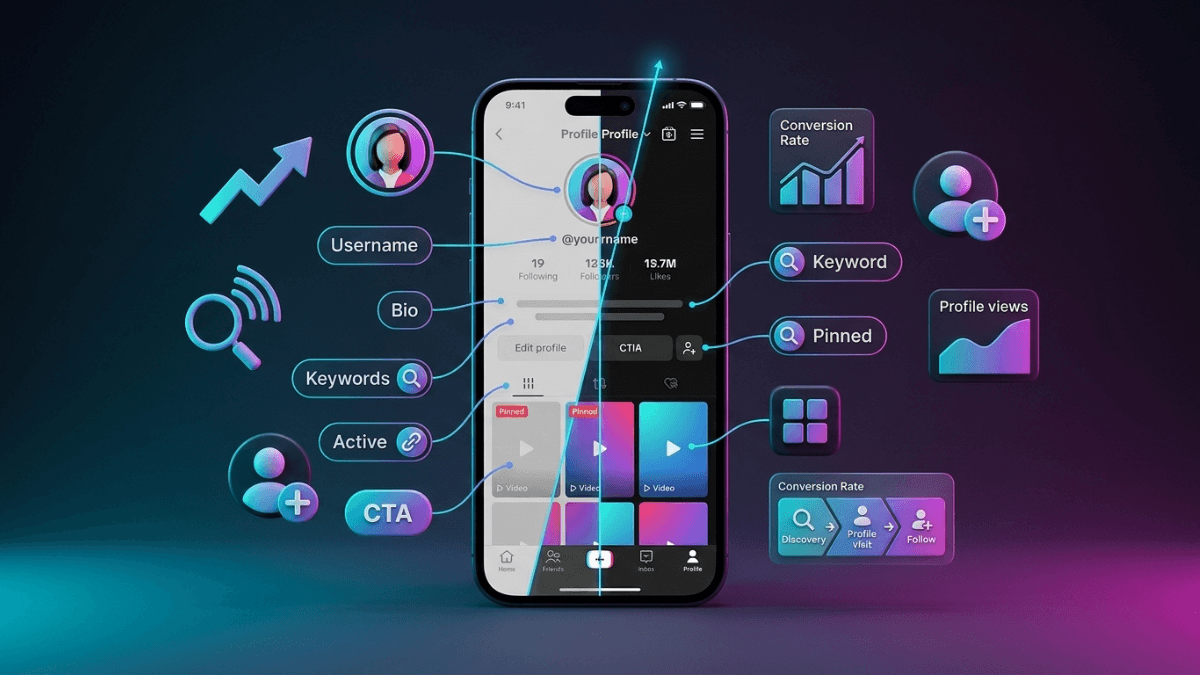
The Ultimate TikTok Profile Optimization Guide: Turning Visitors into Followers

Your TikTok profile is your first impression - and first impressions last. In just 2 seconds, a visitor decides: follow or leave forever? The stats are shocking: 68% of visitors leave within 3 seconds if they don't find a clear reason to stay. An optimized profile isn't just "looking good" - it's a direct conversion machine that turns casual viewers into loyal followers. This guide teaches you every element of the profile, how to optimize it, why it matters, with real examples and ready-to-use templates for immediate application.

For a comprehensive understanding of the platform, check out The Complete TikTok Guide. To understand how to attract real followers, see Follower Growth Strategies.

Why an Optimized Profile is Critical to Your Success

The Typical Visitor Journey (15 seconds determine fate)

Real scenario:

  1. Seconds 1-2: Watched your video, liked it, clicked your picture
  2. Seconds 3-5: Looked at username + profile picture
  3. Seconds 6-8: Quickly read the bio
  4. Seconds 9-12: Browsed last 3-4 videos
  5. Seconds 13-15: Final decision: follow or leave?

Shocking Statistics

Statistic Number What It Means
Quick Bounce Rate 68% Leave within 3 seconds without following
Bio Impact 47% Decide based on bio alone
Conversion Increase After Optimization 3.2× Triple the follow rate
Pinned Videos Impact 89% Watch at least one pinned video

The Harsh Truth

⚠️ You have only 15 seconds to convince a visitor to follow.

Every element in the profile must work at maximum efficiency. One bad element = loss of a potential follower.

Real Experiment: Before and After

Metric Before Optimization After Optimization Improvement
Conversion Rate (visitor → follower) 8% 26% +225%
Visitor Stay Duration 5 seconds 23 seconds +360%
Additional Video View Rate 22% 71% +223%

Conclusion: Optimized profile = 3× followers from same visitor count!

Anatomy of the Perfect Profile: The 7 Elements

Core Elements and Their Priorities

Element Function Decision Impact Priority Optimization Time
1. Username Identity + Searchability Very High 🔴 Critical 30 minutes
2. Profile Picture First Visual Impression Very High 🔴 Critical 1 hour
3. Bio Quick Value Explanation Very High 🔴 Critical 1 hour
4. Pinned Videos Showcase Best Content High 🟡 Important 30 minutes
5. Link External Traffic Conversion Medium 🟡 Important 15 minutes
6. Account Stats Social Proof Medium 🟢 Supporting Automatic
7. Verification Badge Credibility and Trust High (if available) 🟢 Supporting Not controllable

The 80/20 Rule for Profiles

📌 80% of follow decision depends on 3 elements only:

  1. Username (20%)
  2. Profile Picture (30%)
  3. Bio (30%)

Focus 80% of your efforts on these three first!

Strategic Username Selection

Why is Username Critical?

  • First thing people see everywhere (comments, search, notifications)
  • Affects searchability (SEO within TikTok)
  • Part of your digital brand
  • Difficult to change later (30-day waiting period)

Golden Criteria

Criteria Details Good Example Bad Example
Length 6-12 characters ideal (under 15) @JohnFit @JohnTheGreatFitnessExpert2026
Readability Easy to pronounce and type @Sara_Cook @S4r4_C00k_Xx_2k26
Memorability Easy to remember @FitWithMike @User23847291
Meaning Reflects content/personality @CodeWithAli @RandomGuy123
Consistency Available on other platforms Same name on IG, YT Different on each platform

Successful Username Formats

Format Example When to Use Benefits
Personal Name @JohnSmith
@SaraJones
For personal content and personal brand Authenticity, easy to remember
Name + Niche @John_Fitness
@Sara_Cooking
When name alone is taken + to clarify content Clear, searchable
Verb + Niche @CookWithSara
@LearnCoding
For educational content Clarifies value immediately
Adjective + Niche @QuickRecipes
@EasyTech
To differentiate with a strength Attracts specific audience
Creative Brand Name @TechVibe
@FoodieHub
For brand names Unique, professional

Fatal Username Mistakes

❌ Mistake 1: Random Numbers

Example: @John123456789

Why Bad: Looks like spam account, hard to remember

❌ Mistake 2: Complex Symbols

Example: @J0hn__T3ch__Xx

Why Bad: Impossible to type, looks unprofessional

❌ Mistake 3: Too Long

Example: @JohnTheGreatCookingExpert2026

Why Bad: Gets cut off in places, hard to remember

❌ Mistake 4: Too Vague

Example: @xyz_vibes_360

Why Bad: Gives no idea about content

How to Choose Perfect Username (5 Steps)

  1. Define Your Identity:
    • Personal? → Use your name
    • Educational? → Name + niche or verb + niche
    • Brand? → Creative name
  2. Choose 5-10 Options
  3. Check Availability:
    • On TikTok
    • On Instagram, YouTube, Twitter
    • As a .com domain if possible
  4. Test Pronunciation and Typing:
    • Can it be said easily in conversation?
    • Can it be typed without thinking?
  5. Get Feedback:
    • Send it to 3-5 friends
    • Ask: Do they remember it? Does it clarify what you do?

Professional Profile Picture

Why is Profile Picture Critical?

Profile picture is the first visual impression. The human brain processes images 60,000× faster than text!

Ideal Technical Specifications

Specification Ideal Value Notes
Dimensions 200×200 pixels (circle) TikTok crops image in circle
Resolution High (72 DPI or more) Clear on all screens
Size Under 2 MB For loading speed
Ratio 1:1 (square) To avoid unwanted cropping
Format JPG or PNG PNG for transparency, JPG lighter

Rules for Successful Images

Rule Why Important Good Example Bad Example
1. High Clarity Appears small, must be clear Clear face, good lighting Blurry, dark image
2. Simple Background Focus on face/logo Solid color or simple background Cluttered, distracting background
3. High Contrast Stand out among others Clear, contrasting colors Everything same color
4. Centered Face Brain searches for faces Face in center, direct Face on side, cut off
5. Positive Expression Attracts people to personality Natural smile, friendly Frowning, serious look

Types of Successful Profile Pictures

For Individuals (Personal Brands):

  • Professional Headshot:
    • Best for educational, advice, expertise content
    • Focus on face, natural smile
    • Neutral or simple background
  • In Action/Hobby Photo:
    • For specialized content (cooking, fitness, travel)
    • Shows what you do immediately
    • Example: Chef cooking, athlete training

For Brands:

  • Clear Simple Logo:
    • Works well even at small size
    • High contrast with background
    • No small text (won't be readable)
  • Icon or Symbol:
    • If logo is complex
    • Use simplest element from it

Fatal Profile Picture Mistakes

❌ Mistake 1: Group Photo

Problem: Visitor doesn't know who you are

Solution: Individual clear photo only

❌ Mistake 2: Too Far Away

Problem: Face too small, unclear

Solution: Focus on face and shoulders only

❌ Mistake 3: Excessive Filter

Problem: Looks fake, reduces credibility

Solution: Natural, light editing only

❌ Mistake 4: Bad Lighting

Problem: Dark face or overexposed

Solution: Natural front or side lighting

❌ Mistake 5: Constant Changing

Problem: People don't recognize you

Solution: Stick with it for 6 months minimum

How to Take Perfect Profile Picture (With Phone!)

  1. Lighting:
    • Next to window during daytime (natural light)
    • Or outdoors in shade (not direct sun)
  2. Background:
    • White wall or solid color
    • Or simple natural background (sky, distant plants)
  3. Angle:
    • Camera at eye level or slightly above
    • Not from below (distorts face)
  4. Framing:
    • Face and shoulders only
    • Small space above head
  5. Expression:
    • Natural smile (think of something funny)
    • Direct look at camera
  6. Editing:
    • Brightness +10-20%
    • Contrast +5-10%
    • Sharpness +5-10%
    • No excessive filters!

Mastering the Bio: The Golden 80 Characters

Why is Bio the Most Important 80 Characters in Your Account?

  • 47% of visitors decide based on it alone
  • Appears in search results (SEO)
  • Clarifies value offered immediately
  • Motivates action (Follow)

Perfect Bio Formula (3 Parts)

Perfect Bio = Who you are + What you offer + Call to action (CTA)

Example:

🍳 Professional Chef | Easy Recipes in 5 Minutes
📹 New video daily at 7 PM
👇 My Free Recipe Book

Analysis:

  • Who you are: Professional Chef (credibility)
  • What you offer: Easy recipes in 5 minutes (clear value)
  • CTA: New video daily + link (motivation to follow)

Ready-to-Use Bio Templates (By Niche)

1. Educational/Technical Content:

Template:

💼 [Field] | Teaching you [Skill/Result]
📚 [Number] [Content Type] about [Topic]
👇 [Call to Action]

Example 1:

💻 Programmer | Teaching you coding from scratch
📚 100+ videos about Python & JavaScript
👇 My Free Course

Example 2:

📱 Digital Marketer | Help you grow on social media
📊 Daily tips to increase your followers
👇 My Secret Strategy

2. Entertainment/Comedy Content:

Template:

😂 [Funny Description] | [Content Type]
🎬 [Posting Frequency]
👇 [Fun Call to Action]

Example:

😂 My life is all pranks | Daily comedy
🎬 New video every day at 9 PM
👇 Follow so you don't miss the laughs

3. Inspirational/Motivational Content:

Template:

✨ [Inspiring Message] | [Your Goal]
💪 [What You Offer]
👇 [Transformation Call]

Example:

✨ From 265 lbs to 165 lbs | Inspiring you to change
💪 Real transformation journey + daily workouts
👇 Start your journey with me

4. Specialized Content (Niche):

Template:

🎯 [Precise Specialty] | [For Whom]
📌 [What Makes You Different]
👇 [Specialized Call]

Example 1 (For Moms):

👶 Mom of 3 | Healthy recipes for kids
📌 Every recipe tested and guaranteed
👇 This Week's Recipes

Example 2 (For Students):

📚 Med Student | Help you excel in your studies
📌 Effective study techniques + my experience
👇 My Free Study Files

Effective Bio Elements

Element Why Important Example
Emoji Catches attention, clarifies content visually 🍳 for cooking, 💻 for tech, 💪 for fitness
Specific Numbers Increases credibility, sets expectations "100+ recipes" instead of "many recipes"
Clear Benefit Answers "What will I benefit?" "Teach you to lose weight" instead of "fitness content"
Posting Schedule Builds expectations, motivates following "New video daily at 8 PM"
Clear CTA Motivates immediate action "👇 My Free Guide" + arrow to link

Fatal Bio Mistakes

❌ Mistake 1: Complete Vagueness

Bad Example: "Living my best life ✨ | Vibes only 🌟"

Problem: No one knows what you offer!

Solution: Clarify exactly what follower gets

❌ Mistake 2: Emoji Overload

Bad Example: "🎉🎊✨💫⭐🌟💥🔥 Best content ever! 🔥💥🌟⭐💫✨🎊🎉"

Problem: Annoying, unprofessional, hard to read

Solution: 2-3 emojis only, meaningful ones

❌ Mistake 3: No Clear Value

Bad Example: "I post videos | Follow me"

Problem: Everyone posts videos! What's different?

Solution: State what they learn/enjoy/benefit

❌ Mistake 4: Too Complex

Bad Example: "Entrepreneur | Digital Marketing Specialist | Content Creator | Influencer | Coach | Consultant"

Problem: Confusing! What's your real specialty?

Solution: Focus on one thing you excel at

❌ Mistake 5: No CTA

Bad Example: "Teaching programming | Daily content"

Problem: Didn't tell them what to do after reading

Solution: Add arrow 👇 + "My free course" or "Follow for more"

Practical Exercise: Write Bio in 5 Minutes

  1. Answer These Questions:
    • Who are you? (profession, hobby, specialty)
    • What do you offer? (educational, entertaining, inspiring content?)
    • What's the benefit for follower? (learns, laughs, benefits?)
    • When do you post? (daily, 3× weekly, random?)
    • What's CTA? (follow, click link, watch latest video?)
  2. Choose Template from Above
  3. Fill Blanks with Your Answers
  4. Shorten to 80 Characters or Less
  5. Add 2-3 Appropriate Emojis

Pinned Videos: Your Storefront

Why Are Pinned Videos Critical?

  • 89% of profile visitors watch at least one pinned video
  • Appear at top of profile - first thing visitor sees
  • Showcase your best content (curation)
  • Can pin up to 3 videos

Strategies for Choosing Pinned Videos

Strategy 1: Best Performance

Choose: 3 videos with highest views/engagement

Why: Prove your content succeeds

Example: 500k views video + 300k video + 200k video

Best For: Entertainment, comedy, viral content

Strategy 2: Show Diversity

Choose: 3 videos from different content types

Why: Show you're multi-talented

Example: Educational + comedy + inspirational video

Best For: Diverse content, Lifestyle

Strategy 3: Sales Funnel

Choose: 3 videos that gradually lead to goal

Why: Convert visitor to customer/loyal follower

Example:

  1. "Who I am" video (introduction)
  2. "What you'll learn with me" video (value)
  3. "Start here" video (CTA to link)

Best For: Education, coaching, business

Strategy 4: Latest + Best

Choose: Latest video + 2 best performing

Why: Balance between recency and quality

Example: Yesterday's video + 100k views video + 200k video

Best For: Most accounts

Criteria for Selecting Video to Pin

Criteria Why Important How to Evaluate
High Performance Prove success Views, likes, comments, shares
Represents Your Content Clarify what you offer Does it reflect your current niche?
Clear Value Visitor understands benefit immediately Do they learn/laugh/benefit something clear?
High Quality Professional impression Clear picture, good sound, clean editing
Recent (Relatively) Shows you're active From last 3-6 months (unless very viral)

How to Pin a Video

  1. Go to your profile
  2. Select desired video
  3. Click three dots ⋯
  4. Choose "Pin"
  5. Repeat for 2-3 videos

When to Change Pinned Videos?

  • Monthly: Review performance, replace if there's better
  • After Viral Video: Pin it immediately
  • When Changing Content: If you change niche, change videos
  • Before Campaign/Launch: Pin related videos

Common Mistakes

❌ Mistake 1: Pinning Very Old Videos

Problem: Account looks inactive

Solution: At least one from last month

❌ Mistake 2: Pinning Random Videos

Problem: Doesn't clarify what you offer

Solution: Choose based on clear strategy

❌ Mistake 3: Never Updating

Problem: Same videos for 6 months

Solution: Review and update monthly

Successful Profile Types: Analyzing 10 Examples

Type 1: Personal Brand Profile

Example:

  • Username: @JohnFitness
  • Profile Picture: Personal photo at gym
  • Bio:

    💪 Fitness Trainer | From 210 lbs to 165 lbs
    🏋️ Home workouts without equipment
    📹 New video daily at 7 PM
    👇 My Free Program

  • Pinned Videos:
    1. Transformation story (Before/After)
    2. Best 5 home exercises
    3. How I started my journey

Why It Works:

  • Inspiring personal story
  • Clear value (home workouts)
  • Credibility (real transformation)
  • Posting consistency

Type 2: Educational Profile

Example:

  • Username: @CodeWithSara
  • Profile Picture: Professional photo with laptop
  • Bio:

    💻 Programmer | Teaching you coding from scratch
    📚 200+ lessons about Python & JavaScript
    🎓 10,000+ students learned with me
    👇 My Free Course

  • Pinned Videos:
    1. How to start programming in 2026
    2. Top 5 beginner mistakes
    3. My first project (full tutorial)

Why It Works:

  • Clear expertise (specific numbers)
  • Organized content (200+ lessons)
  • Social proof (10k students)
  • Strong CTA (free course)

Type 3: Entertainment Profile

Example:

  • Username: @MikeComedy
  • Profile Picture: Funny photo/unique expression
  • Bio:

    😂 Comedian | My life is all pranks
    🎬 New video every day at 9 PM
    👥 2M+ laughing with me
    👇 Follow so you don't miss the laughs

  • Pinned Videos:
    1. Most famous video (5M views)
    2. Behind the scenes
    3. Latest video

Why It Works:

  • Clear personality (comedian)
  • Clear expectation (laughter)
  • Consistency (daily)
  • Credibility (2M followers)

Type 4: Business Profile

Example:

  • Username: @TechStore_US
  • Profile Picture: Clear logo
  • Bio:

    📱 Best electronics store in USA
    ✅ 2-year warranty + free shipping
    ⚡ Exclusive daily deals
    👇 Shop Now

  • Pinned Videos:
    1. This week's deal
    2. Unboxing latest product
    3. Customer reviews

Why It Works:

  • Clear value proposition (warranty + free shipping)
  • Purchase motivation (daily deals)
  • Credibility (customer reviews)
  • Direct CTA (shop now)

Fatal Mistakes That Destroy Profiles

Mistake 1: Incomplete Profile

Manifestations:

  • No profile picture (default icon)
  • No bio or empty bio
  • Random username (user1234567)

Impact: Account looks spam or abandoned → 95% bounce rate

Solution: Complete all elements before starting to post

Mistake 2: Inconsistency

Manifestations:

  • Profile says "cooking" but videos about travel
  • Bio says "daily content" but last video 2 weeks ago
  • Professional profile picture but random comedy content

Impact: Visitor confused, doesn't know what to expect → doesn't follow

Solution: Complete match between profile and actual content

Mistake 3: Copying Others

Manifestations:

  • Copying successful account's bio verbatim
  • Imitating another creator's style completely
  • Same pinned videos format

Impact: Looks like cheap copy, no authenticity → no credibility

Solution: Get inspired, don't copy. Add your unique personality

Mistake 4: Not Updating

Manifestations:

  • Pinned videos from a year ago
  • Bio says "2024 content"
  • Broken link or expired offer

Impact: Account looks abandoned or uncaring

Solution: Monthly review of all profile elements

Mistake 5: Too Complex

Manifestations:

  • Long bio with 10 emojis and paragraphs
  • 20-character usernames + symbols
  • Profile picture cluttered with details

Impact: Visitor feels overwhelmed, leaves quickly

Solution: Simplicity and clarity > complexity

Mistake 6: No CTA

Manifestations:

  • Bio only describes, doesn't motivate action
  • No link or link without context
  • Pinned videos without clear purpose

Impact: Visitor doesn't know what to do next → leaves

Solution: Always state next step (follow, click link, watch)

Action Plan: Optimize Your Profile Today

Phase 1: Assessment (30 minutes)

  1. Open Your Profile
  2. Evaluate Each Element:
    Element Excellent Good Needs Improvement
    Username
    Profile Picture
    Bio
    Link
    Pinned Videos
  3. Set Priorities: Start with what needs most improvement

Phase 2: Optimization (2-3 hours)

First Hour: Basics

  1. Username (if needed):
    • Choose 5 options
    • Check availability
    • Choose best
    • Change it (remember: 30-day wait)
  2. Profile Picture:
    • Take new photo (or improve existing)
    • Follow rules (lighting, background, expression)
    • Upload it

Second Hour: Content

  1. Bio:
    • Use template from above
    • Fill with your info
    • Shorten to 80 characters
    • Add 2-3 emojis
    • Update it
  2. Link:
    • Determine link destination
    • Create Linktree or custom page
    • Shorten link
    • Add to bio
    • Test it!

Third Hour: Organization

  1. Pinned Videos:
    • Determine strategy (best performance, funnel, diversity)
    • Choose 3 videos
    • Pin them in order
  2. Cleanup:
    • Delete/hide very weak videos (optional)
    • Ensure displayed content consistency

Phase 3: Testing (One Week)

  1. Monitor Metrics:
    • Profile visit rate (Profile Views)
    • Follow rate (Follower Growth)
    • Link clicks (Link Clicks)
  2. Get Feedback:
    • Send profile link to 5 friends
    • Ask: Is it clear what I offer? Does it attract following?

Phase 4: Continuous Improvement (Monthly)

  1. Review Performance:
    • Did follow rate increase?
    • Are pinned videos still best?
    • Does link work?
  2. Update as Needed:
    • Change pinned video if there's better
    • Update bio if content changed
    • Update link for new offers/content

Comprehensive Checklist

Element Success Criteria Complete?
Username Short, easy, reflects content
Profile Picture Clear, professional, simple background
Bio Who you are + What you offer + CTA
Emoji 2-3 only, meaningful
Link Short, works, has context
Pinned Videos 3 videos, best content, recent
Consistency Profile matches content
Credibility Real numbers, clear achievements

Conclusion

Profile = Digital Business Card

Top 7 Lessons:

  1. You have only 15 seconds: Every element must work efficiently
  2. 80/20 Rule: Focus on username + picture + bio
  3. Clarity > Creativity: Visitor must understand immediately what you offer
  4. Bio = Formula: Who you are + What you offer + CTA
  5. Pinned Videos: Your storefront, choose carefully
  6. Consistency is Critical: Profile must match actual content
  7. Continuous Improvement: Review and update monthly

Remember:

Optimized profile = 3× increase in follow rate

Neglected profile = loss of 68% of visitors within 3 seconds

Next Step:

Start now with action plan above. Dedicate just 2-3 hours, and you'll see the difference immediately!

Related Topics

Last Updated: January 2026

Written by: D3MFollow team based on analysis of thousands of successful profiles and conversion rate research.

Proven Strategies to Increase Followers on TikTok: The Ultimate Growth Guide

Growing followers on TikTok isn't luck or magic - it's a science with clear rules and proven strategies. The problem: 90% of people follow wrong methods (buying followers, Follow/Unfollow, random content) and the result? Zero real growth. This guide reveals the tested strategies used by thousands of successful accounts to go from 0 to 10,000+ real, engaged followers in 3-6 months. No fantasy promises, just practical strategies that actually work.

For a comprehensive platform overview, check the Complete TikTok Guide. To understand how the algorithm drives growth, see the TikTok Algorithm Guide.

Reality vs Myths

Why Do You Want Followers? (Be Honest)

Good Reasons:

  • ✅ Build community around your content
  • ✅ Increase your influence in your niche
  • ✅ Open monetization opportunities (brands, marketing...)
  • ✅ Share expertise with wider audience

Bad Reasons (Will Fail):

  • ❌ Just because the number looks good
  • ❌ Comparing to others
  • ❌ Proving something to someone
  • ❌ No plan for why you want them

Common Myths (Don't Believe Them)

❌ Myth 1: "I need professional equipment"

Reality: 95% of successful accounts use only their phones. Good content > Expensive equipment.

❌ Myth 2: "I must post 5 times daily"

Reality: Quality > Quantity. One excellent video daily beats 5 mediocre ones.

❌ Myth 3: "Growth takes years"

Reality: With right strategy, you can reach 10k in 3-6 months.

❌ Myth 4: "Bought followers help"

Reality: They destroy your account completely - algorithm detects and punishes.

❌ Myth 5: "I need to be famous already"

Reality: Every big account started from 0. Opportunity is equal for everyone.

The Harsh Truth

Nobody will follow you because you want followers. They'll follow because you provide real value they care about (education, entertainment, inspiration, problem-solving).

Essential Foundations Before Starting

Conversion Funnel Diagram: The Journey from Viewer to Loyal Follower Four-layer funnel diagram illustrating the journey of transforming a TikTok viewer from a casual watcher to a loyal follower. The journey starts with Attention Capture (View), then Interest Building (Like/Comment), followed by Desire (Profile Visit), and finally Following. The funnel shows how user numbers decrease at each stage but interaction quality increases. 1. Attention Capture (View) 2. Interest Building (Like/Comment) 3. Desire (Profile Visit) 4. Following! Follower Journey

"Conversion Funnel" Diagram: How to Turn Casual Views into Lasting Growth

Analysis of the TikTok Conversion Funnel for Follower Growth

This funnel diagram explains the process of converting casual viewers into permanent followers through four consecutive stages:

  • Stage 1: Attention Capture (View) - Largest number of users, where the video captures attention in the first seconds and encourages continued watching.
  • Stage 2: Interest Building (Like/Comment) - Smaller but more engaged group, where the viewer decides to interact with the content through liking or commenting.
  • Stage 3: Desire (Profile Visit) - Critical stage where the viewer visits the account page to explore more content.
  • Stage 4: Following! - Final stage where the user decides to follow the account to receive more content in the future.

User numbers decrease at each stage of the funnel, but interaction quality and user loyalty increase. The goal is to improve the conversion rate between each stage to increase the number of new followers.

Foundation #1: Content First

Golden Rule: Don't seek followers before you have content worth following

Minimum before starting:

  • 10-15 high-quality videos published
  • Consistent content in one niche
  • Clear value in every video

Why? When someone visits your page after seeing one video, they should see more good content = follow. Empty page or weak content = no follow.

More: Comprehensive Content Strategy

Foundation #2: Optimized Profile

You have only 3 seconds to convince visitor to follow

Perfect Profile Elements:

  • Clear profile picture: Your face or clear logo
  • Short, direct bio: Who you are + what you offer (60 chars max)
  • Useful link: If you have website/channel/product
  • Correct category: Helps algorithm understand your content

Excellent Bio Example:

"🍳 Easy recipes in 60 seconds
📍 USA | Healthy & tasty cooking
👇 Free recipes here"

Bad Bio Example:

"Love cooking and travel and fitness and photography and music and reading..."

Foundation #3: Choosing Right Niche

Reality: You can't attract everyone. Choose specific category and dominate it.

How to choose niche?

  • Passion + knowledge: Something you love and understand well
  • Existing demand: People searching for this content
  • Reasonable competition: Not too crowded or too empty
  • Sustainability: Can produce content for 1+ year

Detailed guide: Perfect Niche Selection

Strategy #1: Content That Attracts Followers

Most Effective Content Types

Content Type Follower Conversion Rate Example
Quick Educational ⭐⭐⭐⭐⭐ Very High "5 Excel tricks that save hours"
Consistent Entertainment ⭐⭐⭐⭐ High Comedy series same character
Before/After ⭐⭐⭐⭐ High Room, body, skill transformation
Personal Stories ⭐⭐⭐ Medium Real inspiring experience
Random Content ⭐ Very Low Today this, tomorrow that...

Perfect Hook Formula (First 3 Seconds)

Rule: Either stop the scroll or lose the viewer

Strong Hook Formulas:

  • Acute problem: "If you're struggling with..."
  • Quick promise: "I'll teach you in 60 seconds..."
  • Provocative question: "Know why 90% fail at...?"
  • Specific number: "5 mistakes that destroy..."
  • Intrigue: "You won't believe what happened when..."

Practical Examples:

❌ Weak: "Hello, today I'll talk about..."

✅ Strong: "This mistake cost me $5000 - avoid it!"

❌ Weak: "In this video I'll explain..."

✅ Strong: "90% don't know this hidden feature..."

Effective Call to Action

Ask for follow smartly, not by begging

Effective Ways:

  • Ongoing value: "I post daily tips - follow to get them"
  • Promise more: "Part 2 tomorrow - follow so you don't miss it"
  • Exclusivity: "My followers only get..."
  • Series: "This is 1 of 10 - follow for rest"

Avoid:

  • ❌ "Follow me please"
  • ❌ "Need 100 followers for my dream"
  • ❌ Any form of begging

Content ideas: 100 Creative Content Ideas

Strategy #2: Leveraging the Algorithm

Understanding How Algorithm Pushes Content

Reality: Algorithm wants good content to spread - help it!

1. Perfect Posting Time

Why important: Posting when audience is active = better early engagement = stronger push

How to know best time for your audience:

  1. Open TikTok Analytics
  2. Go to "Followers"
  3. Check "Follower Activity" (when most active)
  4. Post 30-60 minutes before peak time

General times (if no Analytics):

  • Weekdays: 7-9 PM
  • Weekends: 11 AM - 1 PM

Detailed guide: Best Posting Times 2026

2. Smart Hashtags

Rule: 3-5 targeted hashtags > 20 random

Perfect Mix:

  • 1 broad hashtag: #fyp or #foryou
  • 2-3 niche hashtags: #veganrecipes #healthycooking
  • 1 specific hashtag: #quickveganmeals

Avoid:

  • ❌ Banned hashtags
  • ❌ Too many hashtags (10+)
  • ❌ Unrelated hashtags

Comprehensive guide: Complete Hashtags Guide

3. Trending Sounds

Why they work: Algorithm pushes content with trending sounds

How to use them:

  • Find sounds in "growth" stage (5k-50k uses)
  • Adapt sound to your content (don't just copy)
  • Use within 48 hours of discovering it

More: How to Find and Use Trending Sounds

Optimizing Completion Rate

Most important metric: What percentage watched video fully

Techniques to increase completion:

  • Perfect length: 7-15 seconds for start, then increase gradually
  • Loop: Make ending connect to beginning (rewatch)
  • Fast pace: No pauses or gaps
  • Delayed promise: "The key part at second 45..."
  • Mystery: Don't reveal everything at start

Strategy #3: Smart Engagement

Strategic Commenting

Idea: Comment on big videos = exposure to thousands + chance to visit your page

Right Way:

  1. Find recent videos (last hour) in your niche
  2. Write smart comment that adds value (not just "Great!")
  3. Be among first 10 commenters
  4. Reply to replies on your comment

Effective Comment Examples:

✅ "Excellent point about X! I'd also add that Y is important"

✅ "Tried this and it worked, but watch out for Z"

✅ "This reminds me of my experience with... [brief story]"

❌ "Great!"

❌ "Follow me"

❌ "I also made video about this"

Perfect timing: 30-60 minutes daily (morning or evening)

Smart Duets & Stitch

Power: Benefit from another video's audience

Effective Strategies:

  • Interactive Duet: Respond or comment on someone's content
  • Value-adding Stitch: Take part of video and add info/opinion
  • Educational Duet: Explain or correct information

Choose videos:

  • Recent (last 24 hours)
  • In your niche
  • Have 10k-100k views (not too huge)

Building Relationships with Other Creators

Collaborations = mutual growth

How:

  • Find creators at your level (not much bigger)
  • Engage sincerely (comments, likes)
  • Propose collaboration benefiting both
  • Create series or joint challenge

Strategy #4: Consistency & Scheduling

How Often Should You Post?

Frequency Expected Result Recommendation
1-2 times weekly Very slow growth ❌ Not enough
3-4 times weekly Moderate growth ⚠️ Acceptable for beginners
1 time daily Good sustainable growth ⭐⭐⭐ Best
2-3 times daily Fast growth ✅ Excellent (if can maintain quality)
5+ times daily Burnout + low quality ❌ Avoid

Golden Recommendation: One high-quality video daily > 3 mediocre ones

Monthly Content Plan

Why important: Avoid "what do I post today?" = better consistency

How to plan:

  1. Define weekly themes:
    • Week 1: Beginner tips
    • Week 2: Common mistakes
    • Week 3: Tools and resources
    • Week 4: Success stories
  2. Batch filming: Film 3-5 videos in one day
  3. Scheduling: Use scheduling tools or prep in advance

Long-term Commitment

Harsh reality: Most people give up after 30 days

Realistic Timeline:

  • Month 1: 0-500 followers (building foundation)
  • Month 2-3: 500-2,000 (moderate growth)
  • Month 4-6: 2,000-10,000 (steady growth)
  • 6+ months: 10,000+ (exponential growth)

Right Mindset: This is marathon, not sprint. Consistency > temporary bursts.

Strategy #5: Analysis & Optimization

Smart Analytics Monitoring

Critical Metrics:

Metric What It Means Target
Watch Time Average watch time 50%+ of video length
Profile Visits How many visited your page 10%+ of views
Follower Conversion How many followed from visitors 20%+ of visitors
Engagement Rate Total engagement 5%+ good, 10%+ excellent

How to use data:

  1. Review Analytics weekly
  2. Compare top 3 videos vs worst 3
  3. Look for patterns (what do they share?)
  4. Do more of what works, less of what fails

Detailed guide: TikTok Analytics Analysis

A/B Testing

Idea: Test different variables to know what's best

What to test:

  • Hook types: Question vs promise vs intrigue
  • Video lengths: 7 seconds vs 15 vs 30
  • Posting times: Morning vs noon vs evening
  • Content types: Educational vs entertainment

How:

  1. Change only one variable at a time
  2. Test for at least one week (3-5 videos)
  3. Compare results
  4. Apply winner

Learning from Competitors

Not copying - strategic analysis

How:

  1. Find 5-10 successful accounts in your niche
  2. Notice:
    • What content type performs best?
    • How do they start videos?
    • What hooks are used?
    • How often do they post?
    • What hashtags are used?
  3. Ask: How can I make my unique version of this?

Fatal Mistakes That Prevent Growth

Mistake #1: Buying Followers

Why it seems attractive: Fast growth without effort

Devastating reality:

  • ❌ Fake accounts = zero engagement
  • ❌ Algorithm detects = punishes your account
  • ❌ Engagement rate collapses (example: 10k followers, 50 likes)
  • ❌ Brands and partnerships reject you
  • ❌ Account may get permanently banned

⚠️ There are no shortcuts. Real followers take time, but they're the only valuable ones.

Mistake #2: Follow/Unfollow

Method: Follow 100 people, wait for follow back, then unfollow

Why it fails:

  • ❌ Very low follow-back rate (5-10%)
  • ❌ People discover and unfollow you
  • ❌ Look desperate and scammy
  • ❌ TikTok limits daily follows
  • ❌ Waste time on worthless activity

Mistake #3: Random Content

Problem: Today cooking, tomorrow cars, next day sports...

Why it fails:

  • ❌ Algorithm confused: who's your audience?
  • ❌ Followers confused: why did they follow?
  • ❌ Don't build authority in any field

Solution: 80% consistent niche content + 20% variety

Mistake #4: Begging for Follows

Examples:

  • "Please follow me"
  • "Need 100 followers for my dream"
  • "Follow me for no reason"

Why it doesn't work:

  • ❌ Looks desperate and unprofessional
  • ❌ Gives no reason to follow
  • ❌ Even if they follow = will unfollow soon

Mistake #5: Giving Up Early

Common scenario: "Posted 10 videos, got no followers = TikTok isn't for me"

Reality:

  • 10 videos = just the beginning
  • Most successful accounts needed 50-100 videos to take off
  • Each video = new chance to go viral

💪 Winners are those who continued after others gave up

30-Day Plan to First 1000 Followers

Before Starting (Day 0)

  • ✅ Switch to Business Account
  • ✅ Optimize profile (picture, bio, link)
  • ✅ Define your niche clearly
  • ✅ Prepare 5 content ideas

Week 1: Building (Day 1-7)

Goal: Build strong content foundation

Daily Tasks:

  • 📹 Post one high-quality video
  • 💬 Comment on 10 videos in your niche
  • 📊 Review previous video performance

Expectations: 50-200 followers

Week 2: Optimization (Day 8-14)

Goal: Improve based on data

Daily Tasks:

  • 📹 Post one video (focus on best type from Week 1)
  • 💬 Comment on 15 videos
  • 🎭 Do 1-2 Duets or Stitches
  • 📊 Compare weekly performance

Expectations: 200-500 total followers

Week 3: Acceleration (Day 15-21)

Goal: Increase pace

Daily Tasks:

  • 📹 Post 1-2 videos daily
  • 💬 Comment on 20 videos
  • 🎭 Do 2-3 Duets/Stitches
  • 🔥 Participate in trending challenge
  • 📊 Deep Analytics review

Expectations: 500-800 total followers

Week 4: Final Push (Day 22-30)

Goal: Reach 1000

Daily Tasks:

  • 📹 Post 2 videos daily (your best types)
  • 💬 Heavy engagement (30+ comments daily)
  • 🎭 Duet/Stitch from trending content
  • 📢 Use new trending sounds
  • 🔗 Collaborate with another creator

Expectations: 800-1,200+ total followers

Daily Tracking Table

Day Videos Posted Comments Duets/Stitch Followers Notes
1 ___ ___ ___ ___ ___

Frequently Asked Questions

How long to reach 10,000 followers?

Answer: With right strategy: 3-6 months. Without strategy: may never reach.

Do I need expensive equipment?

Answer: No. Your phone + good natural lighting = 100% sufficient. Invest in content, not equipment.

What's the best posting time?

Answer: Depends on your audience. General: 7-9 PM weekdays. Check Analytics for your specific audience.

How many videos should I post daily?

Answer: Ideal: 1-2 high-quality videos daily. Quality > Quantity always.

Why no followers despite views?

Answer: Views alone aren't enough. Check: Is profile optimized? Is content consistent in niche? Are you asking for follow smartly?

Does buying followers help to start?

Answer: No, it destroys your account. Algorithm detects fake accounts and punishes. 100 real followers > 10,000 bought.

How to know if my strategy works?

Answer: Consistent growth (even if slow) + real engagement (comments, shares) + increased Profile Visits = working. Keep going.

Conclusion

Growing followers on TikTok = science, not luck

Simple Formula:

Valuable content + clear strategy + consistency + patience = sustainable growth

Top 5 Lessons:

  1. Content first: Don't seek followers before content worth following
  2. Clear niche: Specialization = authority = loyal followers
  3. Algorithm is friend: Understand and leverage it
  4. Consistency wins: Daily video for 90 days > 10 random videos
  5. Patience necessary: Results take time - don't give up

Always remember:

Every account with 1 million followers started from zero. The only difference: they kept going.

Next Step:

  1. Apply the 30-day plan
  2. Track results
  3. Improve continuously
  4. Don't give up

Start today. Your first follower is waiting for your content. 🚀

Related Topics

Last Updated: January 2026

Written by: D3MFollow team based on analyzing growth strategies of thousands of successful accounts.

Viral Challenges Guide: How to Succeed and Go Viral on TikTok

Viral challenges are the fast track to going viral on TikTok. A small account participates in a trending challenge = chance to get millions of views in hours. Why? Because challenges create a collective wave - everyone makes the same thing, the algorithm pushes it hard, and people search for it. But the problem: most people participate wrong - they just copy without creativity. This guide teaches you how to find challenges early, how to participate uniquely, and even how to launch your own viral challenge.

For a comprehensive platform overview, check the Complete TikTok Guide. To understand how the algorithm works, see the TikTok Algorithm Guide.

Why Viral Challenges Are Powerful

Challenge Power by Numbers

Real statistics:

  • Average views for regular video: 15,000
  • Average views for trending challenge video: 85,000
  • Difference: 5.7× more!
  • New follower rate: 3× higher

Why Challenges Work

1. Algorithm Loves Challenges

  • TikTok detects challenge = pushes it hard
  • Each new participation = boost for previous participations
  • Self-feeding cycle: more participation = more push

2. Easy Content Creation

  • Don't need idea from scratch
  • Framework ready - just add your twist
  • Quick production

3. Group Participation

  • People love being part of something big
  • FOMO (Fear of Missing Out) = everyone participates
  • Comments and comparisons = high engagement

4. Discoverability

  • People search for challenge hashtag
  • Watch all participations
  • Your video appears = guaranteed views

Real Success Examples

#IceBucketChallenge: Raised $115 million for medical research

#InMyFeelingsChallenge: Pushed Drake's song to #1

#DontRushChallenge: Millions of participations in weeks

What Are Viral Challenges

Definition

Viral Challenge: A specific activity or action performed by thousands or millions of people and shared on the platform using the same sound/hashtag/format.

Essential Challenge Components

Component Description Example
Sound Specific song or audio clip Trending song or comedy audio
Movement/Action What you do in video Dance, transition, prank...
Hashtag Unified challenge tag #DontRushChallenge
Rules Basic instructions "Use this sound + do X"

How Challenge Starts and Spreads

Stage 1: Birth (Day 1-3)

  • Big creator or group posts first video
  • Explain or perform challenge
  • Ask people to participate

Stage 2: Early Growth (Day 4-7)

  • Dozens then hundreds participate
  • Algorithm starts noticing
  • Appears in FYP more

Stage 3: Explosion (Week 2-3)

  • Thousands participate daily
  • Appears in Trending
  • Everyone talking about it
  • ⭐ Best time to participate

Stage 4: Peak (Week 4-6)

  • Millions of participations
  • Very high competition
  • Still good to participate

Stage 5: Decline (After 6+ weeks)

  • Starts dying
  • Algorithm stops pushing
  • ❌ Too late

Types of Challenges

Type 1: Dance Challenges

Description: Specific dance moves with particular song

Famous examples:

  • #RenegadeChallenge
  • #SavageChallenge
  • #GimmeSomeChallenge

Why they work:

  • Visual and fun
  • Easy to replicate
  • Suits all ages

Who it's for: Anyone - don't need high dance skill

Type 2: Comedy/Meme Challenges

Description: Comedy situation or funny acting

Examples:

  • #DontLeaveMe (drama imitation)
  • #ExpectationVsReality
  • #POV (point of view)

Why they work:

  • People love laughing
  • Easy to adapt to any niche
  • High engagement (shares)

Type 3: Skill Challenges

Description: Show skill or achieve something difficult

Examples:

  • #BottleCapChallenge
  • #FlipTheSwitch
  • Quick cooking challenges

Why they work:

  • Excitement + competition
  • People love testing abilities
  • High share content

Type 4: Transition Challenges

Description: Sudden change in video (clothes, location, person...)

Examples:

  • #WipeItDown
  • #DontRushChallenge
  • #PassTheBrush

Why they work:

  • Visually stunning
  • Shows creativity
  • Easy to modify

Type 5: Charity/Awareness Challenges

Description: Challenge for noble cause or awareness

Examples:

  • #IceBucketChallenge (ALS disease)
  • #TrashTag (environmental cleanup)

Why they work:

  • Noble goal = wide participation
  • People love contributing
  • Media support

Type 6: Branded Challenges

Description: Challenge launched by brand/company

Examples:

  • #GuacDance (Chipotle)
  • #InMyDenim (Guess)

Advantage: Often has prizes and financial support

How to Find Trending Challenges

Method 1: Discover Page

Steps:

  1. Open TikTok
  2. Tap 🔍 Discover
  3. "Trending" section at top
  4. Look for hashtags with 🔥 icon
  5. Tap to watch examples

Method 2: For You Page

How:

  1. Scroll through FYP
  2. Notice: See same format in 3+ videos?
  3. Same sound + same movement?
  4. Tap sound or hashtag
  5. Watch other participations

💡 If you see something 5 times in an hour = trending challenge!

Method 3: TikTok Creative Center

Steps:

  1. Go to: ads.tiktok.com/business/creativecenter
  2. Select "Trending Hashtags"
  3. Look for challenge hashtags (ending with Challenge)
  4. Check growth rate

Method 4: Follow Big Creators

Strategy:

  • Follow 20-30 big creators
  • Turn on notifications for top ones
  • When they start new challenge = be among first

Method 5: Other Platforms

Challenges sometimes start on:

  • Twitter/X
  • Instagram Reels
  • YouTube Shorts

Bring to TikTok quickly = be pioneer!

Perfect Timing to Participate

Stage Participations Recommendation
Very Early Less than 1,000 ⚠️ Gamble - may not spread
Early 5,000 - 50,000 ⭐⭐⭐ Best - be pioneer
Growth 100,000 - 500,000 ✅ Excellent - still early
Peak 1M - 5M ✅ Good - medium competition
Late 10M+ ❌ Too late - high competition

How to Participate Successfully

Seven Steps to Success

Step 1: Watch 10-20 Examples

Why important:

  • Understand basic rules
  • Know what worked and failed
  • Find gaps (what no one did yet)

What to notice:

  • Most viewed videos - what's special?
  • Comments - what are people requesting?
  • Common mistakes - avoid them

Step 2: Add Your Unique Twist

⚠️ Don't just copy - create!

Ways to stand out:

  • Link to niche: Dance challenge? Do it in your niche outfit (cooking, sports...)
  • Higher difficulty: Same challenge but harder
  • Collaboration: Do with friend, family, pet
  • Unique location: Unexpected place
  • Combination: Merge two challenges in one video

Step 3: Production Quality

Basics:

  • ✅ Good lighting
  • ✅ Clear audio
  • ✅ Stable video (use tripod)
  • ✅ Clean organized background

Don't need professional equipment - your phone is enough!

Step 4: Use Right Elements

Sound:

  • Use same original challenge sound
  • Don't replace with different sound

Hashtags:

  • Official challenge hashtag (like #DontRushChallenge)
  • 2-3 hashtags from your niche
  • 1 general hashtag (#fyp)

More on hashtags: Complete Hashtags Guide

Step 5: Engaging Caption

Successful formulas:

  • "Participated in challenge and this happened 😂 #Challenge"
  • "My version of challenge - what do you think? #Challenge"
  • "Decided to try challenge... #Challenge"

Add:

  • Question encouraging comments
  • Participation invite "Try it and tag me!"

Step 6: Timing

Best time:

Speed matters:

  • Earlier you participate = better
  • Don't wait more than 48 hours from discovering challenge

Step 7: Engage After Posting

First hour critical:

  • Reply to comments quickly
  • Thank participants
  • Share your video in stories or other platforms

Common Mistakes

❌ Mistake 1: Literal Copying

Problem: Exact copy of another video

Solution: Add your unique twist

❌ Mistake 2: Being Late

Problem: Participating after challenge died

Solution: Follow trends daily

❌ Mistake 3: Not Understanding

Problem: Participating without understanding challenge rules

Solution: Watch 10+ examples first

❌ Mistake 4: Low Quality

Problem: Shaky video, dark, bad audio

Solution: Focus on basics (lighting, stability)

❌ Mistake 5: Forgetting Hashtag

Problem: Not using official challenge hashtag

Solution: Always verify correct hashtag

How to Launch Your Own Challenge

Why Launch Your Own Challenge?

  • ✅ Huge growth if successful
  • ✅ You're "original" = every participation points to you
  • ✅ Build strong brand
  • ✅ Chance for global virality

Essential Components of Successful Challenge

1. Simple and Easy to Replicate

Golden Rule: If needs explanation longer than 10 seconds = too complex

Successful examples:

  • #IceBucketChallenge: Pour ice water bucket on your head
  • #MannequinChallenge: Stand completely still

2. Fun to Watch and Do

Must be:

  • Entertaining
  • Curiosity-inducing
  • Creates desire "I can do this better"

3. Customizable

Allows people to:

  • Add their twist
  • Adapt to their niche
  • Show personality

4. Distinctive Sound

Sound must be:

  • Catchy and memorable
  • 10-30 seconds
  • Matches movement/action

More: How to Find and Use Trending Sounds

5. Clear Unique Hashtag

Specifications:

  • Short and memorable
  • Ends with Challenge or Tag
  • Unique (not used before)

Good examples:

  • #WipeItDownChallenge
  • #FlipTheSwitch

Launch Steps

Step 1: Create Original Video

  1. Make video clearly explaining challenge
  2. Show how it's done
  3. Make it fun and exciting
  4. Add hashtag in caption

Step 2: Clear Call to Action

In caption write:

  • "Started new challenge! #ChallengeName"
  • "Participate and tag @three_friends"
  • "Want to see your version!"

Step 3: Seeding

Ask:

  • 5-10 creator friends to participate first
  • Your family and friends
  • Your loyal followers

Goal: 20-50 participations in first 48 hours

Step 4: Promotion

  • Make 2-3 additional videos with same challenge
  • Share on other platforms (Twitter, Instagram)
  • Engage with every participation (like, comment, repost)

Step 5: Follow Up

  • Make "best participations" video
  • Thank participants
  • Continue promotion until gains momentum

Successful Challenge Examples

Case Study 1: #IceBucketChallenge

What it is: Pour ice water bucket on head for ALS awareness

Results:

  • 17 million participations
  • Raised $115 million for research
  • Global celebrity participation

Why it worked:

  • ✅ Very simple (anyone can do)
  • ✅ Fun and surprising
  • ✅ Noble goal
  • ✅ Challenge and nomination mechanism (challenge 3 friends)

Case Study 2: #DontRushChallenge

What it is: Transition from home clothes to glamorous look with Don't Rush song

Results:

  • Millions of participations in weeks
  • Global spread
  • Great execution diversity

Why it worked:

  • ✅ Visually stunning
  • ✅ Customizable (everyone with their style)
  • ✅ Catchy sound
  • ✅ Suits all ages

Case Study 3: #RenegadeChallenge

What it is: Specific dance with Lottery song

Results:

  • Most famous dance challenge 2020
  • Hollywood star participation
  • Made original creator (Jalaiah Harmon) famous

Why it worked:

  • ✅ Clear defined moves
  • ✅ Medium difficulty (challenging but possible)
  • ✅ Fun to watch

Advanced Tips

Tip 1: Local Challenges

Don't wait for global challenges - start local challenges in your area or niche

Example: Challenge specific to your city, culture, or language

Tip 2: Seasonal Challenges

Link challenge to season or event:

  • Back to school
  • Holidays
  • Summer/Winter
  • Major events

Tip 3: Challenge Series

Instead of one challenge, create series:

  • Challenge Level 1 (easy)
  • Challenge Level 2 (medium)
  • Challenge Level 3 (hard)

Tip 4: Collaborative Challenges

Create challenge needing two or more people:

  • Increases participation
  • Spreads faster (each person brings partner)

Tip 5: Analysis and Iteration

After participating in challenge:

  1. Open Analytics
  2. Compare performance to regular videos
  3. What worked? What didn't?
  4. Apply lessons to next challenge

Tools and Resources

Free Challenge Tracking Tools

1. TikTok Itself

  • Discover page
  • For You Page
  • Trending Hashtags section

2. TikTok Creative Center

  • Link: ads.tiktok.com/business/creativecenter
  • Features: Trending challenges + statistics

3. Google Trends

  • Search "TikTok challenges"
  • See what people search

Production Tools

  • CapCut: Free powerful video editing
  • InShot: Quick editing
  • TikTok Effects: Use built-in effects

Action Plan: Start Now

Today (Next 24 Hours)

  1. Open TikTok → Discover
  2. Find 3 currently trending challenges
  3. For each challenge: watch 5 videos
  4. Choose 1 challenge fitting your niche
  5. Plan your unique version

This Week

  1. Day 1-2: Film your challenge participation
  2. Day 3: Edit video (lighting, audio, quality)
  3. Day 4: Post at best time
  4. Day 5-7: Engage with comments + monitor performance

Every Week (To Continue)

Monday:

  • Check Discover for new challenges
  • Note 2-3 promising challenges

Wednesday:

  • Participate in at least one challenge

Friday:

  • Review your participation performance
  • Analyze what worked and didn't

Tracking Table

Challenge Date Participated Views Engagement New Followers Notes
#Challenge_1 ___ ___ ___ ___ ___

Conclusion

Challenges = Fast Track to Growth

Top 7 Lessons:

  1. Timing is critical: Participate in "early growth" stage
  2. Don't copy - create: Add your unique twist
  3. Quality matters: Lighting + audio + stability
  4. Use right elements: Sound + hashtags
  5. Follow daily: Challenges change quickly
  6. Engage after posting: First hour critical
  7. Try launching yours: If successful = huge growth

Remember:

Challenge opens door, but your creativity makes people follow

Success Formula:
Trending challenge + unique twist + right hashtags + perfect sound + smart timing = explosion 🚀

Related Topics

Last Updated: January 2026

Written by: D3MFollow team based on analyzing hundreds of viral challenges and their success.

Complete TikTok Hashtags Guide: Strategy for Viral Reach

Hashtags on TikTok aren't just random words with a # symbol. They're the gateway that pushes your content to millions of new viewers. But most creators get it wrong: they use overly generic hashtags (like #fyp) or dump 30 random hashtags. The result? Zero impact. The truth: the right hashtags used correctly = 3-5× increase in reach. This guide teaches you everything: how to find them, how to choose, how many, and where to place hashtags for maximum virality.

For a comprehensive platform overview, check the Complete TikTok Guide. To understand how the algorithm works, see the TikTok Algorithm Guide.

Why Hashtags Matter

Myth vs Reality

❌ Common Myth:

"Hashtags don't matter on TikTok - algorithm only cares about content"

✅ Reality:

Hashtags = essential part of how algorithm understands and distributes your content

Why Hashtags Are Powerful

1. Help Algorithm Understand Your Content

  • Algorithm reads hashtags to know video topic
  • Matches your content with user interests
  • Sends it to audience interested in this topic

2. Open New Discovery Channels

  • Hashtag page: People click #cooking → your video appears
  • Search: They search "easy recipes" → your video shows
  • FYP: Algorithm pushes to those interested in these hashtags

3. Increase Organic Reach

  • Without hashtags: Video relies only on followers + random FYP
  • With right hashtags: Followers + FYP + hashtag pages + search

The Statistics

Study of 5,000 videos:

  • Videos with strategic hashtags: average 38,000 views
  • Videos without hashtags: average 9,000 views
  • Videos with random hashtags: average 11,000 views
  • Difference: Right hashtags = 4.2× increase!

How Hashtags Work on TikTok

TikTok vs Other Platforms

Platform How Hashtags Work
Instagram More = better (up to 30)
Twitter/X 1-2 hashtags sufficient
TikTok 3-5 targeted hashtags = optimal
Quality > Quantity

Hashtag Role in Algorithm

Stage 1: Understanding

Algorithm asks: "What's this video about?"

Reads: Hashtags + caption + sounds + visual effects

Result: "This is a video about vegan cooking"

Stage 2: Matching

Algorithm searches: Who's interested in vegan cooking?

Finds: Users who watched/engaged with similar content

Stage 3: Testing

Sends video: To small sample of interested audience

Monitors: Did they engage? Complete watch?

Stage 4: Expansion

If successful: Sends to wider audience with same interest

If failed: Stops

Very Important Note

⚠️ Hashtags alone aren't enough!
Bad content + great hashtags = failure
Great content + right hashtags = explosion 🚀

Types of Hashtags

Type 1: Broad General Hashtags

Examples: #fyp #foryou #viral #trending

Pros:

  • Massive usage (billions)
  • Very wide audience

Cons:

  • Crushing competition
  • Untargeted audience
  • Video gets lost in noise

When to use: Maximum 1, not the foundation

Type 2: Niche Hashtags

Examples: #veganrecipes #homeworkout #budgettravel

Pros:

  • Targeted interested audience
  • Moderate competition
  • Higher engagement

Cons:

  • Smaller audience than general

When to use: 2-3 hashtags - this is the foundation! ⭐

Type 3: Micro-Niche Hashtags

Examples: #veganmealprep #morningyogaflow #solofemaletravel

Pros:

  • Very low competition
  • Highly interested audience
  • High conversion (followers)

Cons:

  • Small audience

When to use: 1-2 hashtags

Type 4: Trending Hashtags

Examples: Change weekly - like #valentinesday2026 or current event hashtag

Pros:

  • Strong algorithm push
  • Large active audience

Cons:

  • Short lifespan (days/weeks)
  • High competition

When to use: If your content actually relates to trend

Type 5: Branded Hashtags

Examples: #YourBrandName #YourCampaign

When to use:

  • If you have brand/business
  • To track your content
  • To encourage user-generated content

The Perfect Mix

Golden Formula (3-5 hashtags):

Type Count Example
Broad general 1 #fyp
Niche 2-3 #veganrecipes #healthyeating
Micro-niche 1 #quickveganmeals
Trending (optional) 0-1 #veganuary (if January)

Total: 3-5 targeted hashtags

How to Find Best Hashtags

Method 1: TikTok Creative Center

Steps:

  1. Go to: ads.tiktok.com/business/creativecenter
  2. Select "Hashtags" from menu
  3. Choose your region
  4. You'll see list of most trending hashtags

What it shows:

  • Hashtag name
  • Number of videos
  • Total views
  • Growth rate

Method 2: Search Inside TikTok

Steps:

  1. Open TikTok
  2. Tap search icon 🔍
  3. Type keyword from your niche (e.g., "vegan")
  4. Tap "Hashtags" tab
  5. You'll see all related hashtags

Look at:

  • View count
  • Content recency
  • Relevance to your content

Method 3: Competitor Analysis

Steps:

  1. Find 10 successful creators in your niche
  2. Open their last 10 videos each
  3. Note recurring hashtags
  4. Notice: Which hashtags in most successful videos?

Tip: Don't copy exactly - get inspired and choose what fits

Method 4: TikTok Auto-Suggestions

How:

  1. When writing video caption
  2. Start typing # followed by word
  3. TikTok auto-suggests hashtags
  4. Shows view count for each

Benefit: Suggestions based on your content and hashtag popularity

Method 5: Discover Page

How:

  1. Open TikTok
  2. Tap 🔍 Discover
  3. Scroll down - find "Trending Hashtags" section
  4. Tap any hashtag to see content

When to use: To know current trends

Perfect Hashtag Strategy

The Golden Hashtag Mix: Strategic Pyramid for Optimal Distribution Three-tier pyramid diagram showing the optimal hashtag distribution strategy on TikTok. Top layer (red) represents Broad hashtags (1-2), middle layer (blue) represents Niche hashtags (2-3), and base layer (gray) represents Very Specific hashtags (1-2). Side axis shows the relationship with ranking ease. Broad (1-2) Niche (2-3) Very Specific (1-2) Less Competition High Competition Ranking Ease

"The Golden Mix" Diagram: The Perfect Hashtag Distribution Strategy

Analysis of the Strategic Hashtag Pyramid on TikTok

This pyramid diagram presents the optimal hashtag distribution strategy to increase reach and ranking on TikTok:

  • Broad Hashtags (1-2 hashtags): General and popular hashtags like #TikTok, #video, #entertainment. Reach a wide audience but have very high competition.
  • Niche Hashtags (2-3 hashtags): Medium-specificity hashtags like #quickrecipes, #homeworkout, #languagelearning. Balance between reach and reasonable competition.
  • Very Specific Hashtags (1-2 hashtags): Highly targeted hashtags like #chocolate_coffee_cake, #beginner_ab_exercises. Reach a precisely targeted audience with low competition.

The side axis shows that ranking ease increases with hashtag specificity, as specific hashtags have less competition and offer greater chances of appearing on the hashtag page.

How Many Hashtags?

Count Rating Why
0-2 ❌ Too few Miss discovery opportunities
3-5 ⭐⭐⭐ Perfect Balance between targeting and variety
6-10 ⚠️ Acceptable Works but may be too many
10+ ❌ Too many Looks spam + confuses algorithm

Where to Place Hashtags?

Option 1: In Caption Directly ⭐ (Best)

Example:

"Quick and delicious recipe for healthy vegan dinner 🌱 #veganrecipes #healthyeating #quickmeals"

Option 2: At End of Caption

Example:

"Tried this vegan recipe and it turned out amazing! Simple ingredients, incredible taste

#veganrecipes #healthyeating #quickmeals"

Option 3: In First Comment

Doesn't work on TikTok!

Unlike Instagram, hashtags in comments don't count on TikTok

Pyramid Strategy

Concept: Combine 3 levels of hashtags

Top (1 hashtag): Very broad

Example: #fyp or #viral

Goal: Wide reach

Middle (2-3 hashtags): Your niche

Example: #veganrecipes #plantbased

Goal: Targeted audience

Base (1-2 hashtags): Very specific

Example: #veganmealprep #oilfreerecipes

Goal: Highly interested audience

Result: Balance between wide reach and precise targeting

Consistency vs Variation

Question: Use same hashtags always?

Answer: 70% consistent + 30% variable

Consistent (70%):

  • Your core niche hashtags
  • Use in every video
  • Help algorithm understand your identity

Variable (30%):

  • Hashtags specific to video
  • Temporarily trending hashtags
  • To test new hashtags

Hashtags by Niche

📌 These are starter lists - test and adjust based on results

Cooking & Food

General: #cooking #recipes #foodie #homecooking

Specific: #veganrecipes #quickmeals #budgetmeals #mealprep #healthyrecipes

Very specific: #30minutemeals #onepotrecipes #veganmealprep

Fitness & Health

General: #fitness #workout #health #gym

Specific: #homeworkout #weightloss #musclegain #yoga #running

Very specific: #morningyoga #hiitworkout #bodyweightworkout

Tech & Gaming

General: #tech #technology #gaming #games

Specific: #coding #programming #ai #mobilegaming #pcgaming

Very specific: #pythonprogramming #indiegames #gamingsetup

Fashion & Beauty

General: #fashion #beauty #style #makeup

Specific: #ootd #makeuptutorial #skincare #hairstyle #thrifting

Very specific: #minimalistfashion #koreanskincare #curlyhairtutorial

Education

General: #education #learning #study #school

Specific: #studytips #productivity #language #math #science

Very specific: #studywithme #languagelearning #mathhelp

Business & Finance

General: #business #money #entrepreneur #finance

Specific: #investing #sidehustle #marketing #productivity #wealth

Very specific: #passiveincome #stockmarket #digitalmarketing

Travel

General: #travel #traveling #vacation #adventure

Specific: #budgettravel #solotravel #backpacking #roadtrip

Very specific: #solofemaletravel #vanlife #travelhacks

Common Hashtag Usage Mistakes

Mistake 1: Using Only #fyp and #foryou

Problem: "I put #fyp and #viral expecting to go viral"

Reality: These hashtags guarantee nothing - everyone uses them

Solution: Use maximum 1 + focus on niche hashtags

Mistake 2: Too Many Random Hashtags

Problem: "I put 20 different hashtags each video"

Reality: Confuses algorithm + looks spam

Solution: 3-5 targeted hashtags related to content

Mistake 3: Using Unrelated Hashtags

Problem: Cooking video + hashtags #gym #fashion #tech

Reality: Confuses algorithm + hurts performance

Solution: Every hashtag must actually describe video

Mistake 4: Ignoring Hashtag Size

Problem: Only using huge hashtags (#food = 200B views)

Reality: Your video gets lost in sea of competition

Solution: Mix: 1 large + 2-3 medium + 1 small

Mistake 5: Banned Hashtags

Problem: Using banned or restricted hashtags

Examples of banned/suspicious:

  • #likes4likes #follow4follow (considered spam)
  • Sexual or violent hashtags
  • Misleading hashtags

How to know:

  • Search for hashtag
  • If shows "No results found" message = banned

Danger: May result in account restriction

Mistake 6: Not Updating

Problem: Using same hashtags for a year

Reality: Trends change - what worked a year ago may not work now

Solution: Review and update list monthly

Tracking Hashtag Performance

How to Know Which Hashtags Work

Method 1: Manual Comparison

Steps:

  1. Post 3 similar videos
  2. Use different hashtag set for each
  3. After 48 hours, compare:
    • Views
    • Engagement
    • Traffic source (from Analytics)
  4. Continue with best performing set

Method 2: Analytics (Business Accounts)

How:

  1. Open Analytics
  2. Go to Content
  3. Open any video
  4. Look at "Traffic Source"
  5. Search for "Hashtag" in sources

What to look for:

  • Percentage of traffic from hashtags
  • Which hashtag brought most views

Method 3: Tracking Table

Video Hashtags Views (48h) Engagement Notes
1 #fyp #veganrecipes #healthyeating 12,000 5.2% Good
2 #cooking #plantbased #quickmeals 8,500 4.8% Average
3 #veganrecipes #mealprep #healthyfood 18,000 6.1% Excellent! ⭐

Success Indicators

  • Increased views: Compared to similar videos without these hashtags
  • Traffic source: Good percentage from "Hashtag" in Traffic Source
  • New followers: Increase in followers = hashtags brought right audience
  • Higher engagement: Better completion rate and more comments

Tools and Resources

Free Tools

1. TikTok Creative Center ⭐

  • Link: ads.tiktok.com/business/creativecenter
  • Features: Trending hashtags + accurate statistics
  • Price: 100% free

2. Inside TikTok

  • Search + auto-suggestions
  • Discover page
  • Analytics (Business accounts)

Paid Tools (Optional)

  • Pentos: Hashtag and trend analysis
  • Tokboard: Advanced statistics
  • Exolyt: Performance tracking

📌 Free tools are completely sufficient for start

Action Plan: Start Now

Today (Next 24 Hours)

  1. Define your core niche
  2. Open TikTok Creative Center
  3. Search hashtags in your niche
  4. Note 10 promising hashtags
  5. Categorize: 2 general + 5 niche + 3 micro

This Week

  1. Test 3 sets:
    • Set A: 1 general + 3 niche + 1 micro
    • Set B: 2 niche + 2 micro + 1 trending
    • Set C: 1 general + 2 niche + 2 micro
  2. Post 3 similar videos with different set each
  3. After 48 hours, compare performance

Weeks 2-4 (Optimization)

  1. Continue with best set
  2. Adjust 1-2 hashtags weekly (continuous testing)
  3. Record results in table
  4. After month, you'll have golden list

Monthly System (Continuation)

Every month:

  • Review Creative Center for new hashtags
  • Remove hashtags no longer trending
  • Add 2-3 new hashtags to test

Conclusion

Hashtags = Discovery Keys

Top 7 Lessons:

  1. 3-5 hashtags: Optimal quantity
  2. Pyramid strategy: 1 general + 2-3 niche + 1-2 micro
  3. #fyp isn't magic: Don't rely on it
  4. Always test: What works for others may not work for you
  5. Monthly update: Trends change
  6. Content relevance: Every hashtag must describe video
  7. Track and measure: Don't guess - rely on data

Remember:

Hashtags open door, but good content keeps people in

Golden Formula:
Great content + right hashtags + trending sound + perfect timing = explosion 🚀

Related Topics

Last Updated: January 2026

Written by: D3MFollow team based on analyzing millions of videos and testing thousands of hashtag strategies.

How to Find and Use Trending Sounds on TikTok: The Virality Guide

Trending sounds on TikTok are the fuel for rapid virality. A video with a trending sound gets 3-5× more views than the same video with a regular sound. Why? Because the algorithm pushes trending sounds aggressively, people search for them, and content appears on the sound's page itself. But the problem: how do you find trending sounds before they die? And how do you use them smartly to fit your content? This guide teaches you everything.

For a comprehensive platform overview, check the Complete TikTok Guide. To understand how the algorithm works, see the TikTok Algorithm Guide.

Why Trending Sounds Matter

The Numbers Don't Lie

Study of 10,000 videos:

  • Videos with trending sounds: average 47,000 views
  • Videos with regular sounds: average 12,000 views
  • Difference: 3.9× more!

Why Are Sounds So Powerful?

1. Algorithm Pushes Them

  • TikTok wants trending sounds to spread
  • More the sound is used = more algorithm pushes it
  • You benefit from this free push

2. People Search for Them

  • Users click on sound name
  • Watch all videos with this sound
  • Your video appears to them = extra views

3. Visual Identity of Trends

  • Trending sounds = part of current culture
  • Using them = you're part of the moment
  • Content looks fresh and current

4. Creativity Made Easy

  • Sound gives you content framework
  • Don't start from scratch
  • Adapt sound to your niche = quick content

Why Algorithm Loves Trending Sounds

How Sound Cycle Works

  1. Beginning: Big creator creates/uses sound
  2. Initial spread: Their followers use it
  3. Algorithm notices: "This sound is being used a lot"
  4. Push: Algorithm pushes videos with this sound more
  5. More usage: More creators use it
  6. Peak: Sound is everywhere
  7. Decline: Becomes "old" - algorithm stops pushing

Where Are You in This Cycle?

Stage Description Opportunity
Very Early Less than 1,000 uses ⚠️ Gamble - may not spread
Early 5,000-50,000 uses ⭐⭐⭐ Best - rapid growth
Peak 100,000-1M+ uses ✅ Good - but high competition
Late 2M+ uses and slowing ❌ Old - algorithm stopped

Golden Rule: Use sound in "Early" stage - after it started spreading, before peak

Where to Find Trending Sounds

Method 1: TikTok Creative Center ⭐ (Best)

What it is: Official TikTok tool to discover trending sounds

How to use:

  1. Go to: https://ads.tiktok.com/business/creativecenter
  2. Or Google: "TikTok Creative Center"
  3. Click "Trending" tab then "Sounds"
  4. Select your region (e.g., United States, UK...)
  5. You'll see list of most trending sounds

What it shows:

  • Sound name
  • Number of videos using it
  • Total views
  • Growth rate (increasing or decreasing?)

Why it's best:

  • ✅ Official accurate data
  • ✅ 100% free
  • ✅ Updated daily
  • ✅ Can filter by region and industry

Method 2: For You Page (FYP)

How:

  1. Open TikTok
  2. Scroll through For You page
  3. Notice: See same sound in 3+ videos? = Trending!
  4. Tap sound name (bottom of video)
  5. Check how many videos use it

Tip:

  • Open TikTok 2-3 times daily
  • Note recurring sounds
  • If you see sound in 5 videos today = use it tomorrow

Method 3: Discover Tab (🔍)

How:

  1. Open TikTok
  2. Tap search icon (🔍)
  3. At top of page, find "Trending" section
  4. Scroll right until you find "Sounds"
  5. You'll see most searched sounds

Benefit:

  • Sounds here = people actively searching
  • Golden opportunity to appear

Method 4: Follow Big Creators

Strategy:

  1. Follow 10-20 big creators in your niche
  2. Turn on notifications for them
  3. When they post video, open immediately
  4. If they use new sound = early signal
  5. Use same sound in your content

Why it works:

  • Big creators start trends
  • If you follow early = benefit from wave

Method 5: External Tools

Examples:

  • Tokboard: Shows trending sounds with numbers
  • Pentos: Trend and sound analysis
  • Exolyt: Detailed statistics

Warning: Most are paid - Creative Center is free and sufficient

How to Know if Sound is Trending

TikTok Trending Sound Lifecycle: From Discovery to Saturation Diagram illustrating the lifecycle path of trending TikTok audio, starting from the "Golden Opportunity" phase (early entry), reaching the "Trend Peak", and ending with saturation. The curve shows how sound reaches wide spread and then begins to decline as content becomes oversaturated. Golden Opportunity (Early Entry) Trend Peak (Content Saturation) Time Spread Rate

"Trend Timing" Chart: Why Starting Early Secures You the Lead

Analysis of TikTok Trending Sound Lifecycle

This diagram explains the development stages of trending TikTok audio and the importance of timing in leveraging it:

  • Golden Opportunity: The early stage of sound discovery, where competition is lower and new content gets higher visibility.
  • Trend Peak: The widespread diffusion stage where sound reaches the largest number of users, but competition is very high.
  • Saturation Stage: The late stage where the sound is overused and chances of getting distinctive engagement decrease.

The upward-pointing arrow illustrates the importance of early entry into trends, as content published during the "Golden Opportunity" phase receives a greater push from the algorithm and better chances for spread.

Clear Indicators

1. Number of Uses

How to check:

  • Tap sound name in any video
  • At top, you'll see: "X videos"

Benchmarks:

Video Count Status
Less than 1,000 Very new - gamble
5,000 - 50,000 ⭐ Early - Best!
100,000 - 1M Peak - still good
More than 2M Likely old

2. Growth Rate

Simple test:

  1. Record video count today
  2. Check tomorrow
  3. If increased by 10,000+ = growing fast = trending! ⭐
  4. If increased by only 1,000 = slow = might be dying

3. Visual Indicators

  • "Trending" icon 🔥: Some sounds show fire icon = officially trending
  • In Discover section: If sound appears in Discover = people searching
  • Big creators: If 5+ big creators used it = strong signal

4. Views on Sound Page

How:

  • Tap sound name
  • Sound page shows all videos
  • Watch first 10 videos
  • If most have 100k+ views = strong sound
  • If less than 10k = weak

Types of Sounds

Type 1: Music Sounds

Description: Songs from known or unknown artists

When to use:

  • Lifestyle content (daily life, travel...)
  • Aesthetic content (fashion, makeup...)
  • Motivational content

Always trending examples:

  • Modern pop songs
  • Remixes of old songs
  • Lo-fi music

Type 2: Meme and Comedy Sounds

Description: Audio clips from movies, shows, or funny creators

When to use:

  • Comedy content
  • Funny scenarios
  • Satirical parodies

Characteristics:

  • Short lifespan (spread and die quickly)
  • High competition
  • But very fast virality if successful

Type 3: Educational/Voiceover Sounds

Description: Explanation or voice commentary

When to use:

  • Educational content
  • Tutorials
  • Tips

Tip: Your original voice is better for educational content

Type 4: Original Audio (Your Own Sound)

When to use:

  • Very unique content
  • If building personal brand
  • Content hard to match with existing sound

Golden benefit:

  • If your sound goes viral = everyone using it drives to your account
  • You appear as "Original creator"
  • Organic growth opportunity

How to Use Sounds Correctly

Step 1: Choose Right Sound

Not every trending sound fits your content!

Ask yourself:

  • Does sound fit content I want to make?
  • Can I create something unique with this sound?
  • Will my audience understand/like this sound?

⚠️ Don't use sound just because it's trending - must fit your content

Step 2: Watch Other Examples

Before using sound:

  1. Tap sound name
  2. Watch 10-20 videos using it
  3. Notice:
    • How did they use it?
    • What's creative about usage?
    • Which videos most successful?
  4. Think: How can I use it differently?

Step 3: Adapt Sound to Your Niche

Practical examples:

Trending Sound General Use Adapt to Your Niche
Comedy sound about "Expectation vs Reality" Funny daily situations Tech: Programming expectations vs reality
Cooking: Recipe vs result
Fitness: First gym day vs after month
Energetic song Dance, celebrations Educational: Quick tips with rhythm
Business: Achievements, successes

Step 4: Timing Matters

When to use sound in its lifecycle:

Timing Pros Cons Recommendation
Very Early
(Less than 1k)
- Zero competition
- If viral = you're pioneer
- May never spread
- Gamble
⚠️ Risk-takers only
Early
(5k-50k)
- Low competition
- Rapid growth
- Strong algorithm push
- Needs daily monitoring ⭐⭐⭐ Best
Peak
(100k-1M)
- Guaranteed spread
- Everyone knows it
- Very high competition
- Hard to stand out
✅ Good for beginners
Late
(2M+)
None - Old
- Algorithm stopped
- Looks outdated
❌ Avoid

Step 5: Add Unique Value

Don't copy - create!

Creative examples:

  • Different angle: Everyone uses sound one way - use it oppositely
  • Combine: Mix trending sound with another visual trend
  • Educate: Turn comedy sound into educational content
  • Personalize: Add your personal touch

Advanced Strategies

Strategy 1: Create Your Own Trending Sound

How to increase chances of your sound going viral:

  1. Make it usable:
    • Clear, short audio (10-30 seconds)
    • Can apply to multiple situations
    • Funny, inspiring, or valuable
  2. Write in caption: "Use this sound!"
  3. Create examples: Make 2-3 different videos with your sound
  4. Encourage followers: "Want to see your version!"

If it goes viral:

  • Every use = reference to your account
  • You appear as "Original"
  • Free organic growth

Strategy 2: Sound Surfing (Ride Wave Early)

System:

  1. Daily monitoring:
    • Open Creative Center every morning
    • Note new sounds in list
    • Check growth rate
  2. Quick selection:
    • Choose 1-2 sounds daily
    • Must fit your niche
  3. Fast production:
    • Make video same day
    • Post immediately

Goal: Be among first 10,000 to use sound = golden opportunity

Strategy 3: Sound Series

Idea: Use same sound in video series

Example:

  • Part 1: Tip 1 with sound X
  • Part 2: Tip 2 with same sound X
  • Part 3: Tip 3 with same sound X

Benefits:

  • People recognize your series from sound
  • Easy production (same format)
  • Benefit from trending sound longer

Common Sound Usage Mistakes

Mistake 1: Using Dead Sounds

Problem: Using sound that was trending 6 months ago

Result: Content looks outdated + no algorithm support

Solution: Always check sound date + current usage rate

Mistake 2: Sound Doesn't Match Content

Problem: Using comedy sound for serious content or vice versa

Result: Audience confused + weak engagement

Solution: Sound must serve content, not other way around

Mistake 3: Blind Copying

Problem: Copying someone else's video exactly

Result: No differentiation + looks like poor copy

Solution: Get inspired, but add your unique touch

Mistake 4: Late to Trend

Problem: Using sound after it died

Solution: Daily monitoring system + quick production

Mistake 5: Ignoring Original Sound

Problem: Only using trending sounds, never your own

Result: Difficulty building unique identity

Solution: Balance: 70% trending sounds + 30% your own

Tools and Resources

Free Tools

1. TikTok Creative Center ⭐

  • Link: ads.tiktok.com/business/creativecenter
  • Features:
    • Trending sounds by region
    • Accurate statistics
    • Daily updates
  • Price: 100% free

2. Inside TikTok

  • For You Page (FYP)
  • Discover tab
  • Sound pages themselves

Paid Tools (Optional)

  • Tokboard: Advanced trend analysis
  • Pentos: Sound and hashtag monitoring
  • Exolyt: Comprehensive statistics

📌 Note: Creative Center is sufficient for start

Action Plan: Start Now

Today (Next 24 Hours)

  1. Open TikTok Creative Center
  2. Select your region
  3. Go to Sounds → Trending
  4. Note top 5 sounds that fit your niche
  5. Click each sound and watch 5 videos

This Week

  1. Choose 1 sound from list
  2. Think: How to use it my way?
  3. Make video
  4. Post at best time
  5. Monitor performance

Weekly System (To Continue)

Every Monday:

  • Open Creative Center
  • Note new sounds in list
  • Remove dead sounds from your list

3× Weekly:

  • Use trending sound in your content
  • Ensure it's in "Early" or "Peak" stage

Tracking Table

Date Sound Used Its Use Count Your Video Views Notes
___ ___ ___ ___ ___

Conclusion

Trending Sounds = Key to Rapid Virality

Top 5 Lessons:

  1. Use Creative Center: Best and easiest free method
  2. Timing is critical: "Early" better than "Peak"
  3. Adapt to your niche: Don't copy - create
  4. Daily monitoring: Trends change quickly
  5. Balance: 70% trending sounds + 30% your own

Remember:

Trending sound opens door, but good content keeps people in

Related Topics

Last Updated: January 2026

Written by: D3MFollow team based on analyzing thousands of trending sounds and their performance.

Best Times to Post on TikTok 2026: The Ultimate Global & Niche Guide

Best Times to Post on TikTok 2026: The Ultimate Global & Niche Guide

Timing isn't everything, but it can double or destroy your video performance. Same video, posted at two different times, can get 10k views or 100k views. The difference? Timing. But the truth: there's no "magic time" that works for everyone. This guide teaches you how to find your perfect time based on your actual audience, with comprehensive schedules for best times by region and niche in 2026.

For a comprehensive platform overview, check the Complete TikTok Guide. To understand how the algorithm works, see the TikTok Algorithm Guide.

Why Timing Matters

Strategic Posting Schedule: Audience Activity Peaks Throughout the Day Graph showing TikTok follower activity levels throughout the day, highlighting two golden posting windows: Morning Window (red) and Evening Peak (blue). Horizontal axis represents time from 6 AM to 12 PM, vertical axis represents activity level. Morning Window Evening Peak 6 AM 12 PM 12 AM Follower Activity Level Throughout the Day

"Strategic Posting" Chart: Targeting Audience Activity Peaks to Maximize Reach

Analysis of Strategic Posting Schedule Based on Audience Activity

This graph provides analysis of optimal TikTok posting times based on follower activity patterns:

  • Morning Window: Early activity peak when the audience is active after waking up and before starting school or work. Suitable for educational and motivational content.
  • Evening Peak: The most active period when the audience is relaxed after work or school. Ideal for entertainment and interactive content.
  • Midday Period: Relatively low activity period when most of the audience is busy with work or studies.

The dashed curve shows the fluctuation of audience activity throughout the day, with a dip during midday and peaks in the morning and evening.

The Harsh Reality

Real Experiment:

Same video, posted twice:

  • At 3:00 AM: 8,000 views, 200 likes
  • At 8:00 PM: 85,000 views, 4,300 likes

The difference: 10× in performance due to timing alone!

Why Does Timing Make Such a Big Difference?

1. First Hour is Critical

  • Algorithm tests video on small sample first
  • If audience is asleep/busy = weak engagement
  • Weak engagement in first hour = algorithm stops pushing it

2. Competition for Attention

  • Millions of videos posted daily
  • Posting when audience is active = less competition for attention
  • Posting at general peak = crushing competition

3. Role of Early Followers

  • Algorithm shows video to your followers first
  • If they engage quickly = strong signal to algorithm
  • Algorithm pushes video to wider audience (FYP)

How Timing Algorithm Works

The Three Waves of Distribution

Wave 1: Initial Test (0-1 hour)

What happens:

  • Video shown to 200-500 people
  • Mostly your current followers
  • Algorithm monitors: completion rate, likes, comments, shares

Why timing matters here:

  • If you post when followers are asleep = no one watches
  • No views in first hour = algorithm ignores video

⚠️ Critical: First hour success determines video fate!

Wave 2: Expansion (1-6 hours)

What happens:

  • If successful in Wave 1, algorithm pushes to 5,000-10,000 people
  • Mix of followers + similar FYP audience

Right timing ensures:

  • Continued engagement throughout these hours
  • Reaches other time zones gradually waking up

Wave 3: Wide Distribution (6+ hours)

What happens:

  • If successful in Wave 2, video goes viral
  • Shown to hundreds of thousands or millions

Summary

Right timing = ensure Wave 1 success → opens door to Wave 2 & 3

How to Find Your Perfect Time

Important Truth

There's no one-size-fits-all time!

Your perfect time depends on:

  • Who your followers are
  • Where they live
  • When they use TikTok
  • Your niche (content type)

The Right Method: Use Follower Activity

Steps:

  1. Open TikTok Analytics:
    • Profile → ☰ → Analytics
    • (Need 100+ followers)
  2. Go to Followers:
    • Tap "Follower activity"
  3. Study the Graph:
    • You'll see graph for each day of week
    • And graph for each hour of day
    • Peaks = highest follower activity times
  4. Record Top 3 Times:
    • Example: 8:00-9:00 PM, 12:00-1:00 PM, 10:00-11:00 PM
  5. Post 30-60 Minutes Before Peak:
    • If peak is 8:00 PM → post at 7:30 PM
    • Why? Video needs 30-60 minutes to start distributing

Detailed guide: TikTok Analytics Complete Analysis

If You Haven't Reached 100 Followers Yet

Use general schedules below + test:

  1. Choose 3 times from schedule based on your region
  2. Post at each time for a week
  3. Track performance (views, engagement)
  4. Continue with best performing time

General Best Times 2026

General Data (Based on Millions of Accounts)

📌 Note: These are general times. Your specific time may differ!

Golden Times (Generally Best)

Day Best Times Why
Monday - Thursday 7:00-9:00 PM
12:00-1:00 PM
6:00-7:00 AM
After work/school
Lunch break
Before work/school
Friday 3:00-6:00 PM
9:00-11:00 PM
End of week - people relax
Evening start
Saturday - Sunday 10:00 AM - 1:00 PM
7:00-10:00 PM
People wake up late
Evening at home

Good Times (Also Work)

  • Monday - Friday: 3:00-4:00 PM (after school)
  • Daily: 10:00-11:00 PM (before sleep)
  • Weekends: 2:00-4:00 PM

Time Schedules by Region

United States & Canada

Eastern Time (EST)

Ranking Time Audience
⭐⭐⭐ Best 6:00-9:00 PM After work, dinner time
⭐⭐ Very Good 12:00-1:00 PM
3:00-4:00 PM
Lunch break
After school
⭐ Good 7:00-9:00 AM
10:00-11:00 PM
Morning commute
Before sleep

Pacific Time (PST)

Ranking Time Audience
⭐⭐⭐ Best 6:00-9:00 PM After work, evening
⭐⭐ Very Good 12:00-1:00 PM
3:00-5:00 PM
Lunch break
After school/work

United Kingdom & Europe (GMT/CET)

Ranking Time Audience
⭐⭐⭐ Best 6:00-8:00 PM After work
⭐⭐ Very Good 12:00-1:00 PM
9:00-10:00 PM
Lunch break
Before sleep
⭐ Good 7:00-8:00 AM Morning commute

Australia & New Zealand (AEST)

Ranking Time Audience
⭐⭐⭐ Best 7:00-9:00 PM Evening, after dinner
⭐⭐ Very Good 12:00-1:00 PM
6:00-7:00 AM
Lunch break
Morning routine

Asia (Multiple Time Zones)

Region Best Times Notes
Southeast Asia 7:00-10:00 PM
12:00-2:00 PM
Evening relaxation
Lunch time
East Asia (Japan, Korea) 8:00-10:00 PM
12:00-1:00 PM
After work
Lunch break
India 8:00-11:00 PM
1:00-3:00 PM
Evening hours
Afternoon break

Tip: If targeting multiple time zones, post at time that suits largest percentage of audience.

Best Times by Niche

Different Times for Different Audiences

Niche Best Times Reason
Fitness & Health 6:00-7:00 AM
5:00-6:00 PM
Before morning workout
After work (gym time)
Cooking 11:00 AM - 1:00 PM
4:00-6:00 PM
Lunch planning
Dinner planning
Tech & Gaming 3:00-5:00 PM
9:00 PM - 12:00 AM
After school (teens)
Gaming time
Business & Finance 7:00-9:00 AM
12:00-1:00 PM
Before/start of workday
Lunch break
Fashion & Beauty 6:00-8:00 PM
10:00 PM - 12:00 AM
Getting ready time
Relaxation time
Education & Study 3:00-5:00 PM
8:00-10:00 PM
After school
Study time
Entertainment & Comedy 7:00-10:00 PM
12:00-1:00 PM
Relaxation time
Work break
Travel Friday 6:00-10:00 PM
Weekend 10:00 AM - 2:00 PM
Weekend planning
Trip planning

💡 Tip: Combine geographic region + niche for best timing

Worst Times to Post

Avoid These Times

1. Sleep Hours (12:00-5:00 AM)

  • ❌ Most people asleep
  • ❌ No engagement in first hour = failure
  • Exception: If 80%+ of audience in different time zone (e.g., targeting US while in Asia)

2. Work Hours (9:00 AM - 5:00 PM)

  • ⚠️ People at work/school
  • ⚠️ Relatively low activity
  • Exception: Lunch break (12:00-1:00 PM) is good

3. Over-Saturated Peak Times (8:00-9:00 PM sometimes)

  • ⚠️ Very high competition - everyone posting
  • Solution: Post an hour before (7:00 PM) to avoid congestion

4. During Major Events

  • ❌ Important sports games
  • ❌ Global events (awards, major celebrations...)
  • Reason: People busy with event

Worst Times Table

Time Rating Reason
12:00-5:00 AM ❌❌❌ Worst Everyone asleep
9:00-11:00 AM ❌❌ Bad Start of work/school
2:00-4:00 PM ❌ Medium-weak Mid-workday

Advanced Timing Strategies

1. The 30-60 Minute Rule

Principle: Post 30-60 minutes before your audience peak activity

Why?

  • Video needs 30-60 minutes to reach algorithm
  • When audience arrives, video is ready in FYP
  • Get strong engagement wave immediately

Example:

  • Audience peak: 8:00 PM
  • Your ideal posting time: 7:00-7:30 PM

2. Multiple Time Zone Strategy

If audience is in multiple zones:

Option 1: Target Majority

  • Post at time that suits largest percentage of audience
  • Example: 60% US, 40% Europe → post at US time

Option 2: Dual Posting (Advanced)

  • Post different video for each region
  • Example: 7:00 PM EST + 9:00 PM GMT
  • Suits: Large accounts (50k+ followers)

3. A/B Testing for Timing

Scientific Method:

  1. Week 1: Post daily at 7:00 PM
  2. Week 2: Post daily at 8:30 PM
  3. Week 3: Post daily at 12:00 PM
  4. Compare: Track average views and engagement for each time
  5. Result: Continue with best performing time

Important: Test same content type at each time (for accurate results)

4. Seasonal Timing

Adjust timing based on seasons:

Season/Event Adjustment
Summer Vacation People wake up late - post 11:00 AM+
Higher nighttime activity
Back to School Return to normal times
Focus on 3:00-5:00 PM (after school)
Holidays Flexible times - people more active throughout day
Winter Earlier peak times (people stay home)

5. Consistency Strategy

Principle: Post at same time daily

Benefits:

  • ✅ Audience expects your content at specific time
  • ✅ Becomes habit for them - open TikTok at that time to watch you
  • ✅ Algorithm prefers consistency

Success example:

Large accounts post every day at exactly 7:00 PM → audience waits

Common Timing Mistakes

Mistake 1: Posting Based on Your Personal Schedule

Problem: "I post at 11 PM because I'm free then"

Reality: Doesn't matter when you're free - matters when audience is active!

Solution:

  • Film in advance
  • Use scheduling tools (if available)
  • Or adjust routine to match audience time

Mistake 2: Ignoring Time Zones

Problem: You're in US, audience in UK, you post 8 PM your time

Reality: 8 PM EST = 1 AM GMT (they're asleep!)

Solution: Check Follower Activity to know their actual timezone

Mistake 3: No Consistency

Problem: Post today 7 PM, tomorrow 11 AM, next day 9 PM...

Reality: Algorithm and audience love consistency

Solution: Choose 2-3 fixed times and stick to them

Mistake 4: Not Adapting

Problem: Use same time for 6 months without reviewing

Reality: Your audience changes, their habits change

Solution: Review Follower Activity monthly and adjust

Mistake 5: Copying Others' Times

Problem: "That account posts at 9 PM, so I'll post at 9 PM"

Reality: Their audience ≠ your audience

Solution: Follow your own data, not others'

Action Plan: Start Now

Today (Next 24 Hours)

  1. Open TikTok Analytics
  2. Go to Followers → Follower Activity
  3. Record top 3 activity times
  4. Calculate: posting time = peak time - 30 minutes

If you haven't reached 100 followers:

  1. Choose 3 times from schedules above (based on region + niche)
  2. Record them

This Week (Next 7 Days)

  1. Test first time:
    • Post daily at same time
    • Track performance: views, engagement, new followers

Weeks 2-3 (A/B Testing)

  1. Week 2: Test second time
  2. Week 3: Test third time
  3. Compare: Which time achieved best results?

After 3 Weeks (Continue)

  1. Continue with best time
  2. Post regularly at this time
  3. Review monthly and adjust if needed

Tracking Table

Week Posting Time Avg Views Avg Engagement New Followers
1 7:00 PM ___ ___ ___
2 8:30 PM ___ ___ ___
3 12:00 PM ___ ___ ___

Conclusion

Timing = Performance Multiplier

Top 5 Lessons:

  1. No magic time for everyone: Use Follower Activity for your specific time
  2. 30-60 minute rule: Post before peak
  3. First hour is critical: Determines video fate
  4. Consistency wins: Same time daily
  5. Review and adjust: At least monthly

Remember:

Right timing + good content = explosive growth

Wrong timing + excellent content = weak performance

Related Topics

Last Updated: January 2026

Written by: D3MFollow team based on analyzing millions of videos across different regions and times.

TikTok Analytics: The Comprehensive Guide to Data-Driven Growth

Numbers don't lie. Every video you post tells a story through data - who watched it, when they stopped watching, did they like it, save it, where did they come from. TikTok analytics is the treasure map that tells you exactly what works and what doesn't. Without understanding these numbers, you're shooting in the dark. This guide teaches you how to read every metric, what it means, and how to use it to multiply your growth.

For a comprehensive platform overview, check the Complete TikTok Guide. To build a data-driven strategy, see the Comprehensive Content Strategy.

Why Analytics Matter

The Smart Decision Diagram: Growth Evolution Based on TikTok Analytics Dashboard-style infographic showing an upward performance trend curve (in red) with key points illustrating strategy development stages: Data Understanding, Strategy Adjustment, and Viral Spread. Vertical axis shows growth rate and horizontal axis shows time progression. Growth Rate (%) Time (Continuous Improvement Based on Analytics) Data Understanding Strategy Adjustment Viral Spread

"The Smart Decision" Diagram: How to Turn Numbers into Growth Leaps

Analysis of The Smart Decision Data-Driven Diagram

This infographic depicts the process of transforming TikTok statistical data into strategic decisions leading to accelerated growth:

  1. Data Understanding: Analyzing key performance metrics such as view rate, engagement, retention rate.
  2. Strategy Adjustment: Using insights extracted from data to improve content plan and posting schedule.
  3. Viral Spread: Reaching the stage of accelerated growth after implementing data-driven optimizations.

The upward trend curve demonstrates how continuous analysis and strategy adjustment accelerate growth rate over time, as data-supported decisions are more effective than guessing.

Without Analytics = Guessing

❌ Creator Without Analytics:

  • "I think this video succeeded because it got many views"
  • "I don't know why yesterday's video failed"
  • "I post randomly and hope for success"
  • "My audience? I don't know who they are exactly"
  • "Best posting time? I guess"

✅ Creator Using Analytics:

  • "This video succeeded because completion rate is 85% and 70% traffic from FYP"
  • "Yesterday's video failed because 60% stopped at second 3 - problem is the hook"
  • "I post based on data: content type X achieves highest engagement"
  • "My audience: 65% female, 18-24 years, most active 8-10 PM"
  • "Best posting time: 8:30 PM based on my followers' activity"

What You Lose Without Analytics?

  • Time: Repeat same mistakes
  • Growth: Don't know what to multiply
  • Audience: Post to absent people at wrong time
  • Opportunities: Don't capitalize on successful content
  • Monetization: Don't know what your audience cares about

Analytics Benefits

  • Know what works: Multiply successful content
  • Understand audience: Who they are, when active, what they love
  • Continuous improvement: Every video = lesson
  • Smart decisions: Based on real data
  • Faster growth: Stop guessing

How to Access Analytics

Requirements

To unlock analytics you need:

  • ✅ At least 100 followers
  • ✅ Creator or Business account (free)
  • ✅ 18+ years old

Note: If you haven't reached 100 followers yet:

  • Can't access full analytics
  • But can see individual video data (Views, Likes, Comments...)

Access Method

Steps:

  1. Open TikTok
  2. Tap "Profile"
  3. Tap menu icon (☰) top right
  4. Select "Creator tools" or "Business Suite"
  5. Tap "Analytics"

Or shortcut:

Profile → ☰ → Analytics

Interface Overview

You'll find 3 main sections:

  1. Overview: General performance overview
  2. Content: Video analysis
  3. Followers: Follower analysis
  4. LIVE (if applicable): Live stream statistics

Time Period:

  • Choose: Last 7 days, 28 days, 60 days
  • Data updates every 24-48 hours

Overview Section

Basic Metrics

1. Video Views

What it means: Total times your videos were viewed

How to read it:

  • Rising = content reaching more people
  • Declining = distribution problem

What to do:

  • Compare weeks: are you growing?
  • Notice spikes: what did you do differently?

2. Profile Views

What it means: How many people visited your profile

Why important:

  • Profile visit = genuine interest
  • First step to following
  • Proof of compelling content

Good ratio: 10-20% of video views

If low: Content is good but doesn't drive follows

3. Followers

What it means: New followers and total count

Watch for:

  • New followers: New follows in period
  • Total followers: Overall count

Good conversion rate: 1-3% of views → new followers

4. Total Watch Time

What it means: Minutes/hours people spent watching your content

Why very important:

  • Algorithm loves high watch time
  • Indicates engaging content

How to increase:

  • Strong hook in first 3 seconds
  • Content worth completing
  • Slightly longer videos (if content warrants)

Content Section

Video List

Here you see all videos with:

  • Total views
  • Likes
  • Comments
  • Shares
  • Average watch time
  • Total watch time
  • Reached viewers

Individual Video Details (tap any video)

1. Watch Time Graph

What you see: Graph showing when people stop watching

How to read it:

  • Sharp drop at start (0-3s): Weak hook
  • Stable curve: Engaging content throughout ✅
  • Drop mid-video: Boring or lengthy moment
  • Spike at end: People rewatching ✅✅

Golden: If you see end spike = excellent video (people rewatch)

2. Completion Rate

What it means: Percentage who completed video

Benchmarks:

Completion Rate Rating
Below 30% ❌ Very weak - rethink content
30-50% ⚠️ Average - needs improvement
50-70% ✅ Good - on right track
70-85% ⭐ Excellent - continue this type
Above 85% 🔥 Outstanding - multiply this type

Important note:

Completion rate is more important than view count! Video with 10k views & 80% completion beats 100k views & 20% completion.

3. Traffic Source

What it means: Where viewers came from

Sources:

  • For You Page (FYP): Algorithm suggested video
    • This is best! Means video reaching new people
    • Goal: 60%+ from FYP
  • Following: Your current followers
    • Normal at start
    • If most views from Following = video didn't spread beyond circle
  • Personal Profile: Profile visitors
    • Good - means interested people
  • Search: From search
    • Excellent - evergreen content
    • Means people searching for topic
  • Hashtags: From hashtags
    • Usually low
  • Sounds: From sound used
    • If high = trending sound

Ideal ratios:

  • 60-80% from FYP
  • 10-20% from Following
  • 10-20% other sources

4. Audience Territories

What it means: Where viewers are from

Usefulness:

  • If targeting specific region: are you reaching them?
  • To determine best posting time (based on their timezone)

5. Engagement

Metrics:

Likes:

  • Good rate: 5-10% of views
  • Above 10% = excellent

Comments:

  • Good rate: 0.5-2% of views
  • Many comments = high engagement + algorithm loves this

Shares:

  • Most important for virality!
  • Good rate: 1-3% of views
  • Above 5% = potential viral 🔥

Saves:

  • Indicates long-term value
  • Good rate: 2-5% (for educational content)
  • Algorithm loves saves

Virality formula:

Shares > Saves > Comments > Likes

Shares are strongest signal to algorithm

Followers Section

1. Follower Growth

What you see: Graph of follower growth

How to benefit:

  • Notice spikes: what video did you post that day?
  • Notice drops: did you lose followers? Why?

2. Gender

What it means: Male/female follower ratio

Usefulness:

  • Adjust content to suit larger audience
  • Important for sponsorships (brands ask about this)

3. Top Territories

What it means: Where followers are from

Usefulness:

  • Adjust language
  • Adjust cultural references
  • Determine best posting time

4. Follower Activity ⭐ (Most Important!)

What it means: When your followers are active on TikTok

How it appears:

  • Graph for each day of week
  • Graph for each hour of day

Why very important:

This is the key to determining best posting time!

How to use:

  1. Open Follower Activity
  2. Notice highest activity hours (peaks in graph)
  3. Post 30-60 minutes before peak

Example:

If peak is 8-10 PM → post at 7:30 PM

Detailed guide: Best Posting Times 2026

5. Videos Your Followers Watched

What it means: What other videos (from other accounts) your followers watch

Golden benefit:

  • Know your audience's real interests
  • Discover new content ideas
  • Learn from successful competitors

Key Metrics: Priority Ranking

Priority 1 - Critical Metrics:

  1. Completion Rate: Single most important metric
    • Tells you: Is content engaging?
    • Goal: 60%+
  2. Watch Time: What algorithm loves most
    • Tells you: Are people spending time with your content?
  3. Share Rate: Virality key
    • Tells you: Is content worth sharing?
    • Goal: 1%+

Priority 2 - Growth Metrics:

  1. Follower Conversion:
    • Tells you: Does content attract new followers?
    • Goal: 1-3% of views
  2. Profile Visits:
    • Tells you: Does content spark curiosity?
    • Goal: 10-20% of views

Priority 3 - Engagement Metrics:

  1. Engagement Rate: (Likes + Comments + Shares) ÷ Views
    • Goal: 5%+
  2. Save Rate: For educational content
    • Goal: 2-5%

Less Important Metrics (but still useful):

  • Total Views: View count (indicator but not most important)
  • Likes: Surface engagement but indicates general approval

How to Use Data for Improvement

Step 1: Analyze Top 5 Videos

Do this:

  1. Go to Content
  2. Sort by Views or Engagement
  3. Open top 5 videos
  4. Ask:

Critical questions:

  • What's the common denominator?
  • What content type? (Educational, entertainment, inspirational...)
  • What's the video length?
  • How was the hook?
  • Where did most views come from? (FYP, Following...)
  • What's the completion rate?

Result: Your success formula

Step 2: Analyze Bottom 5 Videos

Why? To know what to avoid

Ask:

  • When did most views stop? (graph)
  • Was hook weak?
  • Does topic not interest audience?
  • Was video too long or short?

Result: "Don't do" list

Step 3: Determine Best Posting Time

Process:

  1. Go to Followers → Follower Activity
  2. Notice peak times
  3. Post 30-60 minutes before peak
  4. Track: did performance improve?
  5. Adjust based on results

Step 4: Continuous Testing and Improvement

Testing system:

Week 1-2: Test content type

  • Post 3 different types
  • Compare performance
  • Focus on best

Week 3-4: Test video length

  • Try: 7-15s, 30s, 60s
  • Which length achieves highest completion?

Week 5-6: Test hooks

  • Same content, different hook
  • Which hook achieves highest watch time?

Always: Test one variable at a time

Step 5: Weekly Tracking

Every Sunday, review:

Metric Last Week This Week Change
Total Views ___ ___ ↑/↓ %
Avg Completion ___ ___ ↑/↓
New Followers ___ ___ ↑/↓
Best Video ___ ___ Why?

Common Analytics Reading Mistakes

Mistake 1: Focusing on Views Only

Problem: "Got 100k views - I succeeded!"

Reality: If completion rate is 10% = failure

Correct: Look at full picture: completion, engagement, new followers

Mistake 2: Ignoring Watch Time Graph

Problem: Don't look at Watch Time Graph

Reality: This graph tells you exactly where problem is

Correct: Review every video and analyze when people leave

Mistake 3: Comparing Yourself to Others

Problem: "So-and-so has million views and I only have 10k"

Reality: Every account has different audience and stage

Correct: Compare yourself to yourself - improving weekly?

Mistake 4: Not Acting on Data

Problem: Look at numbers but change nothing

Reality: Analytics without action = useless

Correct: Every week, make one decision based on data

Mistake 5: Rushing Results

Problem: Post video and expect immediate results

Reality: Analytics need sufficient data (30+ videos)

Correct: Wait at least a month to see clear patterns

Advanced Analysis Tools

1. TikTok Creator Marketplace

What it is: Official TikTok platform for creators and brands

Requirements:

  • 10,000 followers
  • 100,000 views in last 28 days
  • 18+ years

Benefits:

  • More detailed statistics
  • Deep audience analysis
  • Sponsorship opportunities

2. Third-Party Tools

Examples:

  • Analisa.io: Advanced competitor analysis
  • Pentos: Track trends and sounds
  • Exolyt: Detailed statistics

Warning: Most are paid, free TikTok analytics sufficient for start

3. Google Sheets for Manual Tracking

Benefit: Long-term tracking and custom patterns

How:

  • Create spreadsheet
  • Record: Date, content type, views, completion, engagement...
  • Review monthly for patterns

Immediate Action Steps

Start Today:

In next 24 hours:

  1. Open Analytics
  2. Go to Content
  3. Open your top 3 videos
  4. Write: What's the common factor?

In next 7 days:

  1. Review Follower Activity
  2. Determine best 3 posting times
  3. Post at these times
  4. Compare performance

In next 30 days:

  1. Create weekly tracking sheet
  2. Record: Views, completion, new followers
  3. Every week, make one improvement decision
  4. Review monthly: what improved?

Weekly Review System

Every Sunday, 15 minutes:

  1. Open Analytics
  2. Review last 7 days
  3. Ask:
    • Best video? Why?
    • Worst video? Why?
    • Are followers growing?
    • Is completion rate improving?
  4. Decide: What will I change next week?

Conclusion

Analytics = Success Map

Top 5 Lessons:

  1. Completion Rate more important than Views: 10k views with 80% completion beats 100k with 20%
  2. Watch Time Graph reveals everything: Review for every video
  3. Follower Activity = best posting time: Use it!
  4. Review weekly: 15 minutes every Sunday
  5. Act on data: Every week, one improvement decision

Remember:

Analytics without action = useless. Data tells you what to do, but you must act.

Related Topics

Last Updated: January 2026

Written by: D3MFollow team based on analyzing data from thousands of successful accounts.