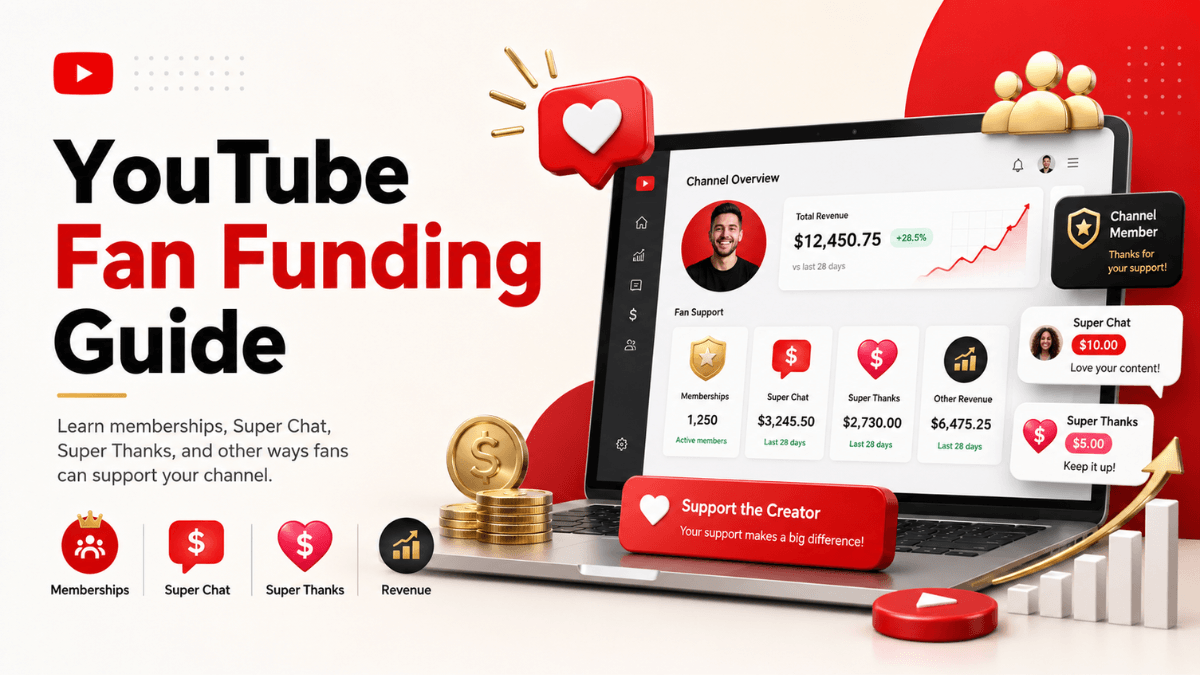
Direct answer: fan funding means the viewer pays you directly instead of an advertiser paying for the ad. There are four features: channel memberships (a monthly subscription in exchange for perks), Super Chat and Super Stickers (paid messages in live chat), Super Thanks (a payment on a published video), and gifts. They all open through the same door: accepting the Commerce Product Module in YouTube Studio, provided you are at least 18 and the channel is not set as made for kids. The only official number here is a 70 per cent creator share of net revenue, and it is the same figure for all four.
- One door for all of them: the Commerce Product Module inside YouTube Studio.
- It opens at the expanded tier (500 subscribers) rather than the ads threshold, so it arrives earlier.
- Published share: 70 per cent of net revenue, calculated after local sales tax and iOS App Store fees.
- Saudi Arabia: memberships, Super Chat and Super Thanks appear on the official availability lists.
- The daily income figures that circulate do not appear on any current official page.
The shared door: the Commerce Product Module
Before the detail on each feature, the point that saves the most time: these are not four separate applications. All four are switched on by accepting the Commerce Product Module in YouTube Studio, one of the contract modules in the partner agreement. Its two fixed conditions are that you are at least 18 and that the channel is not set as made for kids. The useful part is that this door opens at the expanded tier, before you reach the ads threshold, which makes it the first real income for many small channels.
What channel memberships are, and where they open
The idea is simple: a viewer clicks Join on your channel, pays a recurring monthly fee, and gets members-only perks in return such as badges, custom emoji and exclusive content. This is income direct from your audience rather than from advertisers, so it does not swing with ad seasonality or viewer geography in the same way.
Memberships are one of three fan funding features alongside Super Chat and Super Stickers, and Super Thanks. All three open through one acceptance: the Commerce Product Module. We spell that name out in full on this page because the abbreviation YouTube's own docs use for it collides with CPM meaning cost per mille, and the two have nothing to do with each other.
Because the feature belongs to fan funding, it opens at the expanded Partner Program tier (500 subscribers with 3 valid public uploads in 90 days and either 3,000 qualified watch hours or 3 million qualified Shorts views), which is ahead of the ads threshold. The modules and shares are covered in the YouTube Partner Program explainer, the numeric conditions in full are in YouTube monetization requirements, and the whole route map is in the YouTube monetization guide.
Eligibility in detail
The official page builds eligibility in two layers. The first is the shared minimum for fan funding features:
- The channel is in the YouTube Partner Program.
- You are at least 18 years old.
- You live in a country or region where that specific feature is available.
The memberships page then adds its own conditions:
- You live in one of the available locations for memberships (list below).
- Your channel is not set as made for kids and does not have a significant number of videos set as made for kids.
- Your channel does not have a significant number of ineligible videos. The page defines those as videos set as made for kids and videos with music claims.
- You (and your network, if you are in one) have accepted and are complying with the terms and policies, including the relevant Commerce Product Module.
It adds a music caveat: "Some music channels may not be eligible for channel memberships. For example, music channels under SRAV contract are not eligible right now."
The music claims clause is what surprises creators most: a channel inside the program that meets the numbers may still see no Memberships tab, because a significant share of its videos carry Content ID music claims.
How to turn memberships on, step by step
One important note before the steps, stated on the official page: "The channel membership feature may not be activated immediately once a partner gets accepted in the YouTube Partner Program, since the channel will be subject for review based on the eligibility criteria. The process can take up to 2 days." So if the tab is not there yet, wait.
- Sign in to YouTube Studio on a computer.
- In the left menu, click Earn.
- Open the Memberships tab. It only surfaces if your channel is eligible.
- Click Get started and follow the instructions. The first time, you will be asked to review and sign the Commerce Product Module.
- Create your levels and perks, then publish. YouTube reviews them against the membership policies before they go live, and that review "takes about a day".
If your channel is part of a network, the network itself has to allow channels to turn memberships on by accepting the Commerce Product Module in its agreement settings.
Levels and perks
You can create up to six levels at different prices, and each level must carry between one and five perks. Perks stack upward: the higher-priced level automatically includes everything the lower ones offer. If you remove a level, the official page warns that its members lose access to perks immediately and are refunded their last month's payment.
Perk types YouTube lists
- Default or custom channel badges: eight different badges reflecting how long someone has been an active paid member, uploadable as JPEG or PNG under 1 MB with minimum dimensions of 32 by 32 pixels.
- Custom emoji for members.
- Members-only posts in the Posts tab (the tab itself is covered in the Community tab guide).
- Members-first videos, plus members-only Shorts and videos.
- Members-only live chat and live streams for members only (setting the stream up is covered in the live streaming guide).
- Member milestone chats and the member recognition shelf.
Prohibited perks
The official page explicitly disallows:
- Downloads of content available on YouTube, music included.
- In-person one-to-one meetings.
- Anything some members get and others do not by random selection: contests, lotteries and sweepstakes.
- Perks marketed, directed or attractive to children, or inappropriate for them, and perks encouraging children to ask their parents to join.
The page also reminds you that delivery is your responsibility: "You must deliver these perks to your members, so consider whether you can deliver the perks to your members' satisfaction." YouTube does not take responsibility for creator perks.
There is one viewer-side feature you do not have to set up: a free one-month membership trial, which each viewer can redeem once across all creators on YouTube. It is offered automatically to eligible viewers, and you can opt out with a toggle in the Memberships tab.
Managing members and reading the numbers
The Memberships tab in Studio is your dashboard, and the official page says it shows:
- Total members: everyone who currently has access to perks, including members who have canceled but still have access for the rest of their billing period.
- Active members: only those with active subscriptions.
- Revenue: earnings for the last billing period, comparable with the previous one.
- Members by level, and sign-ups and cancellations in the last billing period.
- Cancellation feedback: predefined reasons some members select when they cancel.
Note that a billing period "can be 28, 30, or 31 days depending on the current calendar month", so do not treat two periods as identical months. You can also export a snapshot of your member data to CSV, and follow the Total Member card in the Audience tab in Analytics.
Turning them off, and paused mode
Two different situations are worth separating:
You turning memberships off
You can do it any time from the Memberships tab, but the official page warns that your levels, members and perks will not be saved, all recurring monthly payments are canceled, and you do not retain your members. If you switch memberships back on later, viewers have to join again voluntarily.
Paused mode
Your memberships program enters paused mode if your channel is terminated, if it violates the monetization policies, if you lose monetization by leaving or switching content owners, or if you set your channel as made for kids. When that happens, members lose access to perks, their monthly payments pause, and the Join button disappears from your channel.
You exit by fixing the cause and turning memberships back on from the memberships page in Studio. But the clock matters: members who joined via youtube.com are canceled automatically if 120 days pass while the channel is still paused, and members who joined through the Android or iOS apps are canceled when their billing period ends. If you do not exit within 120 days, the program is ended, you lose all your members, and their last month's payment is refunded and deducted from your share.
Super Chat, Super Stickers and Super Thanks
A membership is a recurring subscription. These features are single payments a viewer decides on in the moment, and what separates them is not the amount but where they happen.
The four features side by side
The bare word "Super Chat" also names products that have nothing to do with YouTube (a business-messaging SaaS and several chat apps), which is why this page always says "YouTube Super Chat" and means the feature inside YouTube Studio. The table summarises what YouTube's pages say as of 19 August 2026:
| Feature | Where it appears | What the viewer gets | Feature-specific conditions (on top of the fan funding minimums) |
|---|---|---|---|
| YouTube Super Chat | Live streams and Premieres | A coloured, highlighted chat message that can stay pinned at the top of chat for a length of time that depends on the amount | Based in a listed location; live chat and comments turned on; video is not age-restricted, private, unlisted, made for kids, or running a YouTube Giving fundraiser |
| Super Stickers | Live streams and Premieres | An animated image that surfaces in live chat | Same conditions as Super Chat (one official page covers both) |
| Super Thanks | Long-form videos and Shorts (and archived streams afterwards) | A one-time animation shown to the buyer, plus a distinct, colourful, customisable comment | Based in a listed location; channel not set as made for kids; video has no copyright claim and comments are on; some music channels (SRAV contracts) not eligible right now |
| Gifts and Jewels | Vertical and horizontal live streams of "eligible creators" | Buys Jewels and sends a range of gifts during the stream | Listed by YouTube among the 500-subscriber tier features on the expanded-program page, with no published country list or detailed criteria |
The shared minimums: the Partner Program and the Commerce Product Module
Before any of these features, the "YouTube Commerce Products monetization policies" page sets three minimum requirements for fan funding: the channel is in the YouTube Partner Program, you are at least 18 years old, and you live in a country or region where the individual feature is available. Then each feature has its own criteria, and each is turned on separately in YouTube Studio.
The document you accept to unlock these features is the Commerce Product Module. Its official abbreviation is CPM, which is also the abbreviation for cost per mille in your revenue reports, so this page writes the module's name in full every time. The policy page says the module "is replacing the Commerce Product Addendum" for new Partner Program creators, and that creators who signed the older addendum don't need to sign the new module. The "Changes to the YouTube Partner Program" page adds that existing partners need to accept the Commerce Product Module in YouTube Studio by 31 January 2027; from 1 February 2027, anyone who hasn't will stop earning from the associated features until they accept the updated terms.
Do you need the 1,000-subscriber tier? Not necessarily. The expanded-program page says a creator who joins at 500 subscribers (with 3 valid public uploads in the last 90 days and either 3,000 qualified watch hours in 12 months or 3 million qualified Shorts views in 90 days) can earn through channel memberships, Super Chat and Super Stickers, Super Thanks, Jewels and gifts, and Shopping, subject to each feature's own eligibility. Saudi Arabia, the UAE, Kuwait, Qatar, Bahrain and Oman are on that program's country list. The tiers and the application flow are covered in our YouTube Partner Program explainer, and the map of every income route sits in the YouTube monetization guide.
Is YouTube Super Chat available in Saudi Arabia?
Yes, as of 19 August 2026. We read the availability lists on the Super Chat and Super Stickers page and on the Super Thanks page today; both list Saudi Arabia, the United Arab Emirates, Kuwait, Qatar, Bahrain and Oman, along with Egypt, Jordan, Lebanon, Morocco and Algeria. Lists change, so if the Supers tab doesn't appear even though you meet the criteria, the official list on the day you check is the reference, not any article. For gifts and Jewels there is no published country list we can point to; the official wording is "eligible creators", so check whether the option appears in YouTube Studio.
How to turn on Super Chat, Super Stickers and Super Thanks
- Open YouTube Studio on a computer and select Earn in the left menu.
- Look for the Supers tab or card. The official pages say it "will surface in the Earn section of YouTube Studio" if you have access, so its absence means the channel doesn't meet the criteria yet or the feature isn't available where you are.
- If it's your first time, accept the Commerce Product Module by following the on-screen instructions.
- Turn on the features you want. The management page says Super Chat and Super Stickers "are automatically available on eligible live streams and Premieres where live chat is turned on", and live chat is on by default.
- Check each video's or stream's settings: age-restricted, private, unlisted and made-for-kids content won't show these features, and Super Thanks won't show on a video that carries a copyright claim.
In practice, the most common reason Super Thanks is missing from one video is the video, not the channel: claimed music, or comments switched off. The most common reason Super Chat is missing is live chat being disabled in the stream settings. Setting up the stream itself (hardware, software, stream types) belongs to our YouTube live streaming guide; this page stays on the earning side.
Live versus on-demand: which feature shows where
The lines are drawn clearly on the official pages. During a live stream or Premiere, Super Chat and Super Stickers work (and gifts, where available), while Super Thanks does not. Once the stream ends and becomes an archived video, Super Thanks becomes available on it like any long-form upload. On regular long-form videos and Shorts, Super Thanks is the only one of these features that applies.
One detail matters if you run ads in your streams. The "Monetize your live stream" page says automatic mid-roll mode "temporarily pauses mid-roll ads for viewers who send gifts, Super Chats, and Stickers", so YouTube treats paying viewers differently in ad delivery. Ads in streams are the live guide's topic; monthly memberships are a separate product covered in our channel memberships guide.
The revenue share and where to track it
The only official number here is 70%. The "YouTube partner earnings overview" page says that a partner who turns on fan funding by accepting the Commerce Product Module receives "70% of net revenues from channel memberships, Super Chat, Super Stickers, and Super Thanks". The Super Chat management page adds that the 70% "is calculated after local sales tax and App Store fees on iOS are deducted", and that transaction costs including credit card fees "are currently covered by YouTube". We don't add any other figure because YouTube publishes no average purchase sizes or income numbers for these features.
To track it: Super Chat and Super Sticker purchases for the past 30 days appear in YouTube Studio under Earn and then Supers, and during a stream you can filter live chat to "Fan funding" to see purchases only. Full revenue reports sit in YouTube Analytics under Revenue and then "How you make money". Payment itself goes through the AdSense for YouTube account linked to your channel, like the rest of your earnings.
Policies: what pauses or removes the feature
- Every Super Chat or sticker a viewer sends must follow the Community Guidelines; if one is moderated and removed for violating policy, "YouTube will donate our portion of revenue to charity", per the official page.
- YouTube states plainly that these features "aren't crowdfunding or donation tools", that the money "may be treated differently based on laws that apply to you", and that you are responsible for understanding whether you can offer and receive them where you live.
- The Super Thanks page notes that abuse of the feature can lead to access being terminated, and that the channel must keep complying with the Terms of Service, the Community Guidelines and the channel monetization policies.
- None of the official pages we read today states a daily dollar limit on viewer purchases. Figures such as "$500 a day" circulate in older articles; we don't repeat them because they don't appear in the current official source.
Frequently asked questions
Do I need 1,000 subscribers to turn these on?
No. Fan funding opens through the expanded tier at 500 subscribers with its other conditions, which is below the ads threshold. The full checklist is on the monetization requirements page.
How much does YouTube take?
The published figure is 70 per cent to the creator from net revenue, calculated after local sales tax and iOS App Store fees are deducted.
Are these features available in Saudi Arabia?
Memberships, Super Chat and Super Thanks appear on the official availability lists for Saudi Arabia. Those lists change, so the reference is YouTube own page on the day you check rather than any article.
Can Super Thanks be used on an older video?
Yes. Super Thanks works on published videos rather than only on live streams, which is the main difference between it and Super Chat.
What happens if I turn memberships off?
YouTube sets out what happens to existing members and to the billing cycle on its memberships management page, which is the step to read before pausing rather than after.
Practical summary
Start at the door rather than the feature: open YouTube Studio and accept the Commerce Product Module, which enables all four at once. Then pick what fits the shape of your channel: memberships suit anyone publishing regularly who can deliver a recurring perk, Super Chat suits live streamers, and Super Thanks suits channels built on published videos. Set expectations against one number only, 70 per cent of net revenue, and ignore any circulating daily or weekly income figure, because none appears on the current official pages.
Official sources
- Get started with channel memberships on YouTube: eligibility, the location list including Saudi Arabia, prohibited perks, refunds, and paused mode with the 120-day rule (read 19 August 2026).
- Turn on or turn off channel memberships: the two-day review after acceptance, the activation steps, and what happens when you turn them off (read 19 August 2026).
- Create or manage your channel's memberships levels and perks: six levels, one to five perks each, stacking, loyalty badges and their specifications, and the free trial (read 19 August 2026).
- Analyze and manage your channel memberships program: the Memberships tab metrics, billing periods, and member data export (read 19 August 2026).
- YouTube Commerce Products monetization policies: the fan funding minimums and the role of the Commerce Product Module (read 19 August 2026).
- YouTube partner earnings overview: the 70% share of net revenue on fan funding features (read 19 August 2026).
- Super Chat & Super Stickers eligibility, availability, and policies: where the two features work, per-video conditions, country list including Saudi Arabia (read 19 August 2026).
- Manage YouTube Super Chat & Super Stickers for Live Chat: the 70% share and how it is calculated, viewing purchases, moderation (read 19 August 2026).
- Super Thanks eligibility, availability, and policies: channel and video criteria, country list, policies (read 19 August 2026).
- Overview of the expanded YouTube Partner Program: the 500-subscriber tier, Jewels and gifts, country list (read 19 August 2026).
- Monetize your live stream: ads in streams and the pause for viewers who send gifts or Super Chats (read 19 August 2026).