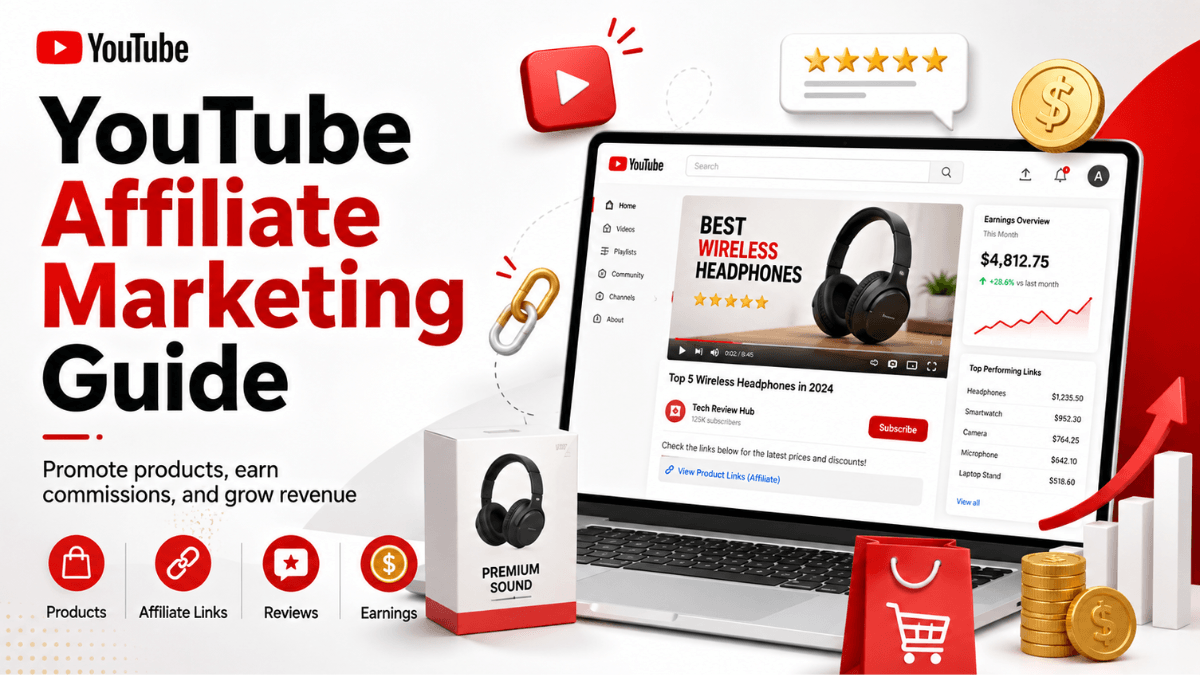
Direct answer: YouTube has two commerce routes that look identical under the video and are governed by completely different rules. The first is tagging other brands products for commission through the YouTube Shopping affiliate program, which is limited to a country list that does not include Saudi Arabia as of 19 August 2026. The second is selling your own products by connecting a store, where payment comes from your store rather than from AdSense. If you are working from Saudi Arabia or the Gulf, the practical route today is external affiliate links in the description, which are not tied to that country list but follow the same disclosure rules.
- The official affiliate program runs on a limited country list, and Saudi Arabia is not on it as of 19 August 2026.
- Two official pages state two different country counts (14 and 12): a live conflict between them.
- Selling your own products means connecting a supported store, with payment from the store rather than AdSense.
- External affiliate links work from any country and follow the link and paid-promotion policies.
- Disclosure is not optional: Studio provides a "contains paid promotion" checkbox.
The two routes side by side
Most wasted effort comes from confusing the two: creators hunt for an "affiliate" switch in Studio while their country is not listed, when the open route is the external one. What YouTube's pages say as of 19 August 2026:
| Route | Who can use it | Where the link or tag lives | Who pays you |
|---|---|---|---|
| YouTube Shopping affiliate program | Channels in YPP that meet the subscriber threshold, based in a listed country (Saudi Arabia is not listed), not music, not made for kids | Product tags inside long-form videos, Shorts and live streams, added in YouTube Studio | YouTube, through AdSense for YouTube, 60 to 120 days after the purchase |
| External affiliate programs | Any channel; the Partner Program is irrelevant here | A link in the long-form description (clickable once advanced features are on), or the channel profile links | The external program, on its own terms; YouTube is not part of the transaction |
The routes are not rivals and can run on the same channel if you qualify for the first. Selling your own products rather than other people's is a different job, covered in the guide to selling products and services through YouTube, and the full map of income routes sits in the YouTube monetization guide.
Route one: the YouTube Shopping affiliate program
YouTube describes the program as a way to earn while helping your audience find products: you tag a product, the viewer scans details such as pricing and keeps watching while checking out on the retailer's site. Tagging, insights and earnings all sit inside YouTube Studio.
What the page requires today
- Your channel is in the YouTube Partner Program and meets the YPP subscriber threshold. Tiers and the application flow are in our YouTube Partner Program explainer.
- You are based in one of the listed countries.
- Your channel is not a music channel, an Official Artist Channel, or associated with music partners such as labels, distributors, publishers or VEVO.
- Your channel audience is not set as made for kids, and the channel does not have a significant number of videos set that way.
- The Shopping page adds one more line for tagging other brands' products: no active Community Guidelines strikes.
The country list, and the conflict between two official pages
We read both pages today and they disagree. The program page says it is "currently available for eligible creators of Argentina, Brazil, India, Indonesia, Japan, Korea, Malaysia, Mexico, Philippines, Singapore, Taiwan, Thailand, the United States, and Vietnam": 14 countries. The Shopping page lists 12 for the same activity, without Argentina and Mexico. The practical conclusion is the same either way: Saudi Arabia and the Gulf are on neither list as of 19 August 2026, both lists change, and the source to trust is the official page on the day you check. The program page also offers a form to register interest or suggest brands, and says plainly that filling it in does not mean you will be invited.
How it works once you are in
- In YouTube Studio, open Earn, then under Programs select Join now, and accept the YouTube Shopping Affiliate Program Terms of Service.
- Start tagging products in your content, following YouTube's tagging guidelines.
- The affiliate hub (Earn, then Shopping, then Explore affiliate offers) lists participating sellers with their commission percentages, sortable by highest commission, and lets you request samples.
- Custom rates appear as "Special offer promotions" when a merchant sets them for your channel, and campaigns are never compulsory: if one does not fit, do not tag those products.
On numbers: every brand and retailer sets its own commission rate and attribution window per product, and the percentage is shown with each offer inside Studio. YouTube also mentions a temporary incentive raising rates in newly launched markets, and says openly that it is temporary and rates may reduce later. That is why this page carries no rate or income figure: the only trustworthy source is the offer panel in your own account.
Payment: commissions are paid through AdSense for YouTube within 60 to 120 days of purchase to account for returns, and a return reverses the commission; cancellations, refunds and exchanges can move them during the settlement period. A "YouTube Shopping" Chrome extension for saving products and checking rates exists only in the United States, India, Indonesia, South Korea, Thailand and Vietnam.
Selling your own products through a connected store
The second route inverts the arrangement: instead of earning commission on someone else product, you show your own. The conditions are different, and payment never passes through AdSense.
Route one: connecting your own store
YouTube reduces this to three steps: meet the eligibility criteria, connect your store to YouTube, then tag products from your store to feature them in your content. The criteria as they read today:
- Your channel is in the YouTube Partner Program. Joining is covered in our YouTube Partner Program explainer.
- Your channel meets the YPP subscriber threshold, or it is an Official Artist Channel.
- Your channel audience is not set as made for kids, and it does not have a significant number of videos set that way.
- Your channel has not received any Hate Speech Community Guidelines strikes.
Once connected, products surface in your channel store, in the video description, in a product shelf below your content, behind the Shopping button, and in the Store tab inside YouTube Music for Official Artist Channels that already set up the store in the main app. YouTube also describes merch drop notifications: schedule the drop with a future release date on your merch provider's platform and YouTube automatically notifies subscribers, fans and superfans on the day, using standardised text you cannot customise.
Integrated platforms and where you can ship
The integrated ecommerce platform page says YouTube Shopping is integrated with two platforms: Cafe24, "only available to channels based in South Korea", and Shopify. In practice a creator in Saudi Arabia who wants to connect a store needs Shopify, or a retailer that supports the integration.
Where products can actually be bought is decided in Google Merchant Center, not on YouTube: full product information is shown based on the countries of sale the store sets there, and a "Shipping Areas Limited" disclaimer in a given country means the merchant has not targeted that country. YouTube states that platforms and retailers alone are responsible for supporting shipping in local markets. The page also covers channel exclusive product listings, which merchants configure from Merchant Center or Cafe24 and which are highlighted to viewers when discounted or time-limited.
Who is responsible for what
This is the line that clears up most confusion: YouTube is a shop window, not a shop. The official text says your merch retailer or platform, not Google, is responsible for every aspect of merch sales, listing merchandising, warehousing, order fulfilment, refunds, customer service, inventory management and creator or artist payment. It adds that "all payments for the sale of merch and products are paid through your merch retailer or platform. YouTube and AdSense are not involved." So do not look for store revenue in AdSense: it lives in your platform's dashboard, while YouTube Studio and YouTube Analytics show only the performance of tagged products.
Route three: services, courses and consulting
YouTube offers no way to sell a course or a service inside the platform itself: the transaction happens on your own page, and YouTube's job is to send people there. The rules that govern that hand-off are specific:
- Clickable links in long-form descriptions require access to advanced features, which is a separate tier from the Partner Program.
- URLs in Shorts descriptions and comments are not clickable, so no sales funnel should depend on them.
- Your channel profile can show up to 14 links, the natural home for a store or booking page.
- The in-video Link card is available "if you're in the YouTube Partner Program" per the cards page, with up to 5 cards per video and none on made-for-kids content.
- Live streams are strong for selling services, and the Shopping page supports product tags during live streams. Setting the stream up is the job of the YouTube live streaming guide.
Route two: external affiliate links and where they actually work
This is the route open to creators in Saudi Arabia and the Gulf today: join an external programme, take the tracking link, and put it in the description. YouTube is not part of the transaction or the payout, but it does control where the link can live. The "Sharing links with your audiences" page is precise about what is clickable:
| Where the link sits | Clickable? | Official note |
|---|---|---|
| Long-form video descriptions and comments | Yes | Only once the channel has access to advanced features |
| Shorts descriptions and Shorts comments | No | "To reduce spam and scam attempts", in YouTube's words |
| Channel profile links | Yes | Up to 14 links shown on the channel page |
| Shopping affiliate program links | Yes | These are product tags inside the content, not text links |
Advanced features are not the Partner Program. YouTube's access page puts "Add clickable links to your long-form video description and posts" in the Advanced tier, unlocked by channel history or ID verification, so a small channel outside YPP can run clickable affiliate links once verified. Ordering the description itself is covered in the video description guide.
What the policies actually say about affiliate content
The current wording on the external links policy is: "Affiliate content doesn't violate YouTube's Terms of Use. Excessively posting affiliate content in dedicated accounts may violate our policies around spam." So affiliate content as such is allowed, and the line is excess in accounts dedicated to it, which "may" breach the spam policy. Note the conditional: older articles quote it as an absolute rule and the live page is softer. The spam policy does not use the word affiliate today, but several of its buckets catch thin affiliate channels: content made solely to divert viewers off YouTube, automated or synthetic mass-production, scraped content with nothing added, and misleading titles or thumbnails. The external links policy separately bans links to content that breaks the Community Guidelines, including links written as text, obfuscated, or given verbally.
Disclosing paid promotion: what YouTube asks for
YouTube's paid product placements page says you have to tell YouTube when a video contains a paid placement, endorsement or other commercial relationship. In Studio: Content, pick the video, More options, tick "My video contains paid promotion like a product placement, sponsorship, or endorsement", then Save.
- The box triggers an automatic 10-second disclosure message at the start of the video; ads keep running, a conflicting advertiser's ad may be swapped out, and the video leaves the YouTube Kids app.
- You may not burn advertiser-supplied video ads into your content. Static title cards of 5 seconds or less are allowed (co-branded with your name or logo at the very start), as are static end cards in the last 30 seconds.
- Google Ads policies bar paid promotion of some categories outright, among them illegal products or services, adult content, recreational drugs, pharmaceuticals without a prescription, unreviewed gambling sites, exam-cheating services, phishing and spyware.
- YouTube says the article is not legal advice and that creators and brands must know their own jurisdiction's rules on when, how and to whom they disclose.
In practice: if you bought the product yourself with no agreement and no compensation, the box does not describe your relationship, though the commission still deserves one plain sentence to your audience. If the brand sent the product free or paid you, the relationship is commercial and the box is required. Brand deals, pricing and contracts are the subject of the YouTube sponsorships guide.
How to start
- Work out your route from the Earn section in YouTube Studio; if the program is not there, the reason is usually your country or channel status, and the external route is yours.
- Turn on advanced features so long-form description links are clickable.
- Pick products your content genuinely covers: an honest review or a tutorial, not a video whose only purpose is the link.
- Put links above the fold in the description with a plain disclosure line, plus the paid promotion box where a commercial relationship exists.
- Do not plan around Shorts for external links. Use product tags if eligible, or send Shorts viewers to a long-form video that carries the link.
Frequently asked questions
Is the YouTube affiliate program available in Saudi Arabia?
Not as of 19 August 2026. The two official lists (14 countries on the program page and 12 on the Get started with Shopping page) include neither Saudi Arabia nor any Gulf country.
What is the difference between the official program and external links?
The official program puts the tag inside YouTube and pays through AdSense, but it is restricted by country. External links go in the description and work anywhere, but payment comes from whichever network you joined.
Do I need the Partner Program to sell my own products?
Store-connection requirements differ from the ads requirements. Check the Get started with Shopping page on the day you read, because both the conditions and the list of integrated platforms change.
Do I have to disclose an affiliate link?
Yes. Studio provides the paid-promotion checkbox, and advertising rules in your country may require an additional disclosure inside the video itself.
Practical summary
Start with the country question rather than the product question: if you are outside the official affiliate list the door is closed today regardless of channel size, and the working alternatives are external affiliate links or selling something of your own. If you do have a real product, connecting a store gives you a better margin than any commission. Either way, disclose plainly, and check the country list on the official page itself on the day you read, because the two official lists do not currently agree.
Official sources
- YouTube Shopping affiliate program overview & eligibility: eligibility, the 14-country list, joining, the affiliate hub, payment through AdSense in 60 to 120 days (read 19 August 2026).
- Get started with Shopping on YouTube: the 12-country list for tagging other brands' products and the no-active-strikes condition (read 19 August 2026).
- Add paid product placements, sponsorships & endorsements: the disclosure box, the 10-second notice, title and end cards, prohibited categories (read 19 August 2026).
- Sharing links with your audiences: the clickable-link table, Shorts links being non-clickable, 14 channel profile links (read 19 August 2026).
- External links policy: the verbatim line on affiliate content and excessive posting, plus banned link types (read 19 August 2026).
- Access to YouTube tools and features: clickable description links sit in the Advanced tier (read 19 August 2026).
- Spam policy: the current spam buckets that catch thin affiliate channels (read 19 August 2026).
- Integrated ecommerce platform: the two integrated platforms, Shopify and Cafe24, and where Cafe24 works (read 19 August 2026).
- Add info cards to videos: up to 5 cards and the Link card for Partner Program channels (read 19 August 2026).
- YouTube Commerce Products monetization policies: the page's current scope (fan funding and the Commerce Product Module) and why it is not the source for store rules (read 19 August 2026).