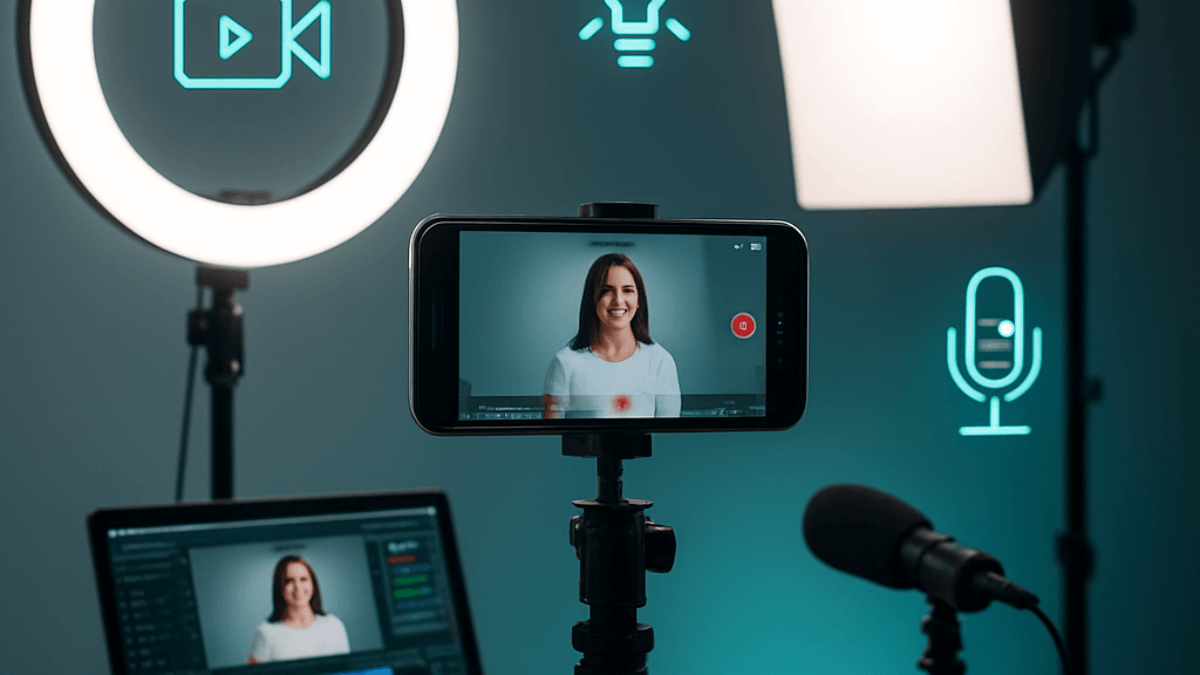
Direct answer: three things decide how your videos look and sound, and the buying order is audio, then lighting, then stability. The phone in your hand covers all three once you add a small microphone, a controlled light, and something that holds the camera still. A dedicated camera is the last purchase on the list, not the first.
One correction before the gear, because it drives a lot of wasted spending: TikTok publishes no formula connecting image quality to reach. It publishes a recommended-specs page for uploads, and its Community Guidelines say low-quality or minimally edited content is ineligible for the For You feed. That is the whole documented picture. No official page says a higher resolution or a higher bitrate earns more views. You invest in production because viewers stay, not because a ranking system pays you for it.
What gear do you actually need, and in what order?
| Tier | Approximate budget | Gear | Best for |
|---|---|---|---|
| Zero | What you already own | Phone, window light, a stack of books as a stand | Starting today instead of waiting |
| Starter | $50 to $160 | Tripod, ring light, clip-on (lavalier) mic | Most creators, and genuinely enough |
| Intermediate | $300 to $800 | Entry mirrorless camera, LED panel, wireless mic | Daily filming with revenue behind it |
| Professional | $1,500 and up | Higher-end camera, three-point lighting, studio mic | A permanent filming corner, cinematic work |
Prices are approximate and move, so check them where you actually shop. This guide names categories rather than specific models on purpose: model names are the fastest-ageing part of any gear guide, while the category stays correct for years.
Buying order: audio first, because viewers tolerate mediocre video and abandon bad sound. Lighting second, because it improves the image more than a pricier camera does in the same room. Stability third. The camera body last.
How do you light a TikTok video, from free to professional?
Free: window light
- Sit facing a window, or at roughly 45 degrees to it. Never with the window behind you.
- Put any white surface (foam board, poster card) on the opposite side to fill the shadow on your face.
- Shoot when the light is indirect. Overhead midday sun gives hard shadows.
Cheap: a ring light
- Directly in front of you at eye level. That is what makes it work for talking-to-camera content.
- Pick a colour temperature closer to daylight for teaching content and slightly warmer for lifestyle, and then keep it fixed so your videos match each other.
- Never place it behind you, or you become a silhouette.
Professional: three-point lighting
- A key light at about 45 degrees on one side.
- A weaker fill on the opposite side that softens the shadow instead of erasing it.
- A back light that separates your head and shoulders from the background.
How do you get clean audio before buying a microphone?
| Option | Approximate cost | When it is enough | Limitation |
|---|---|---|---|
| Built-in phone mic | Free | Quiet room, close distance | Picks up the whole room |
| Wired clip-on mic | $15 to $35 | Static filming, no movement | Visible cable |
| Wireless clip-on mic | $55 to $135 | Most situations, the best single purchase here | Charging and pairing |
| Shotgun mic on camera | $80 to $220 | Camera filming at medium distance | Still captures some room tone |
Try this before you buy anything: most home audio problems are echo, not the microphone. Hard floors and bare walls reflect sound. Record a test clip in a room with a rug, curtains and furniture, then compare it to the empty room you film in now. If the echo disappears, the room was the problem and you just saved the cost of a mic.
What phone settings matter before you hit record?
- Resolution: film at the highest your phone offers with a steady frame rate, and let the export handle the rest. Filming low to save storage is a decision you cannot undo.
- Rear camera: better than the front camera on most devices. Use a second screen or a small mirror to frame yourself.
- Stabilisation: turn on digital stabilisation for handheld shots, turn it off on a gimbal, never both.
- Focus and exposure: tap your face on screen to lock both before you start talking.
- Clean the lens. A smudged lens is one of the most common causes of soft, hazy footage and costs nothing to fix.
- Distance from the background: stand at least a metre off the wall. That alone creates the depth people associate with better cameras.
If filming is not realistic for a given idea, a photo carousel is a genuine alternative for some formats, covered in TikTok Photo Mode.
How do you choose a background that fits your niche?
Your background is part of your visual identity, and viewers recognise your room before they read your handle.
| Niche | Background that fits | Why it works |
|---|---|---|
| Education and tech | Tidy desk, shelf of books, a screen | Supports the expert read |
| Food | Clean kitchen or prep counter | Natural context for the content |
| Fitness | Home workout corner or gym | Signals movement |
| Business | Clean wall or simple office | Keeps attention on you |
| Art and craft | Your work and tools behind you | Shows the work without narrating it |
The rule is to fix it and stop changing it weekly. Visual consistency is what makes a follower recognise your video in the feed, and building that identity is covered in TikTok personal branding.
How do you film a week of content in one session?
Batch filming is not a marketing-blog invention. TikTok's own Creator Academy article on building a sustainable posting routine says to "batch your workflow" and to "film multiple videos in one location before moving to the next", alongside setting aside dedicated filming days, keeping a consistent filming setup, and working from a script. The Creator Academy attaches no time-saving percentage to this, and neither do we. The real gain is paying the setup cost once instead of five times.
A workable week:
- Planning day: write the week's ideas, an outline per video, and the opening line of each.
- Filming day: lock the setup and shoot everything that shares a location and an outfit before changing either.
- Editing day: edit, schedule, and bank the surplus for the weeks that go wrong.
- Daily: a short block for replying to comments and checking performance.
On the filming day: order the shots by outfit and location rather than by topic, start with the hardest one while you are fresh, and record more than you need, because re-staging the setup later costs far more than an extra take now.
After filming, the next decision is where to edit: the in-app toolset is covered in editing inside TikTok, and choosing an external app in the best TikTok editing apps.
Does video quality affect reach on TikTok?
This question used to live on its own page. It belongs here, because it is a production decision. Three separated layers:
What TikTok documents:
- An official "recommended video specs" page giving guidance on resolution, ratio, file type and file size. These are recommendations, not minimum requirements.
- The Community Guidelines list "low-quality or minimally edited content, such as short clips made from GIFs only" and "reused or unoriginal content posted without creative edits, such as clips that show someone else's watermark or logo" as ineligible for the For You feed.
- The published ranking factors are user interactions, video information, and device and account settings. Resolution, bitrate and camera type appear in none of them.
What TikTok does not document: any numeric relationship between image quality and reach. There is no published resolution floor that triggers a penalty, and no documented bonus for filming on a better camera.
Practical interpretation (ours): what matters is not "quality" as a word but three things a viewer registers within two seconds: is the audio intelligible, is the subject lit well enough to read, is the frame steady. The gap between a well-set-up phone and a professional camera is much smaller than the gap between clear audio and room echo.
What specs should you set when exporting?
TikTok publishes a recommended-specs page in its Help Center, and that page is the only reference worth trusting, since its contents change. The page is served by a JavaScript app that cannot be read programmatically, so no numbers are attributed to it here. That is precisely what the previous version of this page did wrong with its invented "minimum accepted" column.
| Decision | Practical recommendation (ours, not an official statement) |
|---|---|
| Orientation | Vertical full screen at 9:16, TikTok's native shape |
| Resolution | Export at the resolution you filmed; never downscale manually before uploading |
| File format | Your phone's default output is fine; converting formats adds nothing |
| Compression | TikTok re-compresses on upload, so upload the original file rather than a copy sent through a messaging app |
| Duration | Choose by idea, and check the length page rather than a circulating number |
Maximum duration in particular shifts between app versions and is not published on a readable official page, so use TikTok video length instead of a figure from a blog.
When TikTok degrades your quality after upload
The most common production complaint is not filming quality but what happens on upload: the posted video looks softer than the file you exported. Third-party testing is unambiguous about the cause; Hollyland's compression guide puts it as every uploaded video being re-encoded, no exceptions. You cannot switch compression off, but you can limit the damage:
- Feed the encoder a clean original. Upload the file straight from your camera roll or editor. A copy that already passed through a messaging app or a second export has been compressed once, and TikTok's pass compounds it.
- Keep the bitrate high at export, the advice most repeated among editors comparing uploads. A higher-bitrate source gives the re-encode more to work with; this is circulating practice, not a TikTok rule.
- Check the in-app upload-quality toggle. Many app versions include an HD or high-quality upload switch in the post-screen options or data settings. TikTok's readable help pages do not document it, so treat its presence and wording as version-dependent and check your own app.
- Rule out data-saver. If uploads look fine on Wi-Fi and poor on mobile data, a data-saving setting on your side or the viewer's is the usual explanation, not your export.
Questions creators ask about TikTok video production
Do I need a professional camera?
No. A recent phone with a mic, a light and a stand covers most niches. A dedicated camera is a decision for after the content becomes regular paid work, not before.
What should I buy first on a small budget?
A clip-on microphone. Better audio is the single most noticeable improvement per dollar, and before that, try changing rooms to kill echo for free.
What is the best TikTok lighting with no budget?
A window in front of you or at 45 degrees, with a white surface opposite it to fill the shadow. It competes with anything you would buy at the entry level.
Is batch filming better than filming daily?
TikTok's Creator Academy recommends batching your workflow and setting aside filming days, with no time-saving figure attached. In practice, batching suits planned content while you keep a daily slot for replies and timely reactions.
Does higher video quality get more views?
No official TikTok source links image quality to reach. What is documented is that low-quality or minimally edited content can be ineligible for the For You feed. Aim for a video people understand and finish, not for an unpublished formula.
Practical Summary
Bottom line: audio, then lighting, then stability, then the camera. That order alone prevents most beginner overspending.
- Treat the room before buying a microphone, and fix your lighting and background so your videos match each other.
- Batch your filming the way the Creator Academy describes it, without the invented time-saving percentages.
- Specs come from TikTok's own page, they are recommendations rather than minimums, and nothing published connects them to distribution.
Next step: record ten seconds in your usual room right now and listen on headphones. If you hear echo, your first fight is with the room, not with your gear.
The full creation map is in TikTok content creation, and the other tracks are in the TikTok Resource Hub.
Official Sources
- TikTok Support: Recommended video specs
- TikTok Support: Editing TikTok videos and photos
- TikTok Creator Academy: Building a sustainable posting routine
- TikTok: Community Guidelines
- TikTok Newsroom: How TikTok recommends videos for you