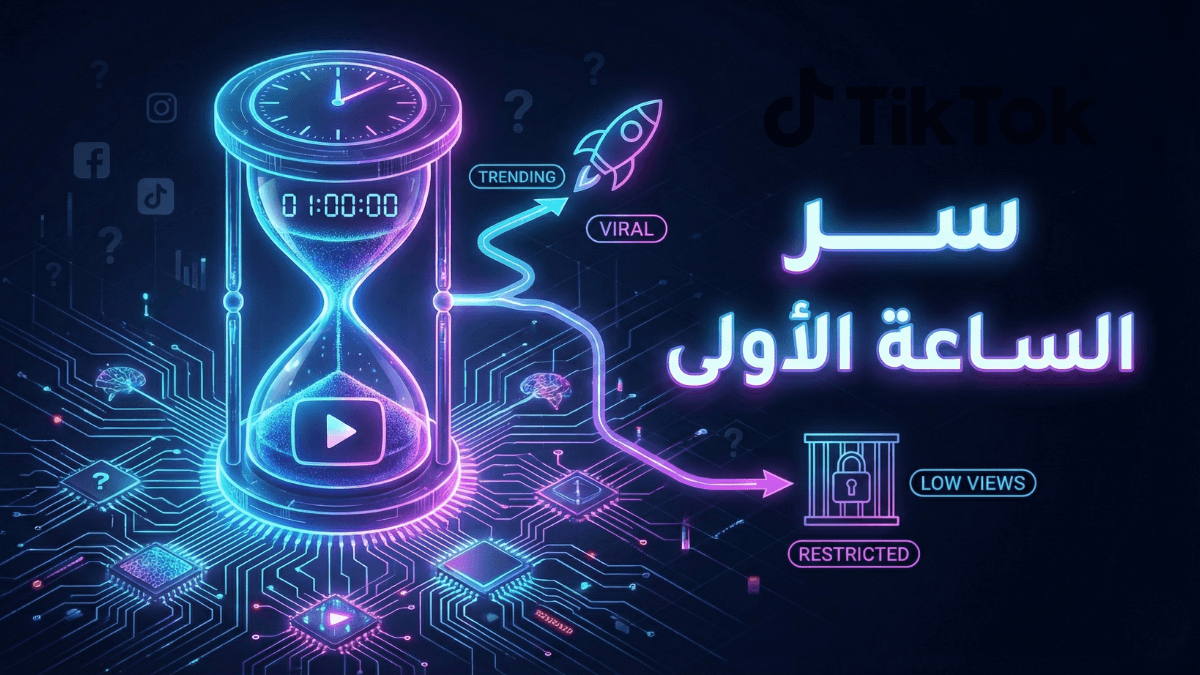
TikTok's algorithm tests every video through three sequential phases: content review (is the video eligible for recommendation at all?), interest matching (who is the right audience for the test batch?), and behavioral testing (does that audience complete and engage with the video?). The third phase is the real determinant of expansion — and TikTok does not publicly disclose its precise mechanics. What you can measure: TikTok Studio → Analytics → Traffic Source — the For You share is the direct outcome of the behavioral test.
| Phase | What the Algorithm Is Asking | What Stops the Video | Where You See It |
|---|---|---|---|
| 1 — Content review | Is this video eligible for recommendation? | Does it violate guidelines or contain content unsuitable for a general audience? | Account Status in TikTok Studio |
| 2 — Interest matching | Who is the right audience to test this video with? | Is the video's content, caption, and audio classifiable into a clear niche? | Follower Interests + Traffic Source |
| 3 — Behavioral testing | Does this audience find the video worth their time? | Does completion rate and engagement clear the internal threshold? | Audience Retention + Traffic Source |
Key Takeaways
- A video can fail before the behavioral test — if it doesn't pass content review, there is no test batch at all.
- Phase 2 (interest matching) determines the quality of the audience the video is tested with — a wrong audience produces weak signals even from good content.
- The behavioral test measures the audience's response in the first 30–90 minutes (estimated) — this window determines the video's fate.
- Content Check Lite is an official TikTok tool that lets you check recommendation eligibility before posting.
- TikTok does not publicly disclose the internal testing mechanism or its thresholds — what follows is based on official documentation and accumulated creator observations.
How Does the TikTok Algorithm Test a Video Before Distributing It?
If you're a TikTok creator who notices that some videos take off within hours while others freeze immediately after posting, the difference lies in how they perform at each testing phase. Understanding how the TikTok algorithm works makes clear that TikTok doesn't distribute your video directly — it tests it first.
Per TikTok's official documentation, the system reviews videos to confirm their eligibility for recommendation and evaluates engagement signals to determine who should see each video. TikTok also states that the recommendation system is a continuous process — it refines accuracy, adjusts models, and reassesses signal weights over time.
The Core Logic of TikTok Testing
The algorithm isn't asking "is this good content?" — it's asking "does this specific audience find this content worth their time?" That distinction matters: good content shown to the wrong audience produces weak signals and fails the test. Average content shown to its exact right audience may produce strong signals and pass. The test is audience-specific, not content-absolute.
Many creators consistently observe that their videos either launch within hours or freeze immediately — and this reflects the binary nature of the testing model: pass or fail at each phase, not a gradual random accumulation.
What Is the Content Review Phase and How Does It Affect Testing?
Before the behavioral test, every video goes through a content review phase. Per TikTok's official documentation, "videos that have just been uploaded or are under review" may not be eligible for recommendation in anyone's For You feed. Similarly, content that depicts things like graphic medical procedures or legal consumption of regulated goods — which might be shocking to a general audience that hasn't opted into such content — may not be eligible for recommendation.
What Delays or Stops a Video at the Content Review Phase
| Reason | Effect | What to Do |
|---|---|---|
| Community Guidelines violation | Video fully or partially ineligible for recommendation | Review TikTok's Community Guidelines before posting |
| Content under review (Under Review status) | Distribution paused until review completes | Wait — do not delete the video during review |
| Content with restricted distribution | Reaches only followers or a limited audience | Check Account Status in TikTok Studio |
| Unlicensed music or watermark from another platform | Restricted distribution or automatic stop | Use TikTok's official sound library or export a clean version |
Content Check Lite — Test Before You Post
Per TikTok's official Newsroom, you can use the Content Check Lite tool in TikTok Studio to verify your video's recommendation eligibility before uploading it. The tool identifies Phase 1 issues before they affect your test. Details in the Content Check Lite section below.
How Does the Algorithm Choose the Right Audience for the Test Batch?
Phase 2 determines who will see the video in the test batch — and this decision directly affects the quality of the signals that come back to the system.
Based on TikTok's official documentation and research consensus, the algorithm uses three sources to select the test batch:
| Information Source | How It's Used | How You Influence It |
|---|---|---|
| The video's content itself | On-screen text, spoken words, visuals — all classified | Be explicit in captions and spoken words about what the video is about |
| Caption and hashtags | Help classify the topic and identify the interest community | 3–4 niche-specific hashtags outperform twenty generic ones |
| Audio/music | Links the video to an existing audience already engaging with that sound | Trending audio in your niche improves audience-matching accuracy |
The risk here: if the video's content gets classified into a different category than your account's established niche, the test batch will be a mismatched audience. A wrong audience produces weak signals even from a well-made video. This is one of the less obvious causes of videos stalling despite strong content quality — and it's distinct from the question of whether video production quality affects TikTok reach.
What Does the Algorithm Actually Measure in the Behavioral Test?
This phase is the "real exam" — the system sends the video to the test batch and measures its response within a critical time window (estimated at the first 30–90 minutes after posting). TikTok does not officially disclose this window or the precise signals it measures, but its official documentation identifies which signals are treated as strong vs. weak indicators of interest.
What the Algorithm Asks in This Phase
Behavioral Test Questions — From Highest Impact
- Do viewers complete the video? — Per TikTok's official documentation, finishing a video is a strong interest signal. Low completion rate = distribution stops. For a breakdown of what counts as a good TikTok retention rate and how to read it in Analytics, see the dedicated guide.
- Do they rewatch it? — Rewatches signal "high value" and push the system toward expansion.
- Do they share it with others? — Off-platform sharing is a spread signal that triggers a new distribution cycle.
- Do they save it? — Saves signal "reference value" — the viewer intends to return to this content.
- Do they comment? — Active engagement signal.
- Do they exit quickly? — Strong negative signal, especially in the first two seconds.
For a full breakdown of why these signals carry different weights and how to design content that targets each one, see our guide on TikTok algorithm signal priority.
What Causes a Video to Fail at Each Testing Phase?
| Phase | Common Failure Causes | Effect | Fix |
|---|---|---|---|
| Content review | Guidelines violation, sensitive content, unlicensed music, watermark | Ineligible for recommendation — no behavioral test happens | Use Content Check Lite before posting |
| Interest matching | Unclear content classification, generic hashtags, mismatch between video topic and account niche | Test batch with wrong audience → weak signals even from good content | Clear caption + niche-specific hashtags + consistent niche |
| Behavioral testing | Weak hook, quick exits in first 3 seconds, low completion rate | Distribution stops — video stays at hundreds or low thousands | Rebuild the hook — see how to write TikTok hooks that hold viewers in the first three seconds |
Common Mistake: Failing Due to Wrong Audience, Not Wrong Content
Many creators rebuild the same video with a different hook and see no improvement — because the issue is in audience matching (Phase 2), not the hook (Phase 3). If your comments are positive but the video doesn't spread, check Follower Interests in Analytics — is your current audience actually the right match for this video's topic?
For the full diagnostic on distribution problems and identifying which phase your video is failing at, see our guide on why your TikTok video isn't appearing on the For You Page.
How Do You Read the Algorithm's Test Results in TikTok Studio?
TikTok Studio is the most accurate tool for reading test results — every metric maps to a different testing phase:
Test Result Reading Map in TikTok Studio
- Account Status: Phase 1 (content review) result — if there's a notice here, the video didn't clear the first phase.
- Analytics → Traffic Source → For You share: Phase 3 (behavioral test) result — a high share (30%+) means the video cleared the test and is being distributed. Near zero means it hasn't cleared.
- Analytics → Audience Retention: Phase 3 detail — where exactly did viewers leave? What was the specific failure point in the behavioral test?
- Analytics → Video Views by time: Did views come in jumps (= phase advancements) or accumulate slowly (= follower views only)?
What Common Traffic Source Patterns Mean
| Traffic Source Pattern | What It Means | What to Do |
|---|---|---|
| Low For You + high Following | Video didn't clear the test batch — views are from followers only | Review Audience Retention to find the specific failure point |
| High For You (60%+) | Video cleared the behavioral test and is being distributed to new audiences | Keep going — the video is on the expansion track |
| High For You then sudden drop | Video started expanding then failed at a later stage | Check timing of the drop against the Retention curve |
| High Search share | Video is appearing in search results — a different discovery path than FYP | Additional advantage — indicates caption keywords are well-matched |
For a full guide to reading all Analytics metrics and what each number means for your strategy, see our article on how to read TikTok Analytics.
How Do You Use Content Check Lite to Test Your Video Before Posting?
Per TikTok's official Newsroom, TikTok launched Content Check Lite in TikTok Studio — a tool that lets creators verify whether their content is eligible for recommendation in the For You Page (FYP) feed before uploading it. When a similar tool was applied to TikTok Shop sellers, low-quality uploads dropped by 27% because creators could fix issues before they went live.
The tool tests Phase 1 (content review) before posting — so you can address any issues before they affect the actual behavioral test:
How to Use Content Check Lite
- Open TikTok Studio on the web
- Upload the video for pre-check before posting
- The tool indicates whether content is eligible for recommendation or flags specific issues
- Adjust the video based on the feedback, then post
Content Check Lite doesn't guarantee spread — but it removes Phase 1 barriers so the competition for expansion happens at the behavioral test level (performance signals), not at the technical restriction level.
For the complete picture of how the distribution path works after clearing the test, see our guide on how TikTok distributes videos.
What Do Creators Most Often Ask About How TikTok Tests Videos?
How does the TikTok algorithm test a video before distributing it?
TikTok's algorithm tests every video through three sequential phases: content review (is it eligible for recommendation?), interest matching (who is the right test audience?), and behavioral testing (does that audience complete and engage?). Per TikTok's official documentation, videos just uploaded or under review may not be eligible for the For You feed. TikTok doesn't disclose the internal details of the testing process.
How long does TikTok take to make its first test decision?
Based on creator observations, the first test window opens immediately after posting and runs for approximately 30 minutes to two hours. The signals generated during this window determine whether the video advances. TikTok does not officially publish these timing windows.
Does every TikTok video go through testing, even from large accounts?
Yes — per TikTok's official documentation, the recommendation system does not rely on follower count or previous video performance as direct factors. Every video goes through an independent test regardless of account size. Larger accounts may receive a bigger initial test batch, but the testing mechanism is the same.
How do I read the algorithm's test results for my videos?
The most accurate metric is Traffic Source in TikTok Studio Analytics. A high For You share (above 30–40%) means the video cleared the behavioral test and is being distributed to a new audience. A near-zero For You share despite having views means those views are from followers only and the video hasn't cleared the initial test. Audience Retention shows exactly where the video failed if it didn't pass the behavioral test phase.
What is Content Check Lite and how does it help with video testing?
Content Check Lite is an official TikTok tool in TikTok Studio that lets creators verify whether their content is eligible for recommendation in the For You feed before uploading it. Per TikTok's official Newsroom, when a similar tool was applied to TikTok Shop sellers, low-quality uploads dropped by 27%. The tool tests Phase 1 (content review) before posting, so you can fix any issues before they affect the actual behavioral test.
Conclusion
The algorithm's testing process has three phases: is the content eligible? is the audience right? do the signals clear the threshold? Each phase is a separate question. A video can fail at Phase 1 (content problem), Phase 2 (wrong audience), or Phase 3 (weak hook). Identifying which phase your video is failing at — using TikTok Studio — tells you exactly what to change.
For the complete picture of the distribution path after clearing the test, see how TikTok distributes videos. For the signals the behavioral test measures and how to design content for each one, see TikTok algorithm signal priority. For the full algorithm overview, see the TikTok algorithm guide.